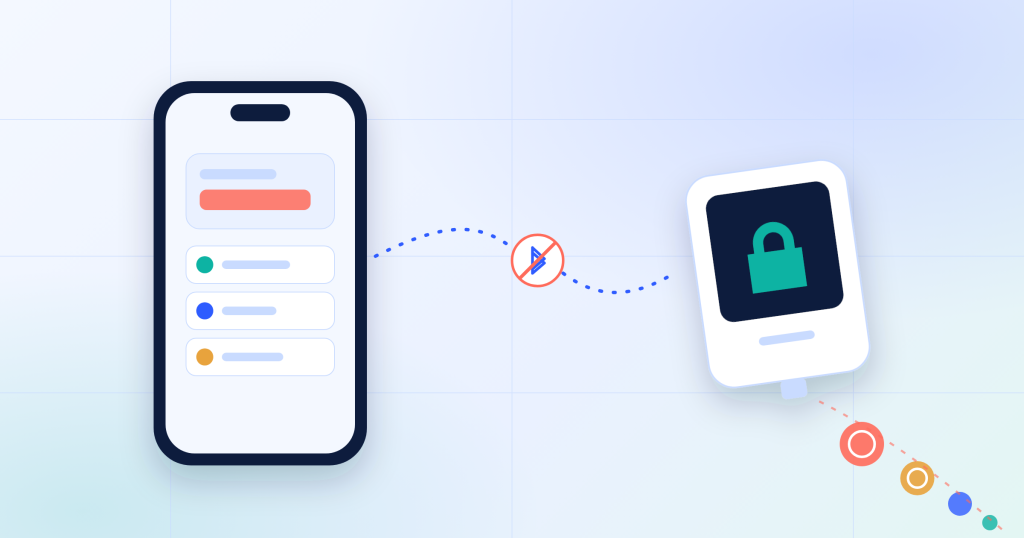
A Trezor wallet drained of $613,000 on a single iPhone 17 Pro Max has left analysts without an answer. The owner also lost funds from an Exodus app on the same phone. Every transfer carried his own valid signature, yet he says he approved none of them.
So far, nobody has explained how it happened. Onchain Lens, the analytics account that traced the theft, published its findings on November 23.
Who should care: Anyone holding crypto, and any company that lets staff approve payments from a phone.
What could go wrong: One leaked recovery phrase can empty every chain that shares it.
Do this: Give every wallet its own seed, and keep big balances away from your daily phone.
Worth remembering: A valid signature proves a key was used. However, it doesn’t prove the owner meant it.
What Happened to the Drained Trezor Wallet?
The owner paired a Trezor Safe 7 with Trezor Suite on his iPhone over Bluetooth about two months ago. He says the device arrived sealed and the recovery phrase lived only on paper. Then, on November 21, a 49,999 USDT transfer left his TRON wallet under the account’s own owner permission, with no old token approval involved.
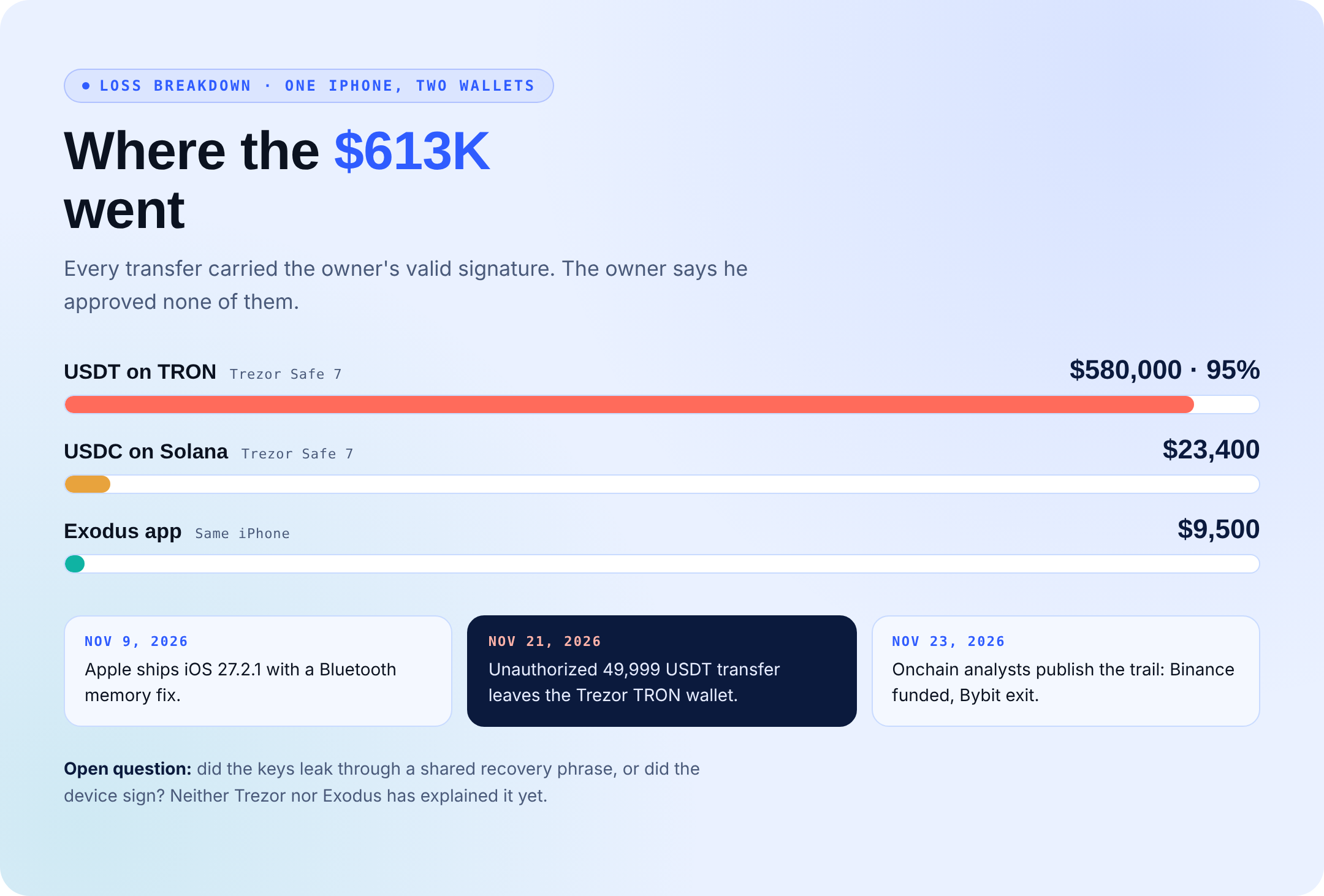
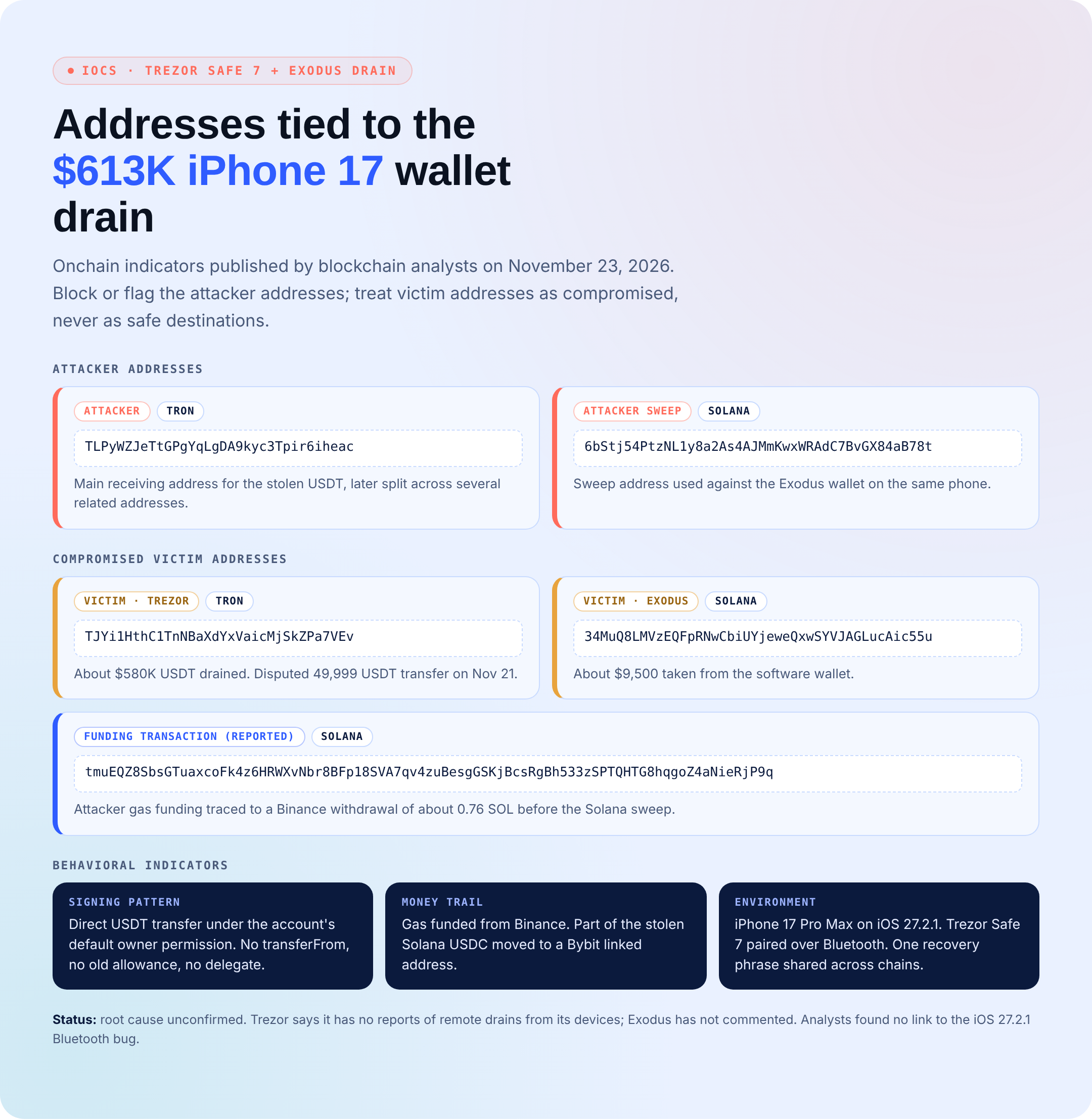
In total, roughly $580,000 in USDT went on TRON, $23,400 in USDC on Solana, and $9,500 from Exodus. Afterward, analysts traced attacker gas to Binance and part of the stolen funds to a Bybit linked address, Crypto Briefing reports.
What’s the Impact of the Trezor Wallet Drain?
TRON alone accounts for 95% of the loss. Meanwhile, Trezor says it has no reports of remote device drains, and Exodus hasn’t commented.
The TRON and Solana accounts on the Trezor shared one recovery phrase, so a single leak could open both. However, if that phrase never left paper, a leaked backup doesn’t explain how this Trezor wallet drained. Also, investigators haven’t established whether Bluetooth or iOS played a role.
How to Avoid Getting Your Trezor Wallet Drained
- Give each wallet its own recovery phrase. Above all, never type a hardware wallet seed into Exodus or any phone app.
- Keep large balances on a device that never pairs with your daily phone.
- Set alerts on every address. That way, you spot a drain in minutes, not days.
- Buy hardware only from the maker. For example, Trezor recently warned that a reseller’s devices may hide a seed stealing implant.
- Install iOS updates the day they ship.
- Use multisig for treasury funds, so one key can’t move the money alone.
Signed, Sealed, Stolen: Close the Gap First
Companies now park stablecoins in treasuries and approve transfers from executive phones, so a Trezor wallet drained this way is a business risk too. Secure.com delivers security as a service, so you can attack, harden and prove your signing path without another tool to babysit.
- Managed Exposure Management finds every phone, wallet app and Bluetooth pairing that touches signing keys, ranks the risky ones and verifies each fix.
- Managed SecOps watches wallet activity around the clock, and human experts act the moment money moves oddly.
- A vCISO writes your custody rules (separate seeds, multisig thresholds, approved devices) and reports them to the board.
- Offensive testing hits your signing path before a thief does. Attack. Harden. Prove. Repeat.
Frequently Asked Questions
How was the Trezor wallet drained?
How much crypto was stolen?
Did an iPhone Bluetooth flaw cause the theft?
How can I protect my hardware wallet?
Related articles