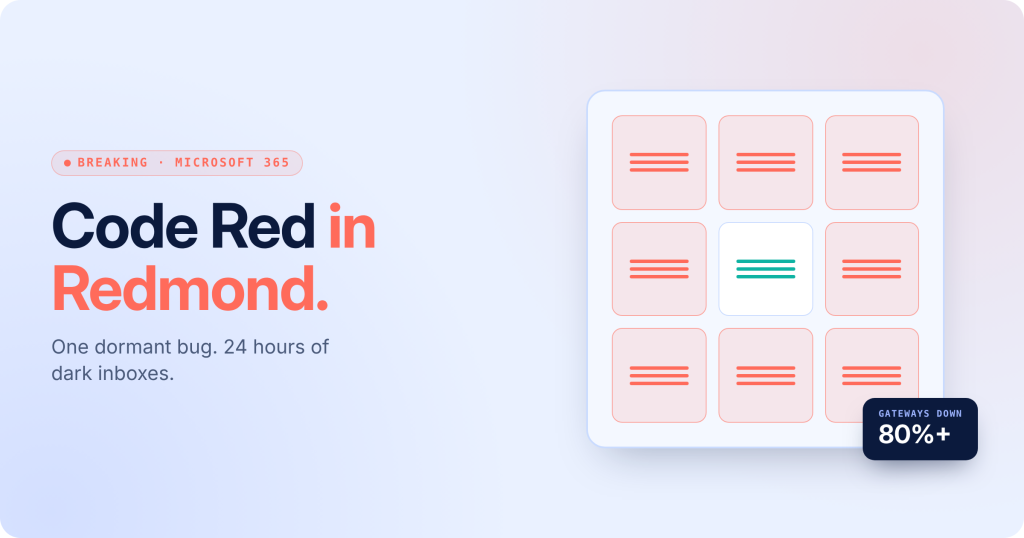
Microsoft has declared an internal Code Red after a Microsoft 365 outage knocked Outlook, Teams, and Copilot offline for about 24 hours on November 12 and 13. Internal memos reviewed by Reuters show engineers struggling to see their own fire. The Microsoft Code Red makes fixing those gaps the top priority for Microsoft 365 teams.
Who should care: Any company that runs email, chat, and collaboration on Microsoft 365.
What could go wrong: Your inbox and Teams go dark at the same time, and attackers notice.
Do this: Hunt for the IOCs below and check who clicked.
Worth remembering: No attacker caused the outage. The phishing came after.
What Led to Microsoft Code Red?
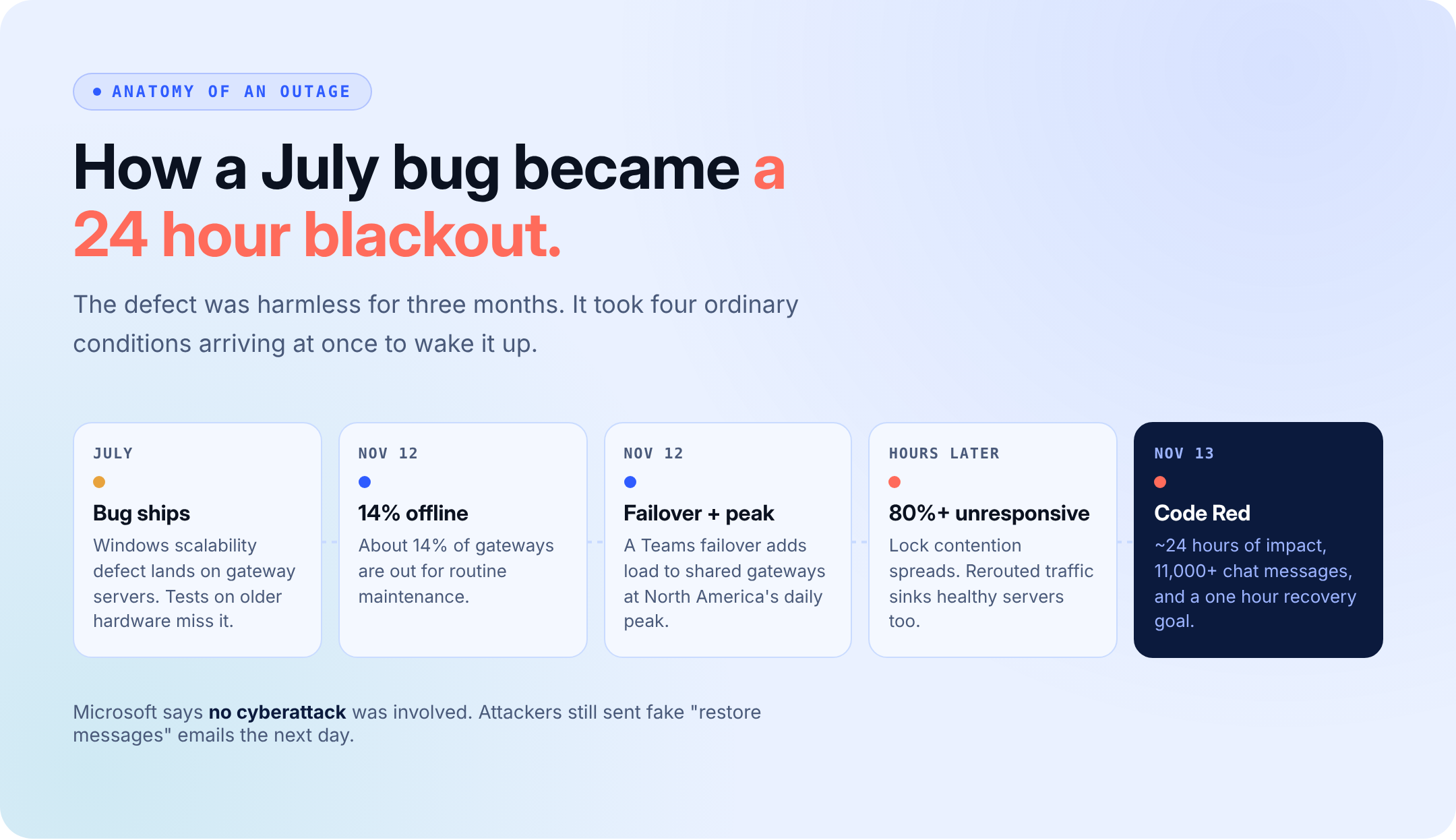
Trouble started on November 12. A Windows scalability bug, shipped in July, had sat on Microsoft 365 network gateway servers for over three months. Then three things lined up: about 14% of gateway capacity was out of service, a Teams failover pushed extra load onto shared gateways, and North America hit its daily peak.
As a result, lock contention spread until over 80% of gateway servers stopped responding. Meanwhile, load tests had focused on older hardware with fewer cores, so they never caught the bug.
Inside the Microsoft Code Red Memos
Responders traded more than 11,000 messages across 11 Teams chats while diagnostic data sat scattered across separate tracking systems. In one recent incident, an urgent fix took five to six days to reach users worldwide.
Under the Microsoft Code Red, the new goal is to resolve global incidents within one hour. However, Microsoft admits it isn’t there yet.
What’s the Impact?
Exchange Online, Outlook, Teams, SharePoint, OneDrive, and Copilot all stumbled. Beyond offices, governments, trading firms, and airlines felt it, and a Toronto hospital network declared a Code Grey. Insurance broker Acrisure cited early reports of up to $700 million in insured losses, though other estimates ran far lower.
Then the Phishers Showed Up
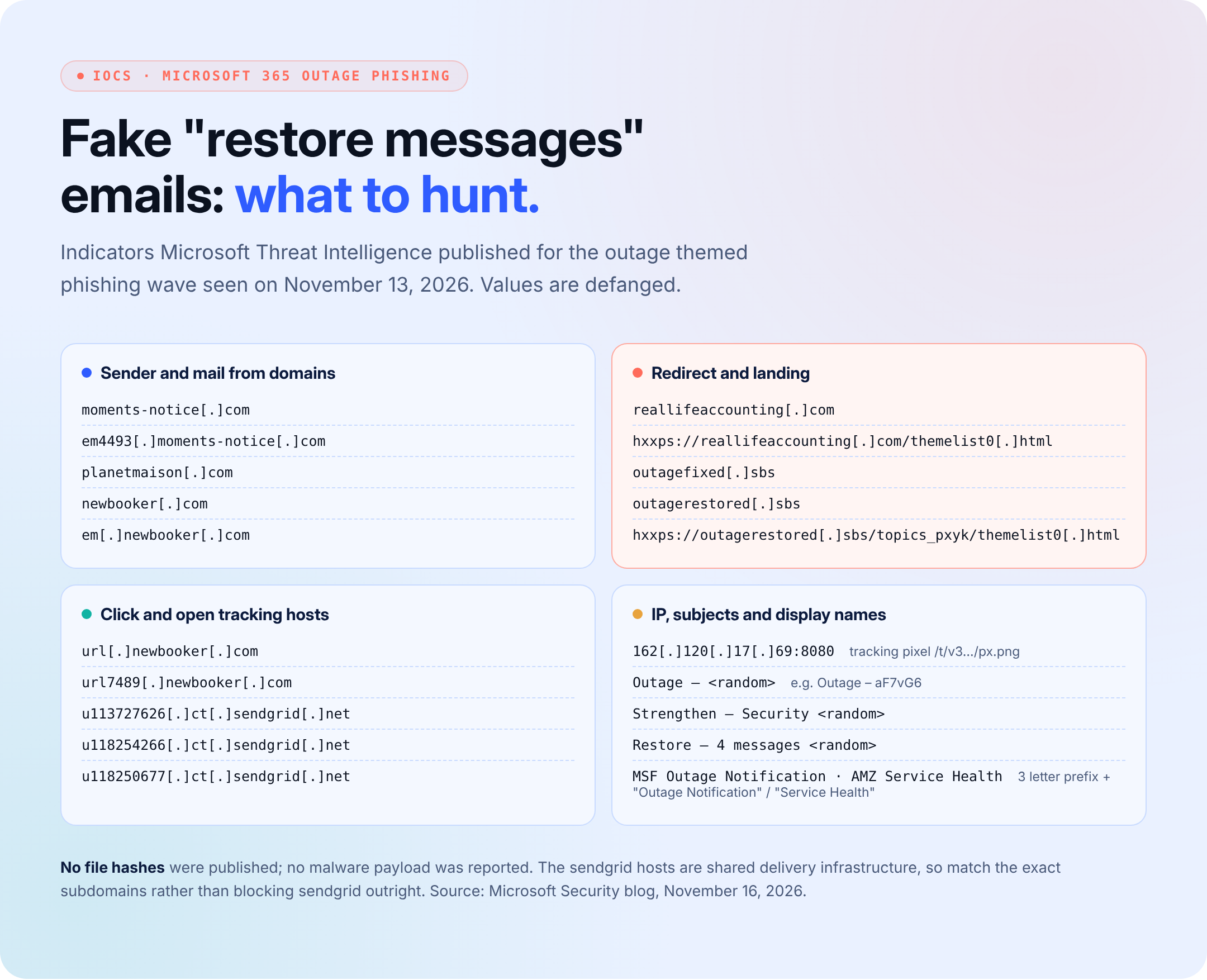
On November 13, attackers sent fake Microsoft 365 service health notices from display names like “MSF Outage Notification.” The emails warned that held mail would be deleted in 24 hours unless users clicked “Restore Messages.” Microsoft says the activity looks like credential phishing, though it has not confirmed any stolen passwords.
Microsoft Threat Intelligence published these indicators. However, it listed no file hashes and reported no malware. The SendGrid tracking hosts run on shared email infrastructure, so match the exact subdomains instead of blocking SendGrid as a whole.
How to Avoid This
The Microsoft Code Red lessons apply to any team that runs on Microsoft 365. Start with these steps:
- Search mail logs for the sender domains and subject lines in the IOC list.
- Find who clicked, then reset passwords, revoke sessions, and check forwarding rules.
- Tell staff that real outage updates live in the Microsoft 365 admin center, never behind an email button.
- Keep a backup channel for incident chat that doesn’t run on Microsoft 365.
- Move to phishing-resistant MFA.
Outages Don’t Call Ahead. Neither Do Phishers.
The Microsoft Code Red shows how a bug can hide in an untested dependency, and how fast phishing follows a crisis. Secure.com delivers security as a managed outcome through Service as a Software, so your team stops babysitting tools.
- Managed SecOps: experts watch mail and identity signals 24/7 and kill outage-themed phishing before a click becomes a stolen login.
- Managed Exposure Management: we map your single points of failure, rank what breaks first, then fix and verify it.
- vCISO: a senior security leader builds your continuity plan and briefs your board before the next Code Red.
- Governed Defense, Powered by Offense: we test how your defenses fail on a quiet Tuesday, so a crisis never teaches you first.