Microsoft 365 Outage Phishing Turns a Real Incident Number Into Bait
- Who should care: Any company running Exchange Online, Outlook, or Teams, which Microsoft 365 outage phishing targets, and the help desk fielding “where is my email?” tickets.
- What could go wrong: One click on a fake “restore messages” button hands an attacker a working Microsoft 365 login.
- Do this: Hunt your mail logs for the three sender domains below and review every recorded click from November 12 onward.
- Worth remembering: Microsoft will not email you a link to restore a mailbox.
Introduction
Microsoft says last week’s Microsoft 365 meltdown was its own doing, not a hacker’s. Attackers didn’t wait for the post-mortem. Within a day, phishing emails quoting the real incident number landed in corporate inboxes.
What Happened?
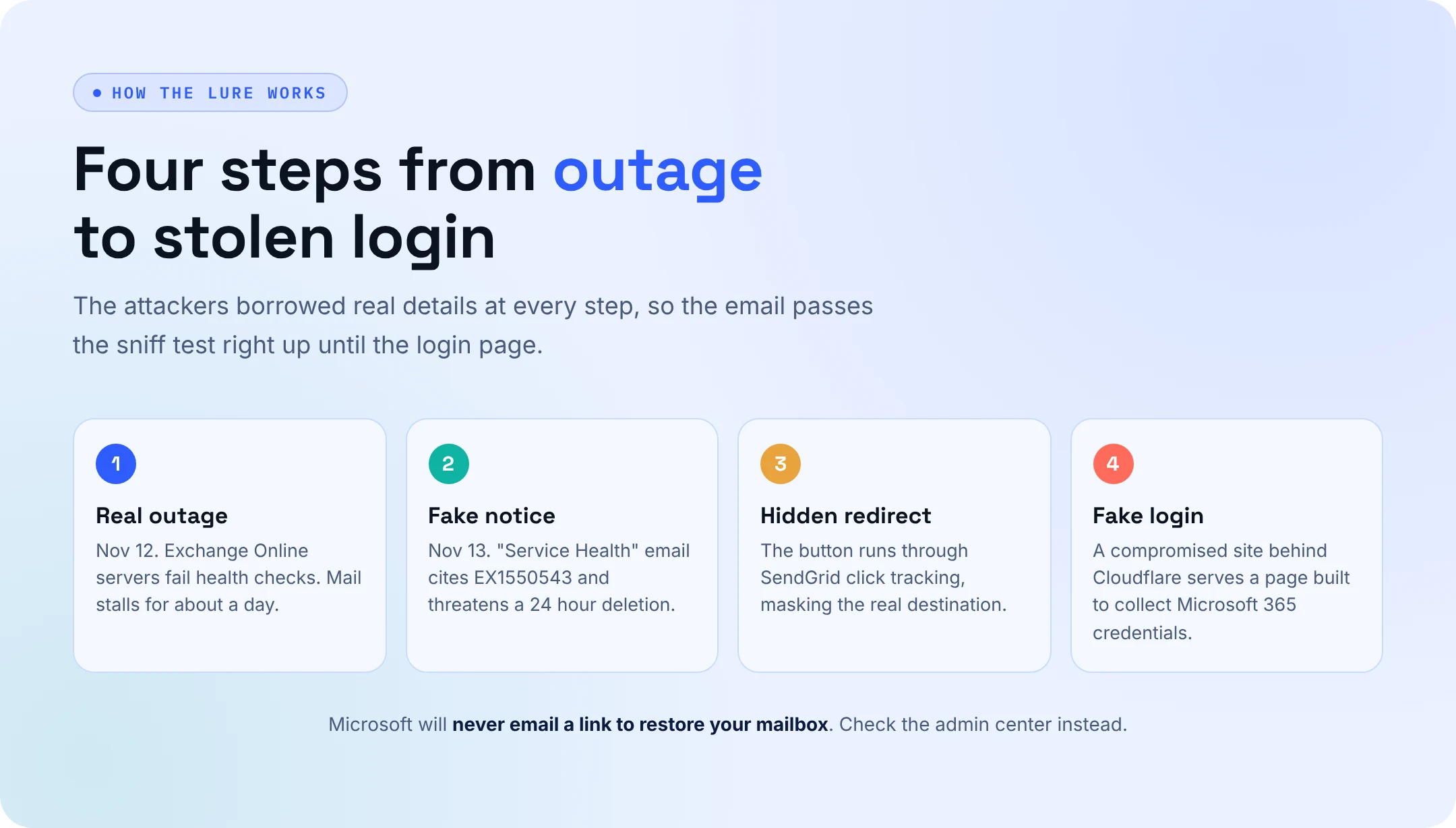
The outage began around 16:20 UTC on November 12, when Exchange Online servers failed automated health checks and dropped out, piling their load onto the servers that remained online. Outlook, Teams, SharePoint, Copilot and Defender XDR stumbled for roughly a day. Microsoft blamed a fault from an earlier network capacity upgrade that surfaced after a later network change, and said the outage had nothing to do with a cyberattack.
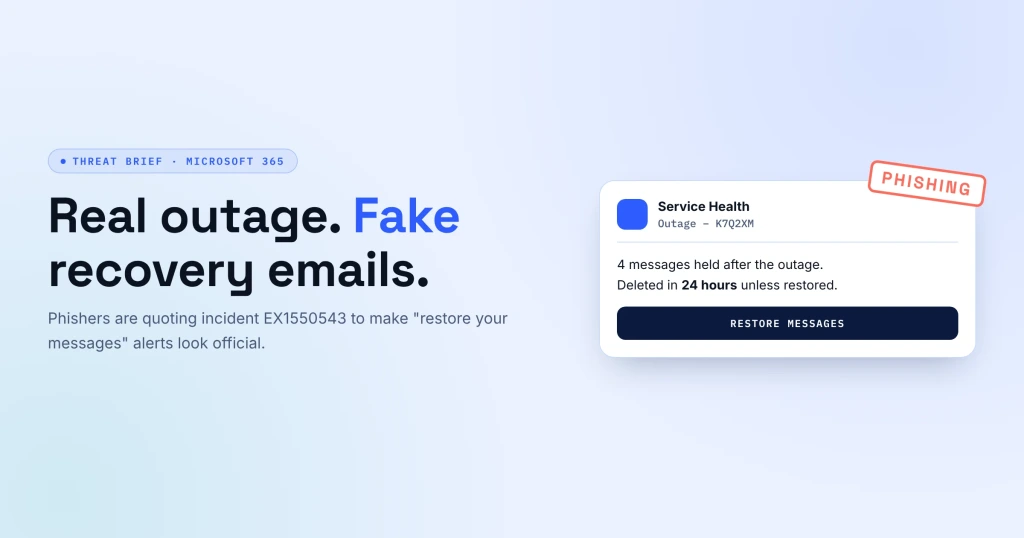
The phishing started the next day. Microsoft Threat Intelligence caught emails posing as service health notices that cited incident EX1550543 and warned that messages held during the outage would be deleted within 24 hours. Links ran through SendGrid click tracking to a fake login page on a compromised website.
What’s the Impact of the Microsoft 365 Outage Phishing Wave?
Every detail in the lure checks out except the button. Users had just spent a day without email, so a “held messages” alert felt expected. Microsoft calls it credential phishing and says its products now block it, though it has not confirmed any stolen passwords.
There is a second problem. Safe Links checks and the Defender XDR console were unreliable for parts of the outage, so the window when users were most likely to click was also the window when defenders could see the least.
Indicators of Compromise
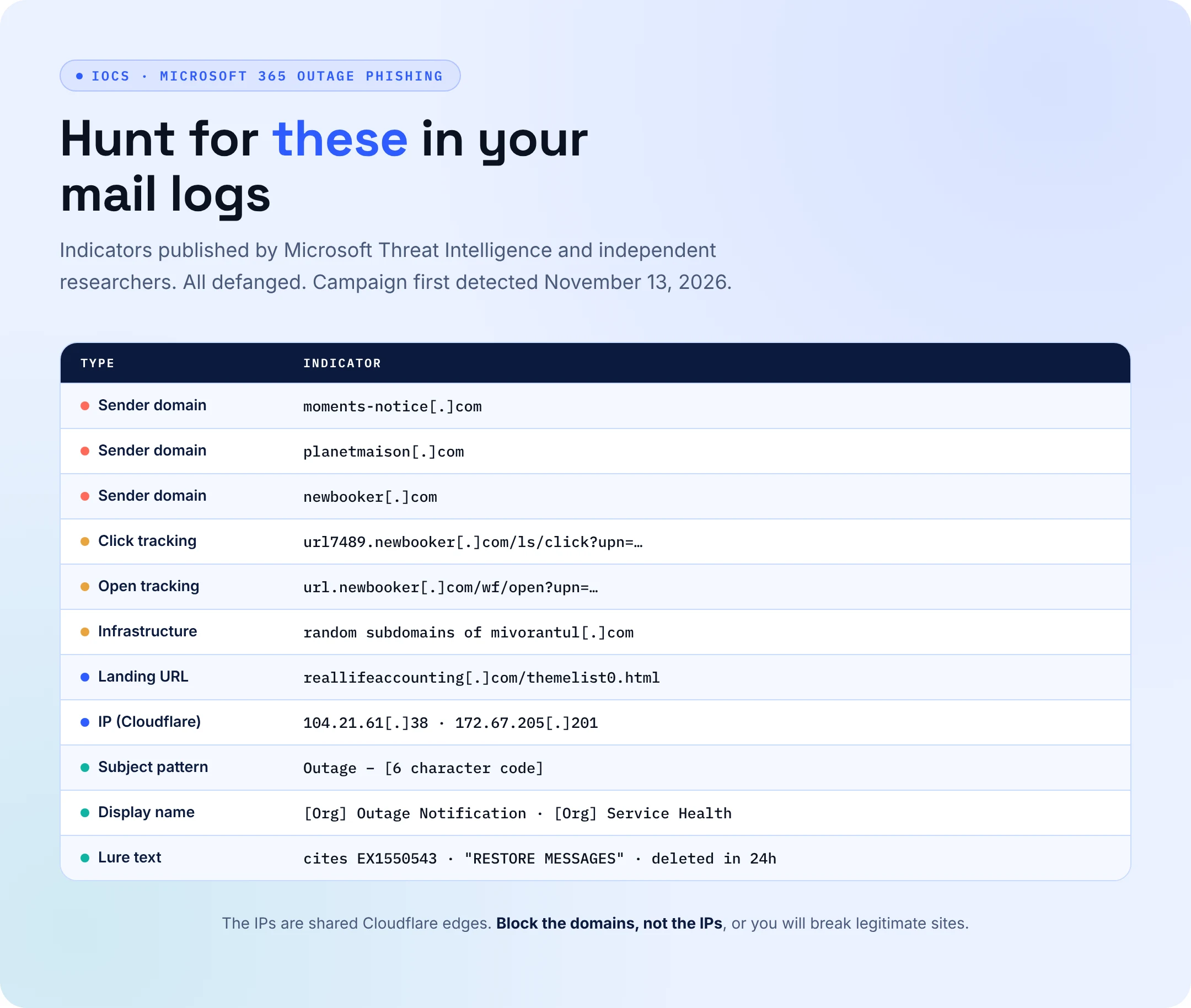
Researchers at Guardz and Mimecast mapped the infrastructure behind the Microsoft 365 outage phishing campaign. All indicators below are defanged.
- Sender domains: moments-notice[.]com, planetmaison[.]com, newbooker[.]com
- Landing host: reallifeaccounting[.]com/themelist0.html (behind Cloudflare)
- Tracking patterns: url7489.newbooker[.]com/ls/click?upn= and url.newbooker[.]com/wf/open?upn=
- Extra infrastructure: random subdomains on mivorantul[.]com
- Subject pattern: “Outage” plus a dash and a six-character code
- Display names: “[Org name] Outage Notification” or “[Org name] Service Health”
How to Avoid Microsoft 365 Outage Phishing
- Check outages in the Microsoft 365 admin center or status page, never through a link in an email.
- Search EmailEvents, EmailUrlInfo, and UrlClickEvents in Defender XDR advanced hunting for the domains and subject pattern above.
- Treat every recorded click as a possible compromise: reset the password, revoke sessions and check for new inbox rules.
- Confirm Safe Links policies are enabled and rewrite URLs again now that the service is stable.
- Move privileged users to phishing-resistant MFA such as FIDO2 passkeys.
Attackers Read the Status Page Too
Every big outage now comes with a phishing wave on its heels, and most teams only start hunting after someone reports a weird email. AI teammates can do that legwork the moment a new lure appears, while your team decides what gets blocked.
- AI teammates attack your own inboxes with the newest lures, like this fake outage notice, to see who clicks before a real attacker finds out.
- New IOCs automatically get pulled into hunts across mail, click, and sign-in logs.
- Risky clicks trigger session revocation and password resets within the guardrails your team sets.
- Hardening gaps such as disabled Safe Links or weak MFA get flagged, fixed, and logged as audit proof.
- Your analysts get hours back to spend on judgment calls instead of grunt work.
Attack. Harden. Prove. Repeat.