Microsoft 365 Outage Passes 15 Hours as Exchange Online Fixes Keep Failing
- Who should care: Any team running on Exchange Online during the Microsoft 365 outage, especially SOC teams that live in Defender XDR.
- What could go wrong: Fake “restore your mailbox” emails, plus alerts nobody saw while the Defender portal was down.
- Do this: Once Defender XDR loads again, review every alert and authentication log from November 12 onward.
- Worth remembering: Microsoft will never email you a link to restore your mailbox.
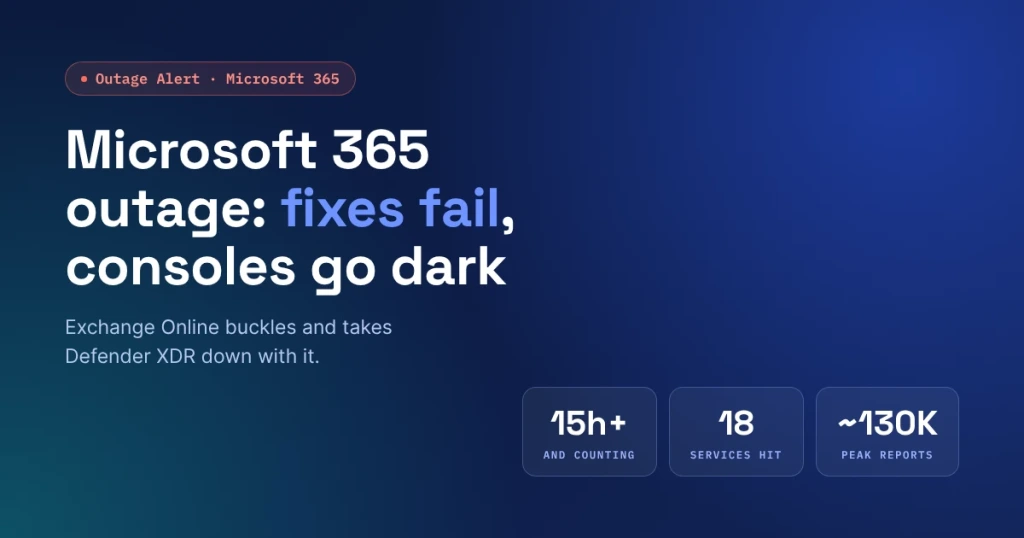
The Microsoft 365 outage started on Thursday and was still limping along on Friday. Outlook mailboxes wouldn’t open, Copilot went quiet, and for many tenants the Defender XDR console stopped loading. Microsoft’s first round of fixes didn’t hold.
What Happened?
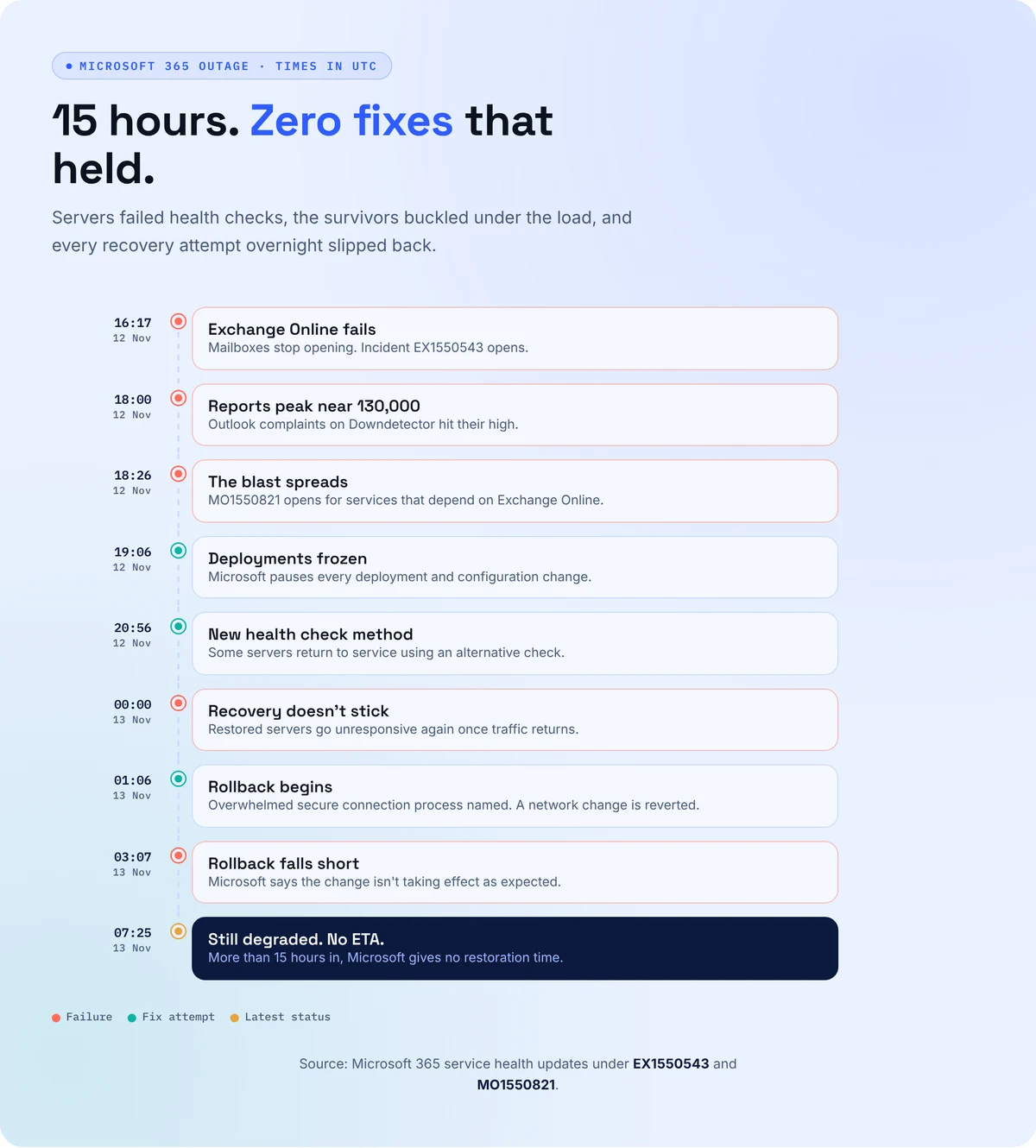
Trouble started on November 12, when Exchange Online servers began failing automated health checks and dropping out of service. The remaining servers picked up the slack and buckled under the extra load.
Microsoft paused all deployments, moved traffic between regions, and restarted servers, only to watch restored machines go unresponsive again once traffic returned. Early Friday, it blamed an overwhelmed process that sets up secure connections on each server and began rolling back a recent network configuration change.
A few hours later, Microsoft admitted the rollback wasn’t taking effect as expected. The Register reported that the fixes kept failing well past the 12-hour mark.
What’s the Impact?
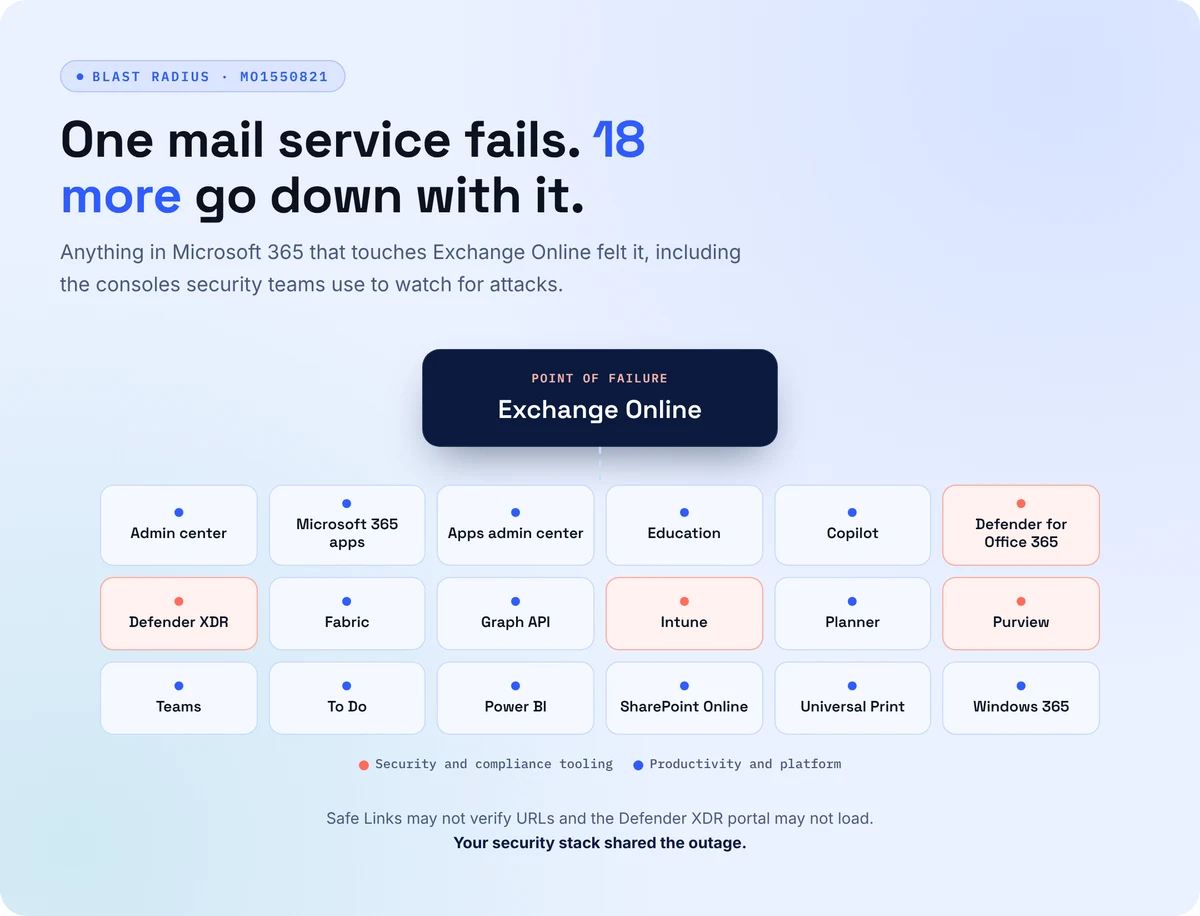
Outlook problem reports on Downdetector peaked near 130,000, according to ABC News. Microsoft lists 18 services hit by the Microsoft 365 outage besides Exchange Online, including Teams, SharePoint Online, Copilot, Intune, Purview and Defender XDR.
Outlook.com and OneDrive users felt it too. As of Friday morning, Microsoft had offered no restoration time.
The Security Problem Hiding Inside the Microsoft 365 Outage
Microsoft says it has seen no sign of malicious activity. That doesn’t absolve security teams. Defender for Office 365 warned that Safe Links might be unable to verify URLs, so a click in Outlook or Teams may have skipped a check people assume is always on.
With the Defender XDR and Purview portals failing to load, alerts kept arriving, and nobody could read them. Attackers love a headline outage, too. Expect “verify your account to restore email” phishing lures within days.
How to Avoid This
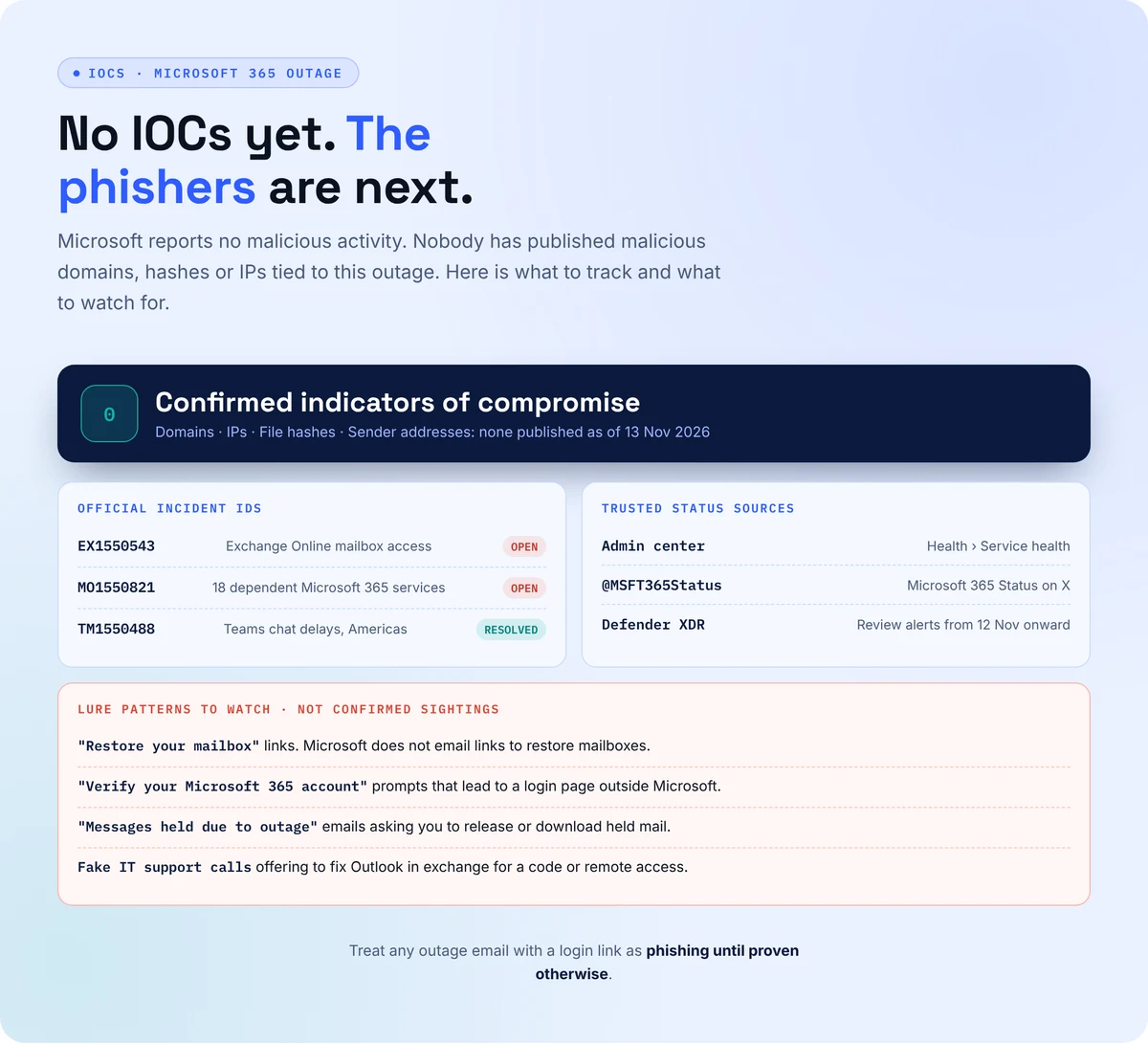
- Track EX1550543 and MO1550821 under Health > Service health in the admin center, and follow @MSFT365Status when the admin center won’t load.
- Tell staff today that any email offering to restore their mailbox or verify their account is phishing.
- Replay the blind window: review Defender alerts and authentication logs from November 12 onward once the portal is stable.
- Roll back any MFA, conditional access, or mail flow rules your team loosened during the scramble.
- Keep a backup channel outside Microsoft 365 so incident response doesn’t stall when Teams and Outlook do.
Microsoft 365 Outage Indicators of Compromise
None confirmed. Microsoft reports no malicious activity, and no malicious domains, hashes or IPs tied to this outage have been published. The visual below lists the official incident IDs and the lure patterns to watch.
When the Console Goes Dark, Your Defense Shouldn’t
Fifteen hours of the Microsoft 365 outage without a reliable Defender portal means fifteen hours of alerts nobody triaged. Secure.com’s AI teammates work across your stack under rules your team sets, so one vendor’s bad day doesn’t leave you blind.
- Pulls alerts from your SIEM, EDR, email, and identity tools, so detection never depends on a single console
- Clears the outage backlog and hands analysts only the cases that need a human
- Flags policy changes made in a hurry, like relaxed MFA or new forwarding rules, before attackers find them
- Attacks your defenses with the same outage lures phishers will use, then hardens what breaks
- Records what was checked and fixed as proof for leadership and auditors