SignDrop Zero-Day Turns a Windows Safety Lock Into a Skeleton Key
- Who should care: Anyone exposed to the SignDrop zero-day, meaning teams running Windows 11 25H2 or 26H2 and Windows Server 2025, especially terminal servers and shared hosts.
- What could go wrong: One phished standard account becomes SYSTEM.
- Do this: Check the CLFS Authentication Mode value on every endpoint today.
- Worth remembering: Turning the mitigation off is worse than leaving it on.
Introduction
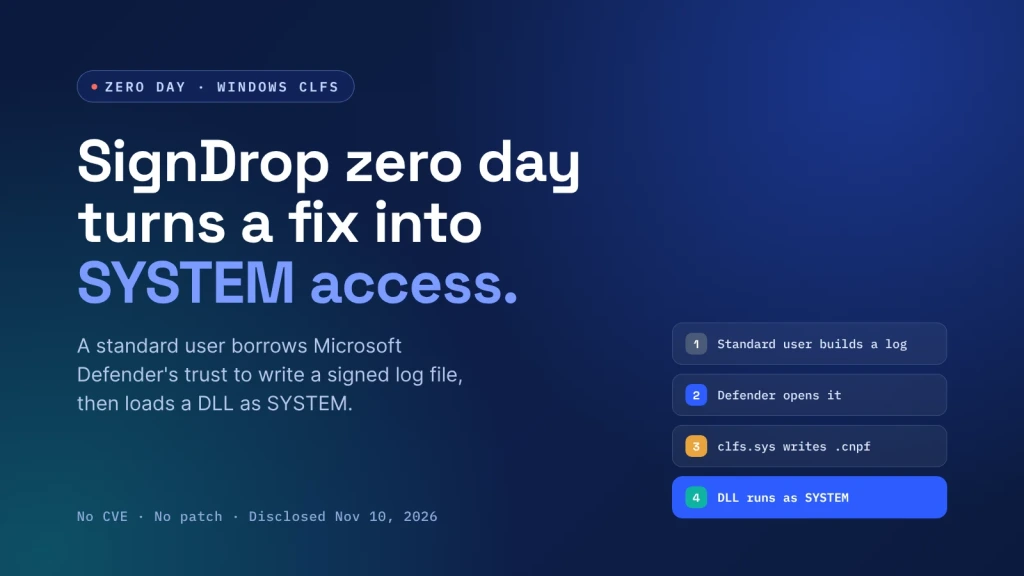
Microsoft added a signature check to Windows logging to stop a long run of kernel attacks. The new SignDrop zero-day turns that check into a way in, handing a standard user full SYSTEM control. There is no patch.
What Happened With the SignDrop Zero Day?
On November 10, Patch Tuesday, the researcher behind LegacyHive, BlueHammer and RoguePlanet posted SignDrop on GitHub with full source code. No CVE, no advisory.
The target is CLFS authentication, which signs each Common Log File System log with an HMAC and stores it in a .cnpf file. Microsoft added it because ransomware crews abused CVE-2025-29824.
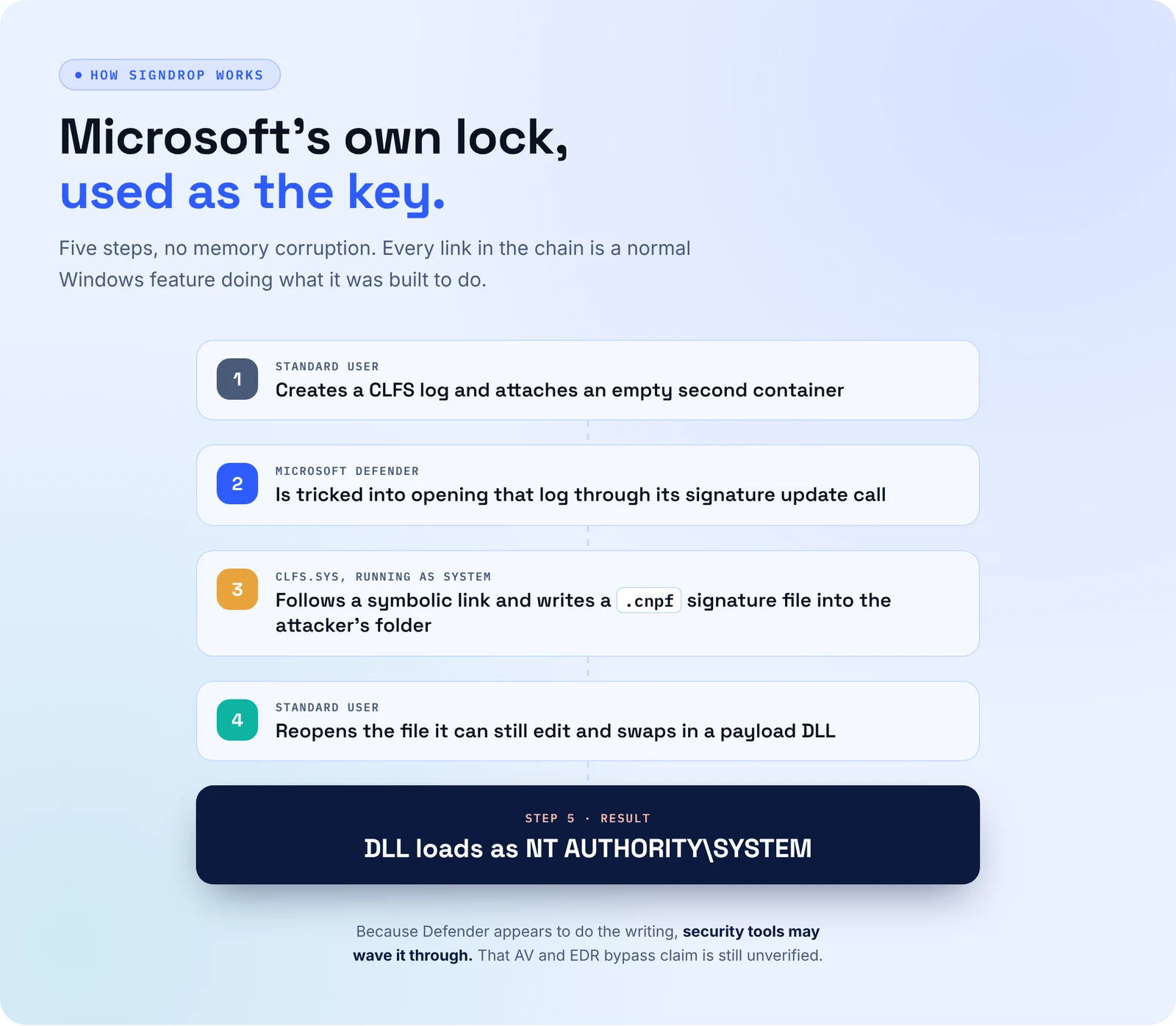
First, the SignDrop zero day builds a log as a standard user. Then it gets Microsoft Defender to open it. Symbolic links steer that access, so clfs.sys writes the .cnpf file as SYSTEM into a folder the attacker owns. Swap in a DLL, and Defender loads it, according to Cyber Kendra.
What’s the Impact?
SignDrop needs a foothold first, and phishing supplies those daily. The researcher estimates 80% of Windows installs are exposed, covering machines in learning and enforcement mode. Because Defender appears to do the writing, the researcher also claims attackers can slip past AV and EDR tamper protection. However, nobody has verified that yet.
As of November 11, Microsoft had not confirmed the bug, nobody had reported attacks, and CISA had not listed it as exploited, Cyber Press reports. Still, that calm may not last. Several earlier drops from the same researcher ended up in real intrusions within weeks, so treat the SignDrop zero-day as a live risk.
How to Avoid This
- Read
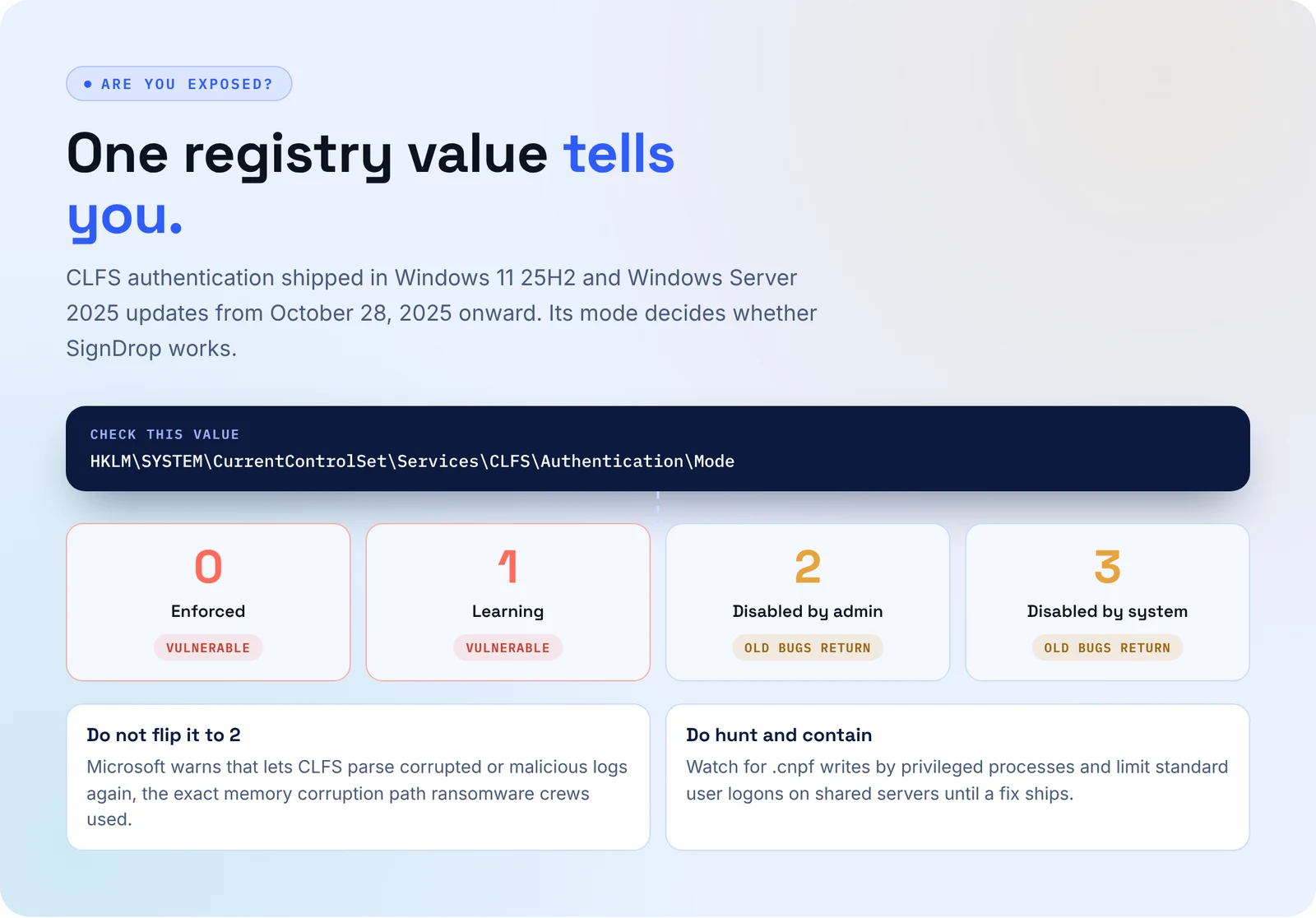
HKLM\SYSTEM\CurrentControlSet\Services\CLFS\Authentication\Mode. Values 0 and 1 mean the machine is in range. - Do not set Mode to 2. Microsoft warns that it reopens the old CLFS memory corruption bugs.
- Alert when
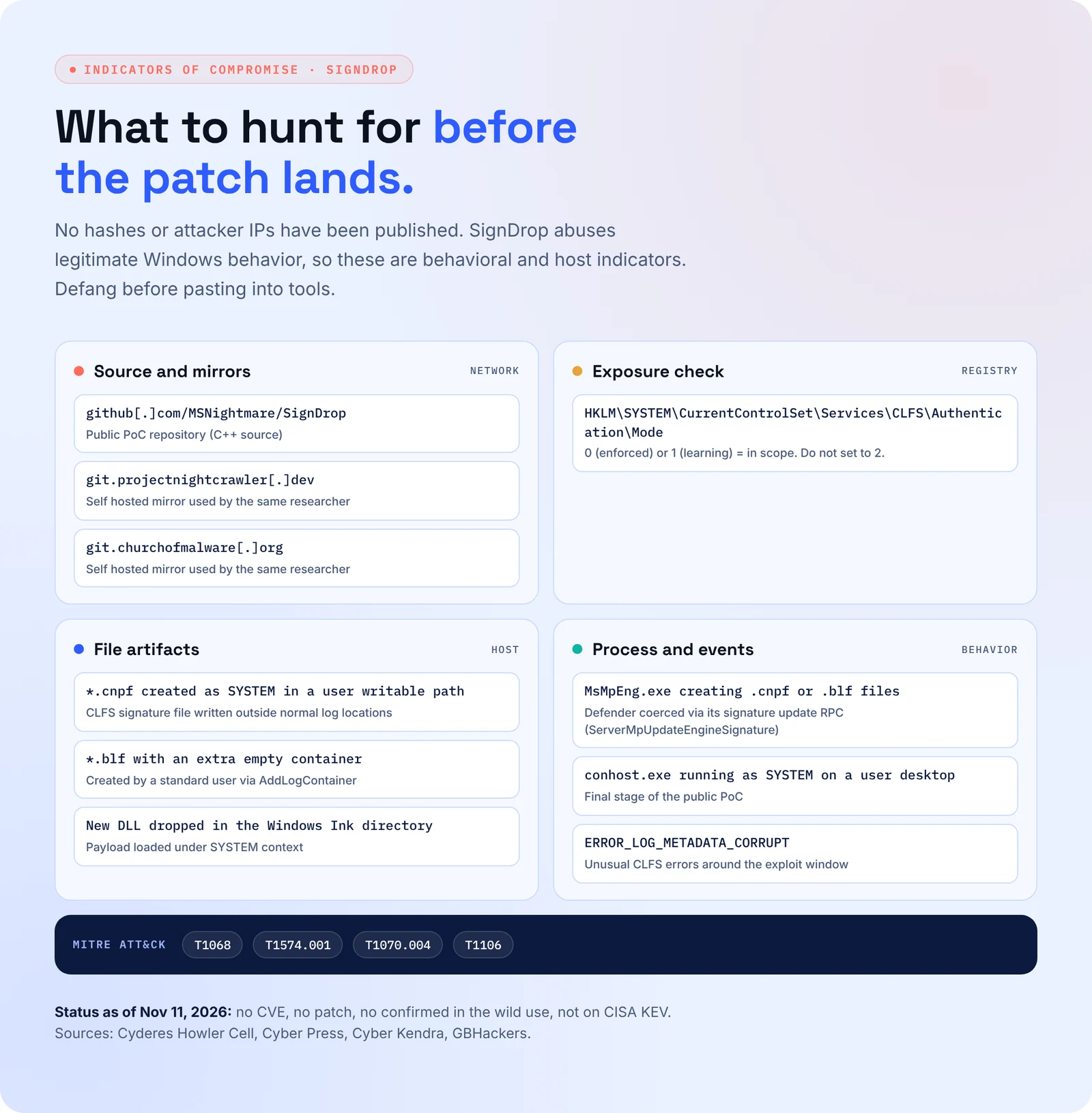
MsMpEng.exeor another privileged process creates.cnpfor.blffiles in user-writable paths. - Watch for
conhost.exespawning as SYSTEM on a user desktop, plusERROR_LOG_METADATA_CORRUPTerrors. - Cut local and interactive logons for standard accounts on shared servers, then prioritize fixing it the day Microsoft ships a patch.
SignDrop Zero Day Indicators of Compromise
Nobody has published hashes or attacker IPs yet, per GBHackers. Instead, these are host and behavior indicators, plus the exploit’s code repository and the researcher’s mirror sites.
Your Security Tool Just Became the Getaway Car
SignDrop works because Windows trusts its own defender. When the attacker borrows that trust, you need something that already tested the path and knows which machines are open.
- AI teammates attack your Windows fleet the way SignDrop does, inside rules your team sets, and prove which hosts reach SYSTEM.
- Secure.com maps every endpoint to its CLFS mode and build, so the exposed 25H2, 26H2 and Server 2025 boxes surface in minutes.
- It drafts detection rules for odd
.cnpfwrites and SYSTEMconhostlaunches, then hands them to your team for approval. - It also flags standard account sprawl on terminal servers before an attacker needs it.
- Finally, when Microsoft ships the fix, Secure.com confirms it landed and reruns the test.
Attack. Harden. Prove. Repeat.
Conclusion
The SignDrop zero-day uses a Microsoft fix and Microsoft’s own antivirus to reach SYSTEM, and there is no patch yet. Check the CLFS Mode value now, leave the mitigation on, hunt for odd .cnpf writes, and patch the day Microsoft ships a fix.