
Abandoned in 2008, Exploited in 2026: One POST Request Takes the Server
- Who should care: Teams exposed to the Idunno AntiCsrf vulnerability, meaning anyone running older ASP.NET WebForms apps, especially ones inherited from contractors or past dev teams.
- What could go wrong: One unauthenticated web request runs attacker code on your IIS server.
- Do this: Search every Web.config file and bin folder for Idunno.AntiCsrf today, then remove it.
- Worth remembering: No patch is coming. The project died in 2008.
A security library meant to block forged web requests has become a front door into the servers it guards. Attackers are already exploiting the Idunno AntiCsrf vulnerability. Nobody has touched the code since 2008, so no one is going to ship a fix.
What Happened?
On November 18, Google’s Mandiant published an advisory for CVE-2026-131914, a critical flaw in Idunno.AntiCsrf scored 9.3 under CVSS 4.0. Idunno.AntiCsrf is a third party HTTP module that adds CSRF protection to ASP.NET WebForms apps with the double submit cookie pattern. The flaw affects version 0.9.1.0, also listed as 0.9.1 Beta, and any custom builds that keep the same code.
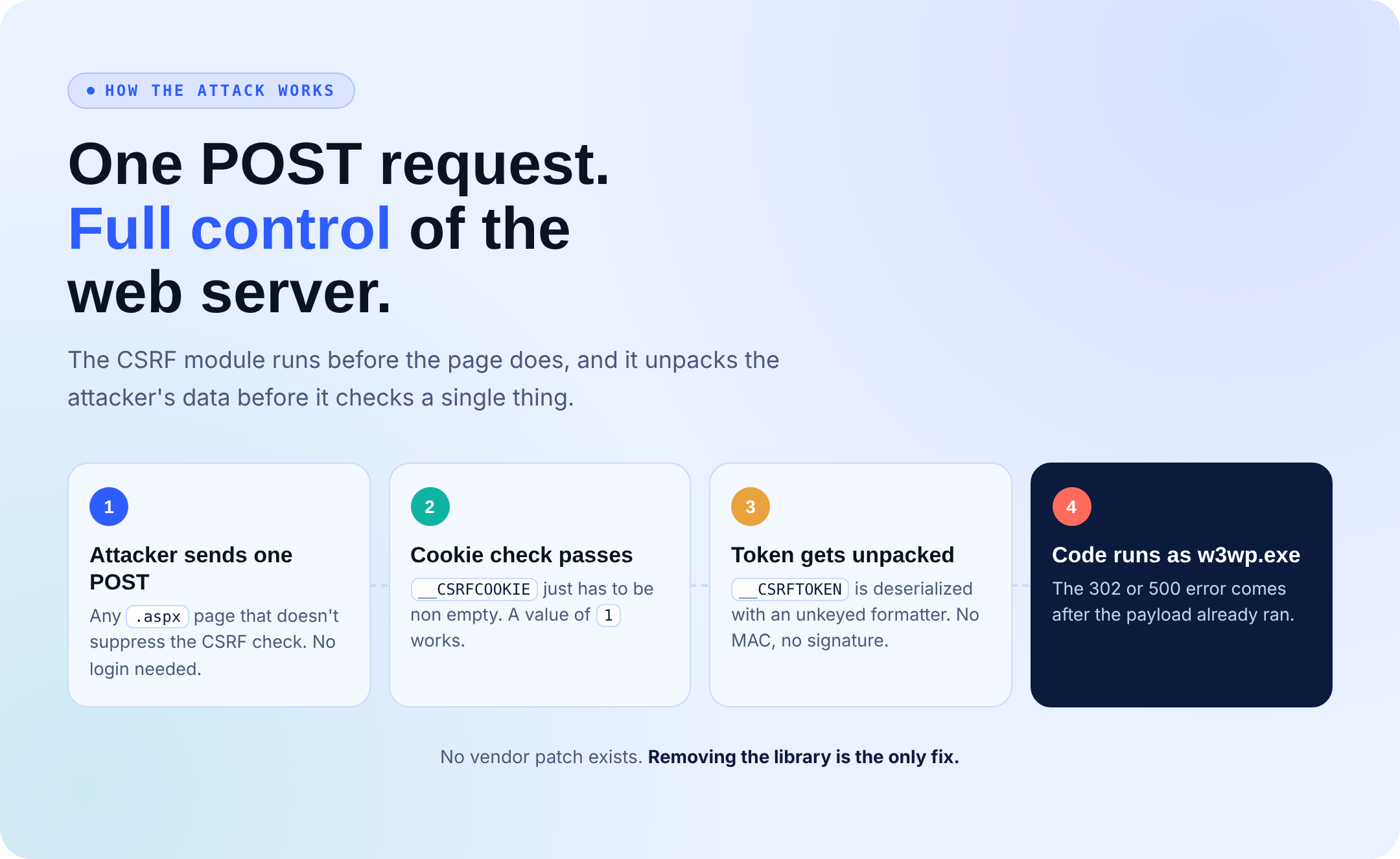
Here is the mistake. The module checks only that the CSRF cookie and form field are not empty. It then deserializes the form token with an unkeyed ObjectStateFormatter, with no MAC and no signature check, before it validates anything. Google’s incident responders traced the root cause on November 4 while investigating a real intrusion.
What’s the Impact of the Idunno AntiCsrf Vulnerability?
The attacker’s code runs inside the IIS worker process (w3wp.exe), which gives them full control of the web server. The attacker needs no login, no valid token and no visit to a real form page. The module throws an error afterward, but by then the payload has already run.
Any POST to an .aspx page that does not suppress the CSRF check can trigger the flaw. One request is enough. Because the project is defunct, removal is the only fix.
How to Protect Your Servers From the Idunno AntiCsrf Vulnerability
- Find it: Search every Web.config file and bin folder for Idunno.AntiCsrf or AntiCsrfModule, including custom builds with different hashes.
- Remove it: Delete the module entries, the csrfSettings section, any SuppressCsrfCheck references and Idunno.AntiCsrf.dll.
- Replace it: Use a supported control, such as System.Web.Helpers.AntiForgery, ViewStateUserKey with ViewState MAC validation turned on, or IAntiforgery in ASP.NET Core.
- Check the logs: Review IIS logs for POSTs to .aspx pages that return HTTP 302 or 500, especially requests with unusually large sizes.
- Clean up: If you find signs of abuse, rotate the machineKey values, encryption keys and database credentials in Web.config and applicationHost.config. Then check webroots for files you did not put there.
Idunno AntiCsrf Vulnerability: Indicators of Compromise (IOCs)
The advisory shares no attacker IPs, domains or payload samples. It does give hunting leads: a __CSRFCOOKIE cookie with any value, paired with a Base64 ObjectStateFormatter blob in the __CSRFTOKEN field, unexpected child processes under w3wp.exe, and hashes for the three known public builds of the DLL.
The hashes identify the vulnerable library, not malware. The full sheet is below.

Old Code Doesn’t Retire Itself
A library from 2008 never shows up on a patch list, so it sits in a bin folder until someone else finds it first. Secure.com delivers security as a finished service, with your team setting the rules: we attack, harden, prove and repeat.
- Managed Exposure Management finds every app still loading Idunno.AntiCsrf, including internal ones nobody remembers, and ranks them by internet exposure.
- Validation testing hits those .aspx endpoints the way an attacker would after removal and confirms the module is gone.
- Managed SecOps watches w3wp.exe around the clock and steps in when IIS spawns a shell or drops new files in a webroot.
- A vCISO sets a policy for retiring unsupported components and reports legacy risk to the board in plain terms.
Conclusion
Most legacy risk sits quietly for years. Attackers are exploiting the Idunno AntiCsrf vulnerability now, and the only fix is to delete the library. If you run ASP.NET WebForms, the search takes minutes. A breach through a 2008 DLL takes a lot longer to explain.