FastUnlock Zero Day Lets Anyone Talk Their Way Past Your Windows 11 Lock Screen
- Who should care: Anyone exposed to the FastUnlock zero-day, meaning IT and security teams running BitLocker laptops on Windows 11, especially TPM-only setups tied to Microsoft accounts.
- What could go wrong: Someone with a USB stick opens a stolen laptop that was left asleep in about five minutes.
- Do this: Turn on a BitLocker startup PIN and switch off AutoPlay before December Patch Tuesday.
- Worth remembering: Encryption protects a drive that is powered off. Once Windows is running, the lock screen is the only guard left.
Introduction
Windows 11 has a new unpatched hole, and it opens through the screen reader. The FastUnlock zero day lets anyone holding a locked, fully updated laptop run code in minutes. There is no CVE and no patch yet, which makes it one of the more practical Windows zero days of the year for anyone who loses a laptop.
What Happened With the FastUnlock Zero Day?
A researcher posted FastUnlock to GitHub on November 19 with a demo video. The same researcher released YellowKey in May.
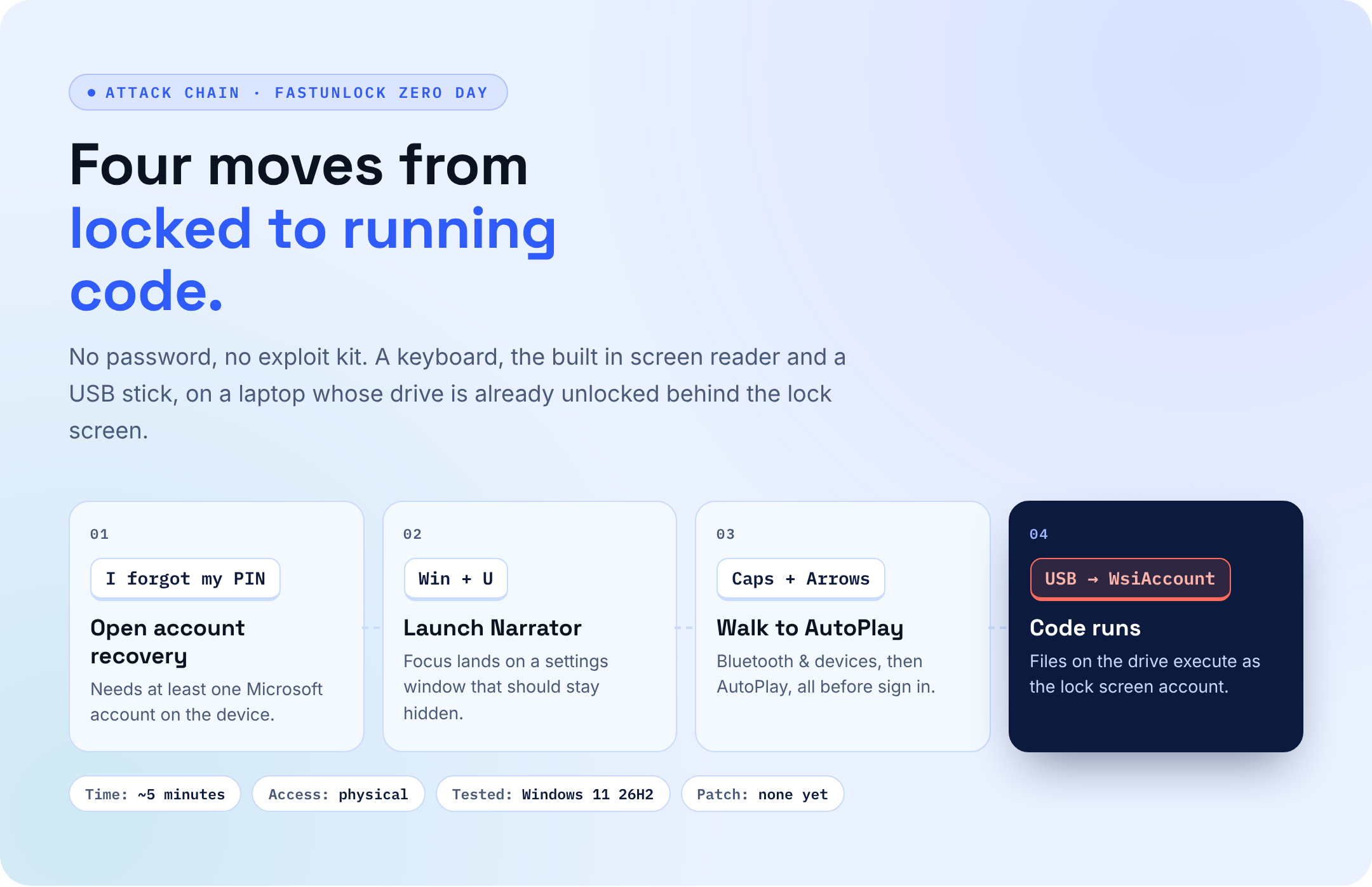
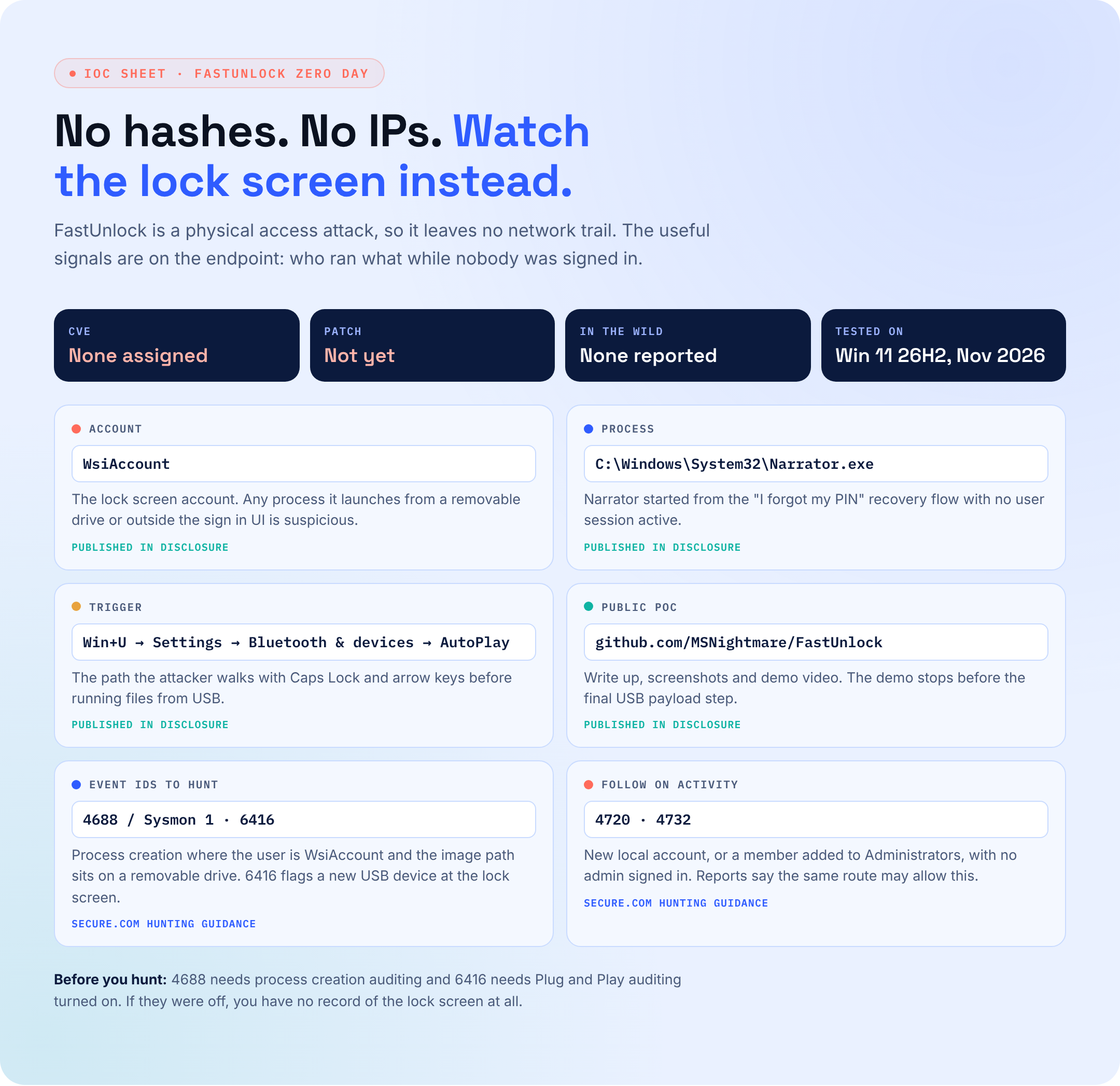
The attack starts at the “I forgot my PIN” prompt. Pressing Win+U opens Narrator, which lands on a settings window that should stay hidden. Caps Lock and the arrow keys reach Bluetooth & devices, then AutoPlay. Files on a plugged-in USB drive then run as WsiAccount, the account behind the lock screen.
The researcher says Narrator’s redesigned interface skips a lock screen check that the old code still has. Testing used Windows 11 26H2 with the November 2026 updates, and Hardware Busters reports that one security vendor has already reproduced it.
What’s the Impact?
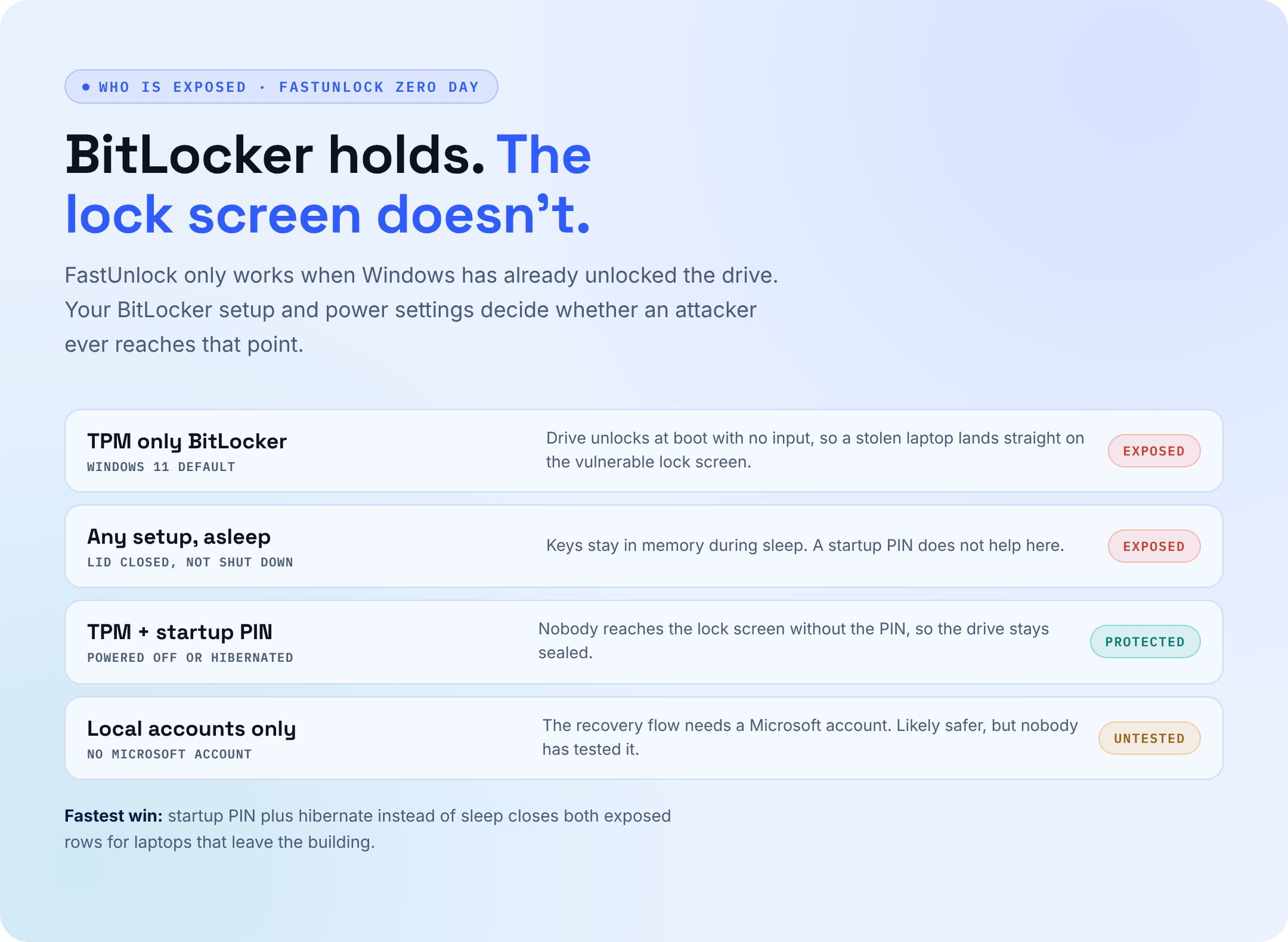
Despite the headlines, FastUnlock does not break BitLocker encryption. It walks past the lock screen while the drive is already unlocked, which is the default on TPM-only devices and on any sleeping laptop, as SecurityOnline also notes.
WsiAccount has low privileges, but reports suggest the same route could create a local admin account. That would turn five minutes alone with a laptop into full control.
How to Avoid the FastUnlock Zero Day
- Require a BitLocker startup PIN on laptops through the “Require additional authentication at startup” Group Policy setting.
- Switch off AutoPlay for removable media across the fleet.
- Set laptops to hibernate instead of sleep, since a sleeping device keeps its drive unlocked.
- Block Narrator with AppLocker where nobody needs it. Check with accessibility users first.
- Watch for an out-of-band fix or the December 8 Patch Tuesday, then confirm it landed on every device.
FastUnlock Zero Day Indicators of Compromise
Nobody has published hashes, IPs or domains, because this attack needs someone at the keyboard, as Cyber Kendra points out. The sheet below lists what the disclosure names, plus Windows event IDs to hunt for. The event IDs are Secure.com hunting guidance, not published indicators.
Five Minutes Alone With a Laptop Shouldn’t Equal a Breach
Most teams know the PIN fix. The hard part is finding every device still on TPM-only BitLocker, changing it without locking people out, and proving the change stuck.
- Managed Exposure Management finds every laptop running TPM-only BitLocker, AutoPlay or sleep by default, then fixes and verifies each one.
- Managed SecOps watches around the clock for processes launched by WsiAccount, Narrator starting with no user signed in, and new local admin accounts.
- Experts confirm the December fix reached every device instead of trusting a green dashboard.
- A vCISO sets the policy for lost and stolen devices and reports the exposure to your board in plain numbers.
Governed defense, powered by offense: attack your own laptops first, harden what you find, prove it worked, and repeat.
Conclusion
The FastUnlock zero-day turns an accessibility tool into a way past the Windows 11 lock screen, and Microsoft has no fix yet. Turn on a startup PIN, switch off AutoPlay, and stop laptops from sleeping, then patch the day Microsoft ships a fix.