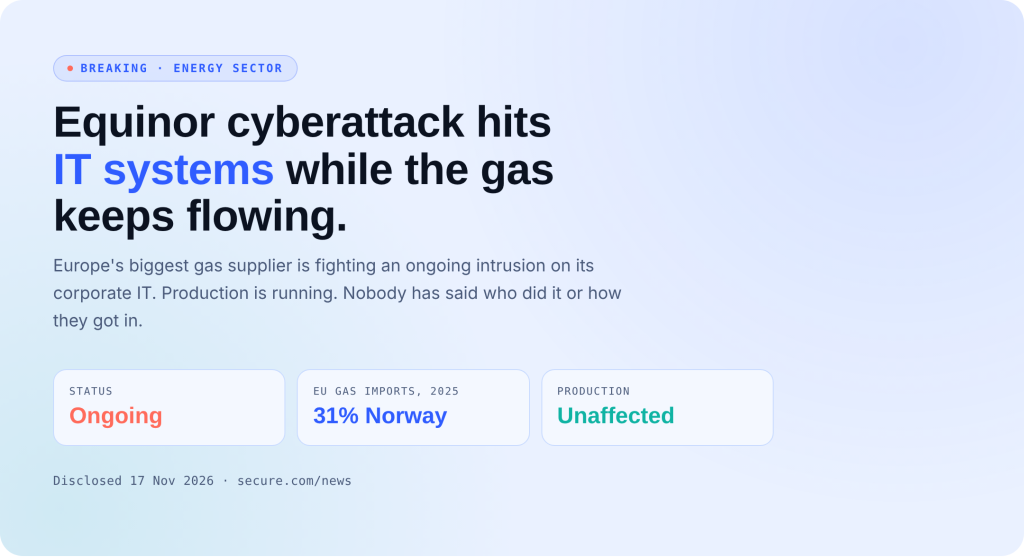
Cisco Expressway Vulnerability Exploited Soon After Public PoC Drops
- Who should care: Anyone exposed to the Cisco Expressway vulnerability, meaning teams running Expressway-C or Expressway-E in a cluster on X15.5.3 or earlier.
- What could go wrong: An attacker with no login takes root on your video gateway, then moves into the rest of the network.
- Do this: Upgrade every node to X15.5.20 today and lock TCP 4371 and 4372 to cluster peers.
- Worth remembering: A patch nobody installs is just a press release.
A Cisco Expressway vulnerability rated 9.8 has gone from advisory to active attack. Hackers used public exploit code to take root on four clustered gateways at a Russian organization. From there, they went shopping inside the network for passwords.
What Happened?
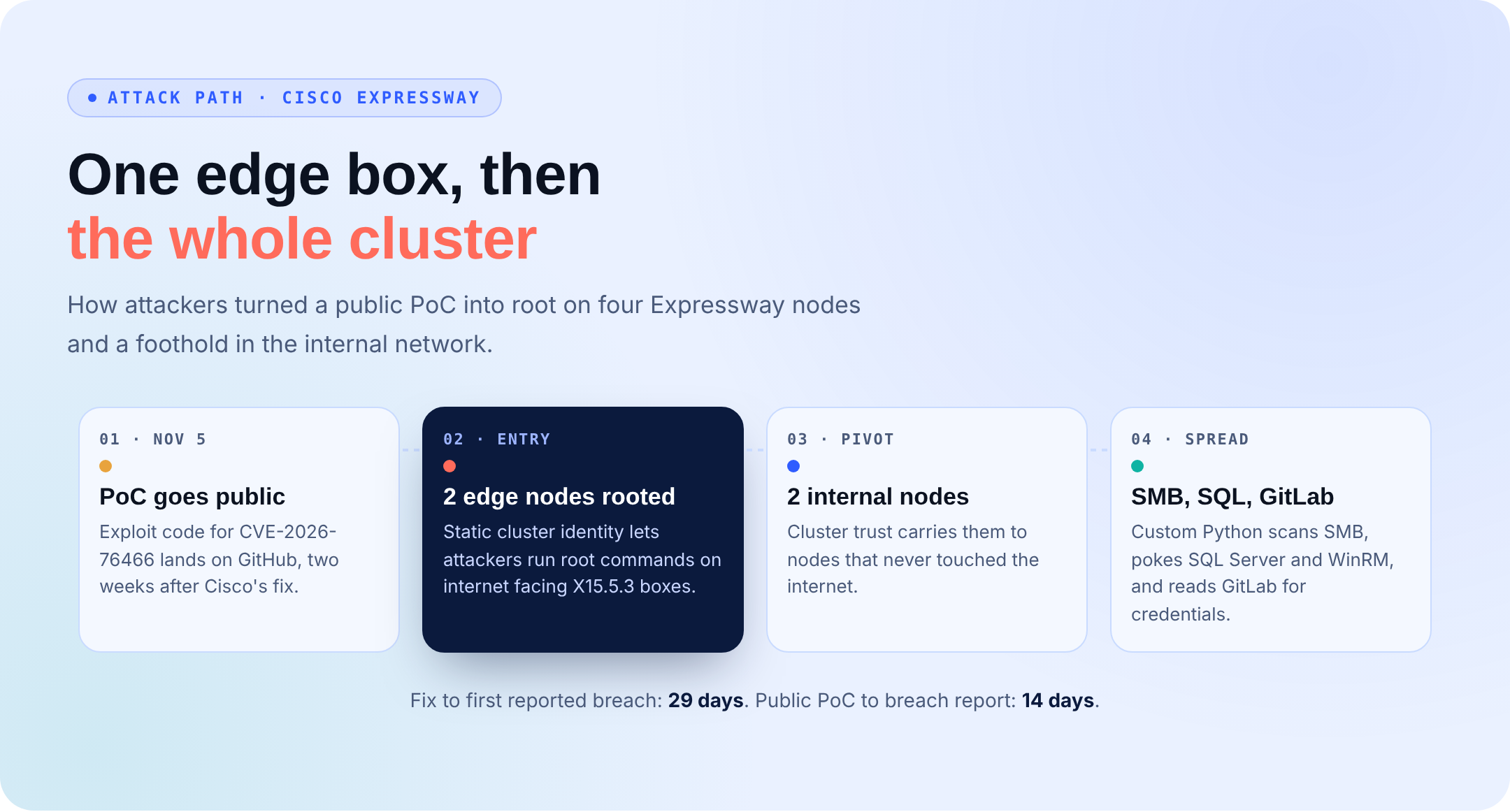
Cisco fixed CVE-2026-76466 on October 21. The bug sits in the cluster database service, which runs on Erlang and listens on TCP 4372. A maintenance identity and its cookie are hard-coded into the software and are the same on every install. As a result, anyone who can reach that port can join the cluster and run commands as root without a password.
Exploit code for the Cisco Expressway vulnerability landed on GitHub on November 5. On November 19, security firm F6 reported the first known attack. The intruders got into two internet-facing Expressway X15.5.3 boxes. From there, cluster trust carried them to two internal nodes that never touched the internet.
What’s the Impact?
Once inside, the attackers ran custom Python scripts that scanned for SMB shares, probed SQL Server and WinRM, and pulled credentials from internal GitLab repositories. F6 says the attackers also changed their scripts during the intrusion, and code comments suggest an AI assistant helped write them.
That makes this Cisco Expressway vulnerability more than an edge-device problem. A rooted gateway became a launch point into systems that should never have been reachable from the internet. Nobody has named the group behind it yet, and Cisco lists no workaround.
How to Fix the Cisco Expressway Vulnerability
- Upgrade every cluster node to X15.5.20. X14 has no fix, so migrate off it.
- Allow TCP 4371 and 4372 only from known cluster peers.
- Search your logs for [email protected] and for Python files under /mnt/harddisk/.
- Check System > Status for cluster peers you don’t recognize.
- Treat a hit as a breach: isolate the box, rotate secrets, and hunt for lateral movement.
Cisco Expressway Vulnerability Indicators of Compromise
F6 published these indicators from the first confirmed intrusion. A hit is a lead, not proof, and a failed attempt may leave no trace.
- IP addresses: 66.179.31[.]32 and 18.130.47[.]116
- Erlang node name: [email protected] in erlang.log
- Staging path:
/mnt/harddisk/i####[a-zA-Z]?/*.py(four digits, optional letter) - Network: connections to TCP 4371 or 4372 from machines that aren’t cluster peers
- Public PoC: github[.]com/dinosn/cve-2026-76466
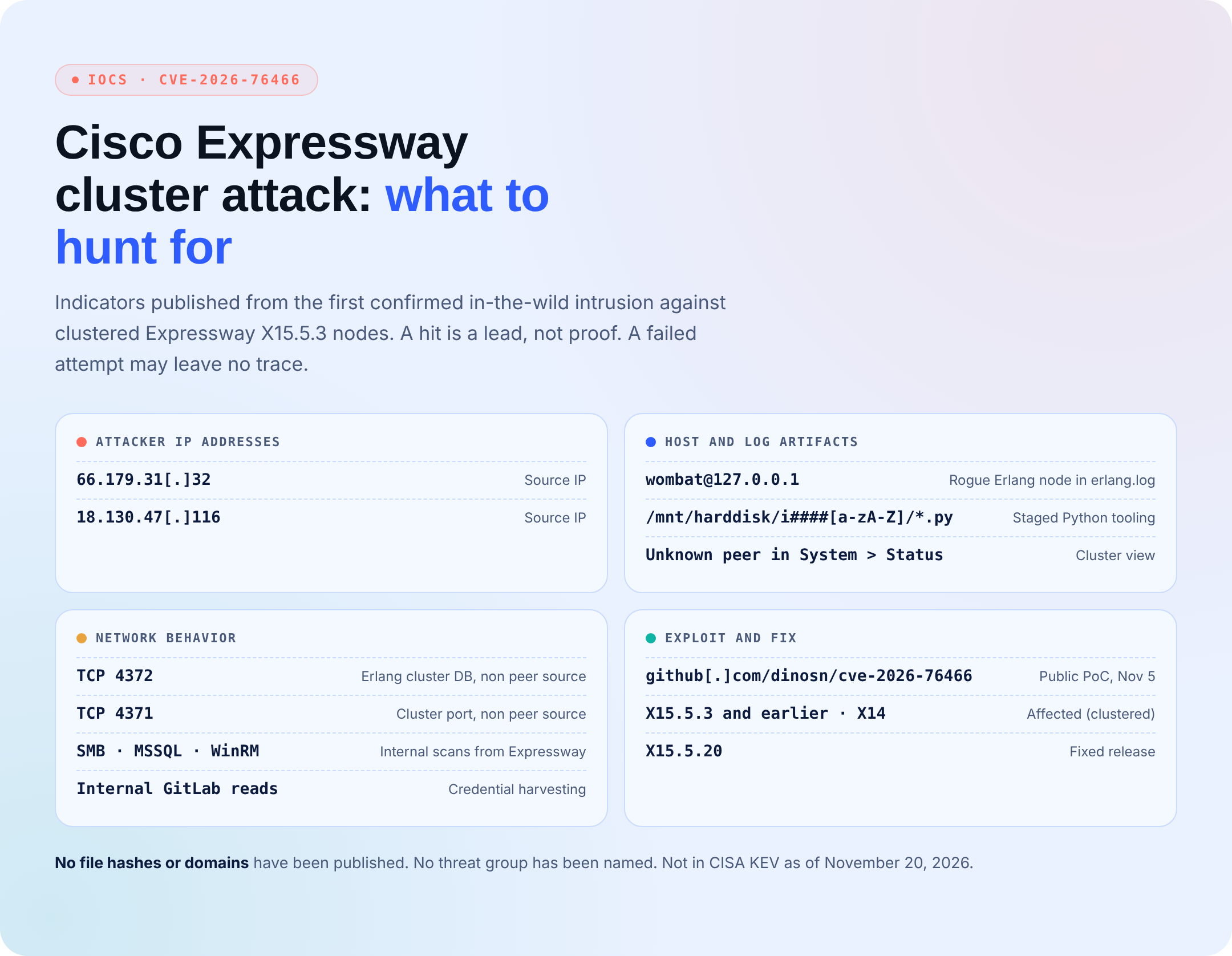
So far, F6 has not shared file hashes or domains. In addition, the flaw was not in CISA’s Known Exploited Vulnerabilities catalog as of November 20, 2026.
Your Edge Box Shouldn’t Be a Side Door
About four weeks passed between Cisco’s fix and the first reported breach. For most teams, that gap is as much a staffing problem as a patching one. Secure.com’s Service as a Software model closes it: you hand over the outcome, and one team runs it.
- Managed Exposure Management finds every clustered Expressway node you own, ranks each one by how reachable it really is, and confirms the fix landed.
- Offensive testing: our experts attack your perimeter the way this crew did, then harden what breaks and prove it’s closed.
- Managed SecOps watches around the clock for odd traffic to cluster ports and for gateways that suddenly start scanning SMB or SQL.
- A vCISO sets segmentation rules so one rooted edge device can’t reach GitLab.
- One service, one bill. No more grunt work. No more burnout.
Conclusion
This Cisco Expressway vulnerability shows how quickly a fix becomes a race once exploit code is public. Patch every clustered node to X15.5.20, close ports 4371 and 4372 to everyone but cluster peers, and check your logs for the indicators above. Above all, if you find a hit, assume the attacker went further than the gateway.