Turla Cereal Malware Reads NATO and EU Email From Inside Exchange
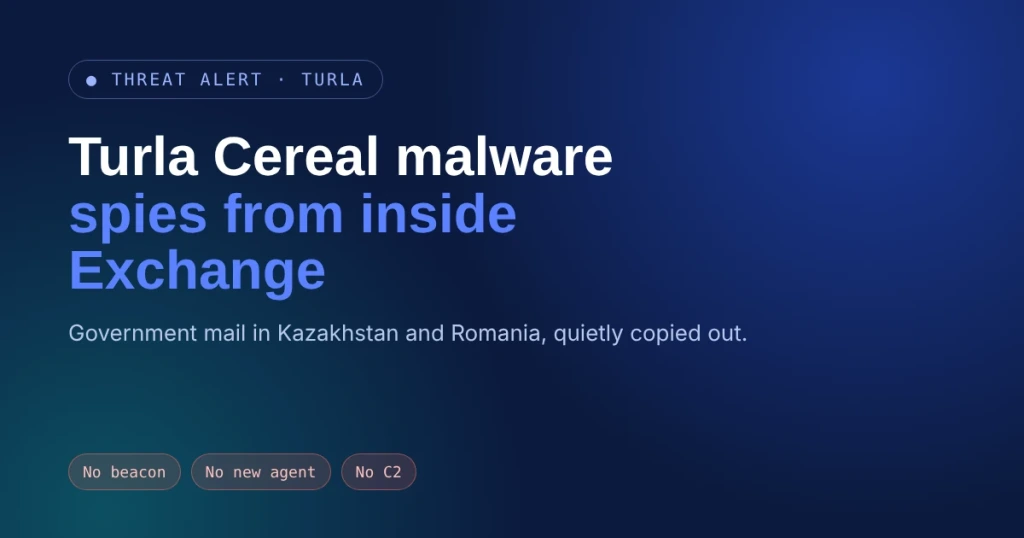
A Russian state hacking crew has been living inside government mail servers in Kazakhstan and Romania, copying chosen emails out of the delivery pipeline. Mail kept flowing. Nobody blinked. The tool behind it, Turla Cereal malware, leaves almost no crumbs.
- Who should care: Government agencies, embassies, defense suppliers, and anyone still running Microsoft Exchange on-premises.
- What could go wrong: Your own mail server reads, sorts, and packs up your most sensitive email while delivery looks perfectly normal.
- Do this: Check the wbem folder and the .NET native image cache on every Exchange server this week.
- Worth remembering: No beacon. No new transport agent. The victim’s server is the command post.
What Happened With Turla Cereal Malware?
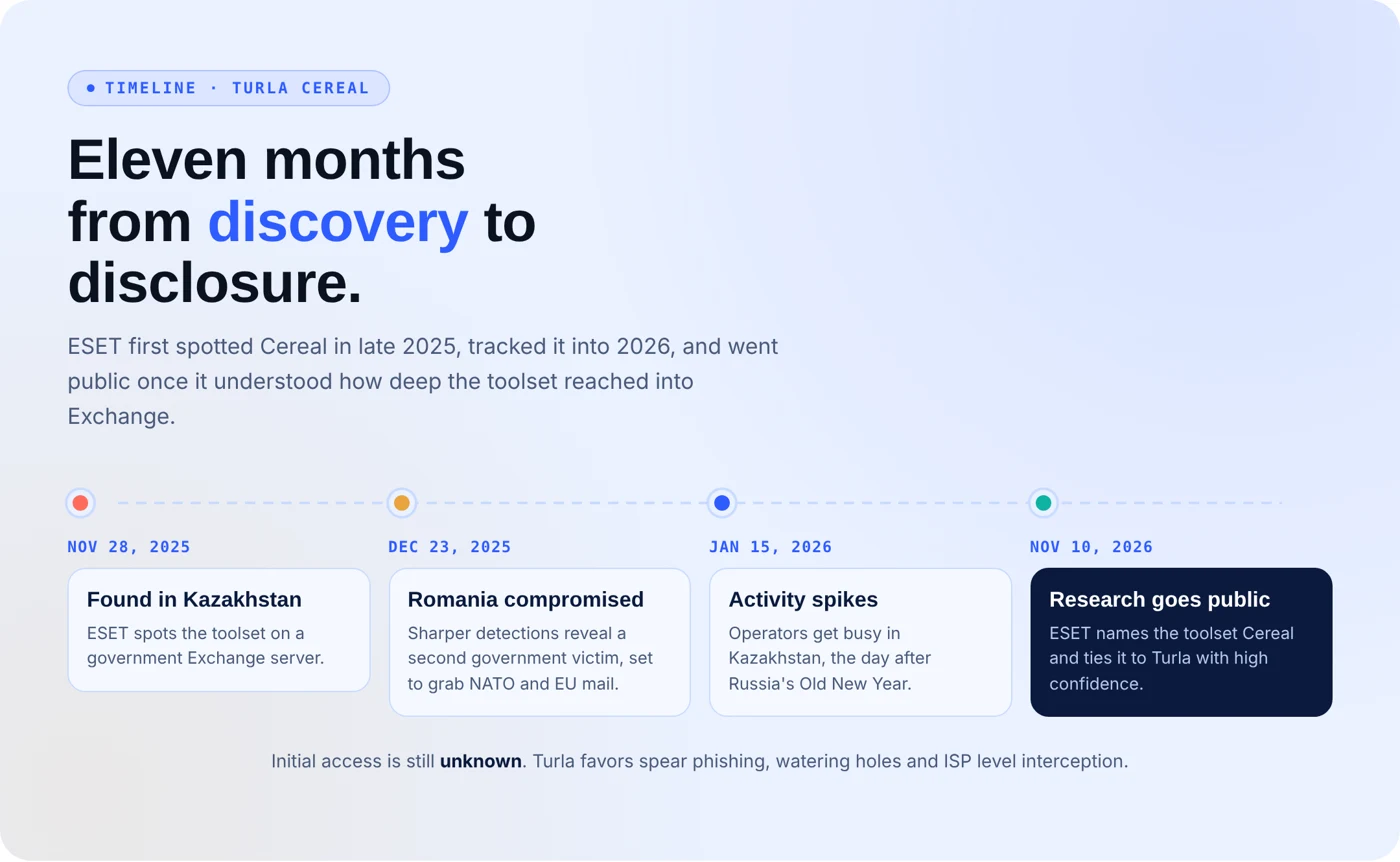
ESET researchers found the toolset on a Kazakh government Exchange server on November 28, 2025, then spotted it at a Romanian government body breached on December 23, 2025. They pin it on Turla, one of the nation state groups widely tied to Russia’s FSB, with high confidence.
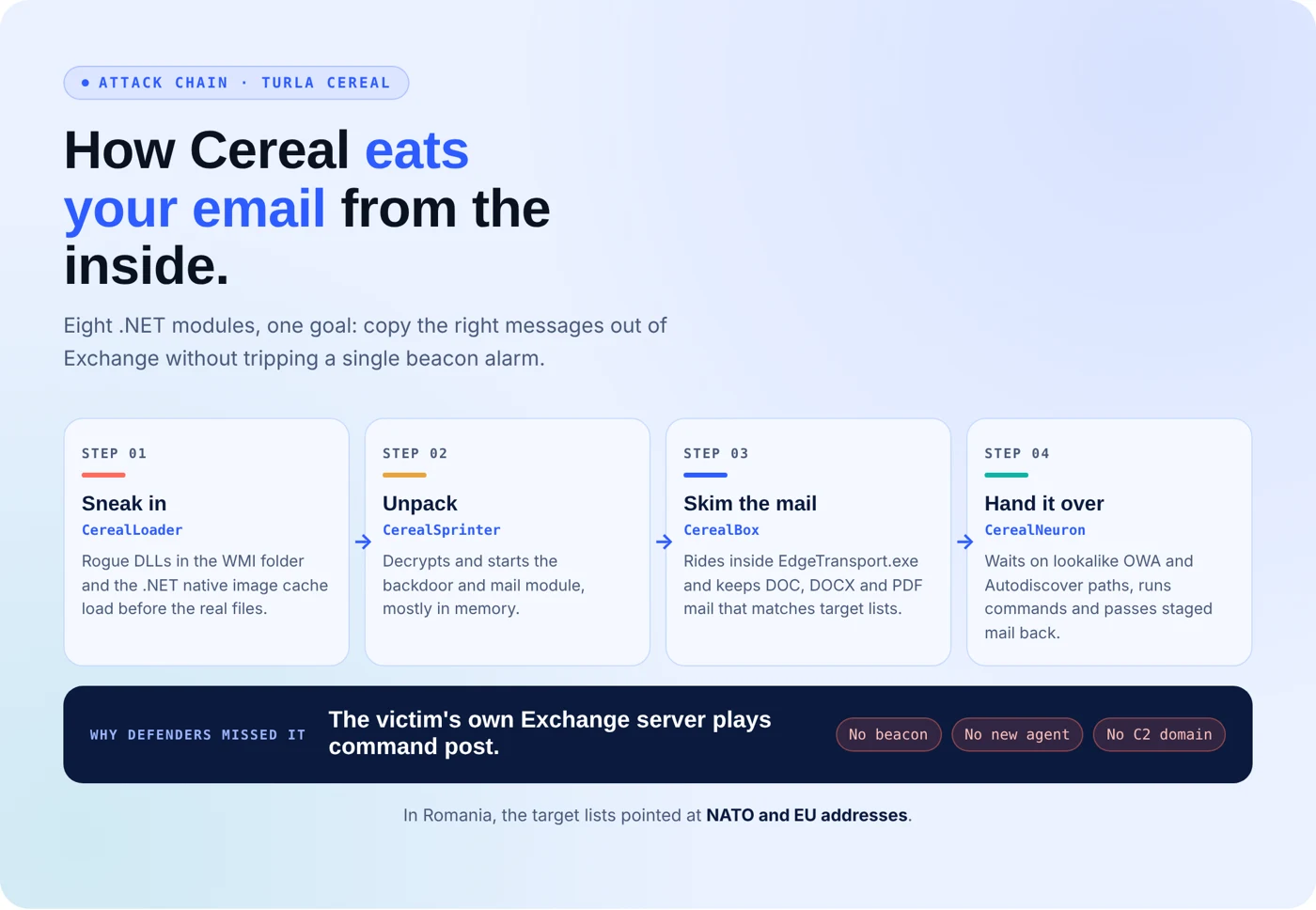
Turla Cereal malware is eight .NET modules. CerealBox injects itself into EdgeTransport.exe and wraps transport agents already loaded in memory, so no new agent ever appears in Exchange’s configuration. It keeps messages with DOC, DOCX, or PDF attachments that match hardcoded senders, recipients, subjects, or file names. In Romania, that list pointed at NATO and EU addresses.
The Sneaky Part
CerealNeuron, the main backdoor, never calls home. It waits for encrypted web requests on paths dressed up as Outlook on the web and Autodiscover traffic. Knock wrong, and you get a normal Exchange error page. Knock right, and it runs small compiled programs that pull mailboxes, query Active Directory, and dump LSA secrets, BleepingComputer reports.
What’s the Impact?
Most detection hunts for beacons, strange domains, or new agents. Cereal offers none. For state-backed attackers, that access means reading diplomatic and alliance mail for months, harvesting domain credentials, and hiding inside ordinary webmail traffic. Activity in Kazakhstan even spiked on January 15, 2026.
How to Spot Turla Cereal Malware
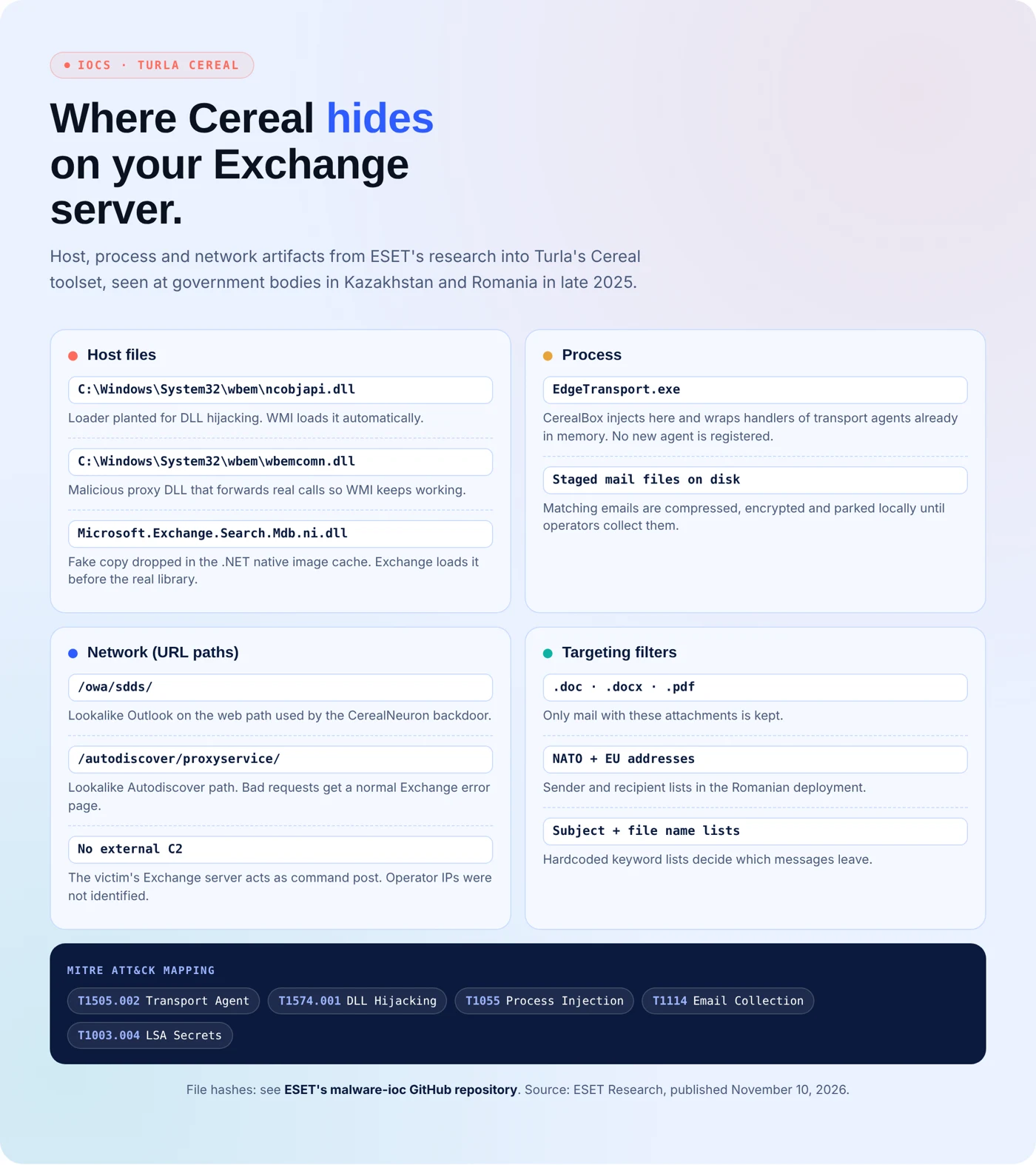
- Audit the WMI folder: check C:\Windows\System32\wbem for unexpected ncobjapi.dll or wbemcomn.dll files.
- Baseline the native image cache: compare it against clean Exchange builds and flag lookalikes such as Microsoft.Exchange.Search.Mdb.ni.dll.
- Hunt the web paths: look for odd encrypted requests hitting /owa/sdds/ and /autodiscover/proxyservice/ on internet-facing servers.
- Watch the transport process: flag code injection into EdgeTransport.exe and unexplained encrypted files staged on disk.
- Lock down admin rights: tighten Exchange admin access and rotate credentials after any suspected compromise.
Turla Cereal Malware Indicators of Compromise
Public reporting lists no file hashes for Cereal yet, and ESET could not trace the operators’ IP addresses. ESET has posted its extended IOC list on its malware-ioc GitHub repository. The host and network artifacts we verified are in the IOC card below.
Your Mail Server Won’t Snitch. Test It Before Turla Does.
Turla Cereal malware works because almost nobody attacks their own Exchange servers the way Turla does. Secure.com’s AI teammates do, under rules your team sets.
- Attack: AI teammates probe your Exchange and identity paths the way a state crew would, and show which defenses hold.
- Harden: Findings turn into fixes, like tightening WMI folder permissions and admin rights, with your team approving every change.
- Prove: Every fix comes with evidence that the gap closed, ready for auditors and leadership.
- Repeat: Retesting runs on a loop, so a quiet DLL drop doesn’t sit unnoticed for months.
- No more grunt work: Teammates handle the file baselining and log hunting that burns analysts out.
Governed Defense, Powered by Offense.