Phishing attacks have traditionally relied on malicious links in emails, text messages, or fake websites. As users and security tools have become better at detecting suspicious URLs, attackers have adapted. One of the fastest-growing techniques today is QR Code Phishing—commonly referred to as Quishing.
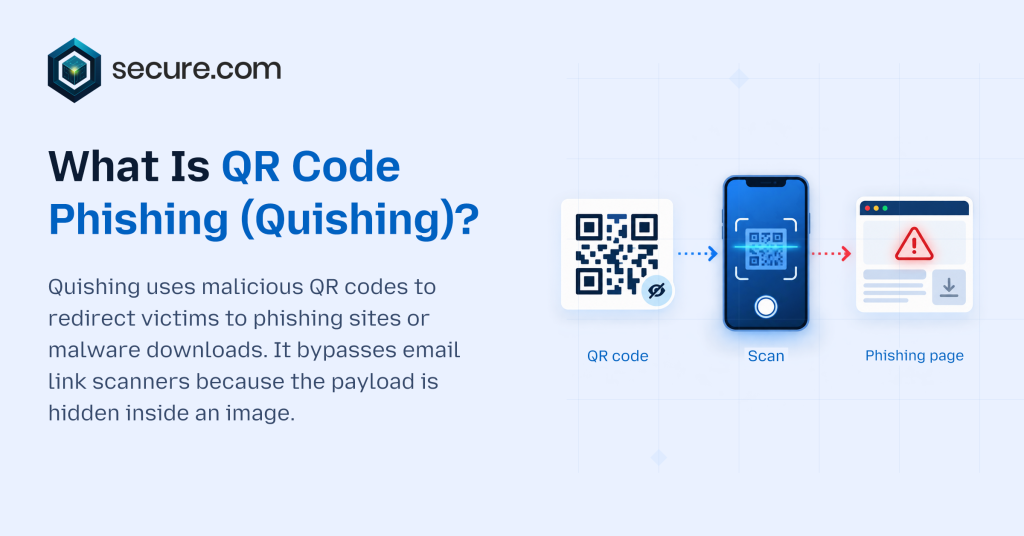
Quishing replaces the visible malicious link with a QR code because QR codes are designed to be scanned by mobile devices and often bypass traditional email security filters, introducing a new layer of risk. What appears to be a harmless image can redirect users to credential-harvesting sites, malware downloads, or fraudulent payment portals.
As QR codes become standard in workplaces, authentication flows, and payment systems, quishing exploits both trust and convenience—creating a modern social engineering threat that bypasses traditional defenses.
What is QR Code Phishing (Quishing)?
Quishing, or QR Code Phishing, involves attackers creating fake QR codes that appear to be legitimate. These codes may be placed in locations where potential victims are likely to scan them with their smartphone cameras.
When scanned, the fake QR code redirects users to a malicious website designed to mimic legitimate sites.
The website may then attempt to download malware onto the victim’s device, or it may ask for personal information such as login credentials or financial details. Like traditional phishing, quishing uses social engineering to steal credentials for:
- Microsoft 365 or Google Workspace login pages
- Banking portals
- Payroll or HR systems
- Cryptocurrency wallets
- Payment gateways
Because the destination URL is encoded and hidden, users cannot inspect it before scanning—bypassing the ‘hover-to-preview’ defense that works against traditional phishing links. This increases successful compromise rates.
How QR Code Phishing Works
Quishing attacks follow a structured kill chain designed to bypass email filters and exploit mobile-first behavior.
Delivery of the QR Code
Attackers distribute malicious QR codes through:
- Phishing emails containing embedded QR code images
- PDF attachments with QR codes
- Physical flyers or posters placed in public spaces
- Tampered restaurant menus or payment terminals
- Messaging apps or collaboration platforms
In many cases, the QR code is framed as urgent or action-oriented, such as:
- “Scan to reset your password”
- “Scan to review a secure document”
- “Scan to verify payroll information”
- “Scan to claim your package”
Scanning the Code
When scanned, the smartphone automatically interprets the encoded URL and initiates navigation.
Because scanning often happens on unmanaged BYOD (Bring Your Own Device) mobile devices, traditional endpoint protections—EDR, DLP, and web filtering—do not apply, creating a security blind spot.
Redirection to a Malicious Site
The QR code redirects the user to a fake login page or malicious domain designed to resemble a legitimate service. These pages may:
- Capture login credentials
- Request multi-factor authentication (MFA) codes
- Prompt for payment details
- Trigger malware downloads
Credential Theft or Malware Execution
Once credentials are entered, attackers can:
- Access corporate email accounts
- Bypass security controls using stolen session tokens
- Launch business email compromise (BEC) attacks
- Escalate privileges within cloud environments
In some cases, malware installation expands the attack surface, enabling lateral movement or persistent access.
Key Characteristics of Quishing Attacks
URL Obfuscation
The malicious URL is encoded within the QR code, preventing pre-scan inspection—unlike traditional links where users can hover to preview destinations.
Mobile-Centric Exploitation
Quishing leverages the fact that many users scan QR codes on unmanaged mobile devices, which lack enterprise-grade detection tools like EDR, mobile threat defense (MTD), and secure web gateways.
Bypassing Email Security Filters
Because QR codes are images rather than clickable links, traditional email security gateways (SEGs) and URL filtering systems cannot analyze the encoded destination, allowing malicious QR codes to bypass detection.
Social Engineering Tactics
Quishing campaigns exploit urgency, authority, and fear—classic social engineering tactics—to pressure users into scanning without verification.
Technologies and Techniques Used in Quishing
QR Code Generators and Image Embedding
Attackers use legitimate QR code generators to encode malicious URLs, making the image itself appear harmless.
Domain Spoofing and Typosquatting
Malicious sites often closely resemble legitimate domains, using subtle misspellings or alternative top-level domains.
Reverse Proxy Phishing Kits
Advanced campaigns deploy adversary-in-the-middle (AitM) phishing kits capable of capturing MFA tokens in real time, enabling session hijacking and bypassing even phishing-resistant MFA methods like TOTP.
URL Shorteners and Redirect Chains
Attackers use URL shorteners (bit.ly, tinyurl) and redirect chains to obscure the final destination, evading reputation-based detection systems.
Applications and Impact of QR Code Phishing
Corporate Credential Compromise
Stolen credentials provide attackers with access to SaaS platforms (Microsoft 365, Google Workspace, Salesforce), cloud infrastructure (AWS, Azure, GCP), and sensitive corporate communications—enabling data exfiltration, privilege escalation, and lateral movement.
Financial Fraud
Quishing can redirect victims to fraudulent payment portals, leading to direct financial loss.
Account Takeover
Attackers may use harvested credentials to conduct account takeover attacks across business or personal services.
Data Breach Risk
Compromised accounts serve as initial access vectors for lateral movement, potentially escalating to domain-wide compromise and data breaches.
Detecting and Defending Against Quishing
User Awareness and Training
Train employees to treat QR codes with the same skepticism as suspicious links. Before scanning, verify the source—just as you would hover over a link to preview its destination.
Email Security with QR Code Decoding and URL Analysis
Modern email security platforms that decode QR codes and analyze the embedded URLs against threat intelligence feeds can block malicious destinations before delivery.
Mobile Device Management (MDM) and Mobile Threat Defense (MTD)
Organizations can deploy Mobile Threat Defense (MTD) solutions to detect and block access to malicious domains in real-time, even on managed BYOD devices.
Phishing-Resistant Multi-Factor Authentication
Phishing-resistant MFA methods—such as FIDO2 hardware security keys (YubiKey, Titan) or certificate-based authentication (PIV/CAC)—eliminate the effectiveness of credential harvesting attacks by requiring cryptographic proof of possession.
Real-Time URL Reputation Analysis
Security systems with real-time URL reputation analysis—evaluating destinations at click-time rather than delivery-time—can block malicious sites triggered by QR scans, even if the domain was registered after email delivery.
Challenges and Risks of QR Code Phishing
Limited Visibility into Mobile Activity
Security teams lack visibility into activity on unmanaged BYOD devices, creating blind spots for quishing attacks.
Rapid Domain Rotation and Bulletproof Hosting
Attackers rotate domains every 24-48 hours to evade reputation-based blocklists and detection systems.
Physical-Digital Attack Surface Convergence
Because QR codes bridge physical and digital attack surfaces—appearing on posters, menus, and payment terminals—security controls must extend beyond traditional network perimeters.
User Trust in QR Codes
QR codes are widely used for legitimate purposes, increasing the likelihood that users will trust and scan them without hesitation.
The Future of QR Code Phishing
As QR-code authentication, contactless payments, and mobile-first workflows become standard, quishing attacks will increase in sophistication and scale. Attackers are already combining QR code delivery with AI-generated phishing pages, personalized lures, and real-time session hijacking (adversary-in-the-middle attacks).
Defensive strategies will increasingly rely on:
- AI-driven content inspection
- Unified visibility across endpoints and mobile devices
- Real-time behavioral detection
- Integrated security platforms that correlate identity, device, and network activity
Protecting against quishing requires treating QR codes as executable links—not harmless images—and applying the same security controls used for URLs.
Frequently Asked Questions
What is quishing?
Why do attackers use QR codes?
Where do quishing attacks show up?
Why is quishing hard to catch?
How can people protect themselves from quishing?
How can organizations reduce quishing risk?
Conclusion
Phishing has evolved. Attackers now embed malicious links inside QR codes—a technique called ‘quishing’—to harvest credentials and bypass traditional email security. Called “quishing,” this scam works by placing a malicious link inside a QR code — something that’s hard for most people to spot, and which can bypass many common email security measures.
Because QR codes are so easily scanned by mobile devices, quishing attacks can also slip past an organization’s usual network defences (such as firewalls) that are designed to keep them safe from websites hosting malicious code. To stay protected against them, staff need to be aware how they work; plus there should be advanced systems in place that can detect when someone is trying to “phish” login details.
Security teams also need ways of verifying user identities that don’t rely on passwords alone: techniques known as ‘phishing-resistant authentication’. Finally, it’s important to have a clear view of all activity across your digital environment at any given time— so any suspicious behaviour can be spotted early on.