Key Takeaways
- 40% of DLP alerts never get a human look — not because teams are lazy, but because the workflow fails them
- DLP tools detect. They don’t investigate. That gap is where data loss actually happens
- An investigation layer bridges detection and resolution with enrichment, context, and triage automation
- Alert volume isn’t the core problem — alert depth is. Raw DLP events have no asset, user, or policy context attached
- Automating the first 80% of investigation work lets analysts focus on the 20% that actually needs a human
Introduction
Picture a SOC team on a Monday morning. Three hundred DLP alerts are waiting. By the end of the day, roughly 180 of them will age out untouched not because the analysts didn’t care, but because there simply wasn’t enough time or context to act on them.
44% of all alerts go uninvestigated due to a combination of talent scarcity and alert overload. That’s not a people problem. It’s a workflow design problem.
DLP tools are built to detect. They fire when a policy condition is met a file copied to USB, a document uploaded to a personal cloud account, an email sent with sensitive data attached. What they don’t do is answer the follow-up question: does this actually matter? That answer requires a separate investigation layer, and for most teams, that layer either doesn’t exist or is cobbled together manually across three to five different tools.
Why 40% of DLP Alerts Die in the Queue
When a DLP tool fires, it hands the analyst something like: “File moved to external storage by [email protected] at 2:14 PM.”
That’s it. There is no context, no priority, and no story.
To properly investigate that single line, an analyst typically has to open their SIEM to check recent activity, pull identity data to understand the user’s role and access history, check asset classification to understand what was in the file, and cross-reference against approved destinations.
So what actually happens? Teams route lower-threshold alerts out of the SOC entirely. They auto-close anything that doesn’t immediately scream danger. They investigate only when another signal already suggests risk. All of those approaches are understandable. None of them solves the problem.
The 40% of alerts that die in the queue aren’t always low-risk. They’re low-context. And low-context doesn’t mean safe. It just means uninvestigated.
There’s another structural pressure at play, too. Alert-to-close SLAs push teams to close tickets fast, not investigate threats deeply. The incentive is speed, not thoroughness. So analysts close tickets to hit their numbers. The threat may or may not have been dealt with. The metric looks healthy. The actual security posture doesn’t improve.
What “Investigation” Actually Means for a DLP Alert
Before any DLP alert becomes actionable, five questions need answers:
- Who triggered it? This means role, department, access history, and current risk score — not just a username.
- What moved? The sensitivity classification, business value, and whether the data was subject to regulatory requirements like HIPAA or PCI.
- Where did it go? Was the destination an approved business tool or shadow IT? A personal Gmail account is very different from a corporate SharePoint.
- Has this pattern happened before? A first-time misdirected email is very different from the same user’s fourth file upload to a personal cloud account in two weeks.
- What’s the blast radius if this is real? If the data did leave and was malicious, how many records were exposed? What’s the regulatory exposure?
Most DLP alerts arrive with the answer to none of these questions. The analyst has to go find every piece of context manually, across multiple tools, before they can even decide if the alert is worth thirty minutes or thirty seconds.
Proofpoint’s 2024 Data Loss Landscape found that as few as 1% of users are responsible for up to 90% of DLP alerts at many organizations. That stat matters because it means the context is often repeatable but only if your system is capturing and using behavioral history. Most aren’t.
The Investigation Layer: What It Is and Why It’s Missing
Most DLP stacks today have two steps: detection fires, ticket gets created. Full stop.
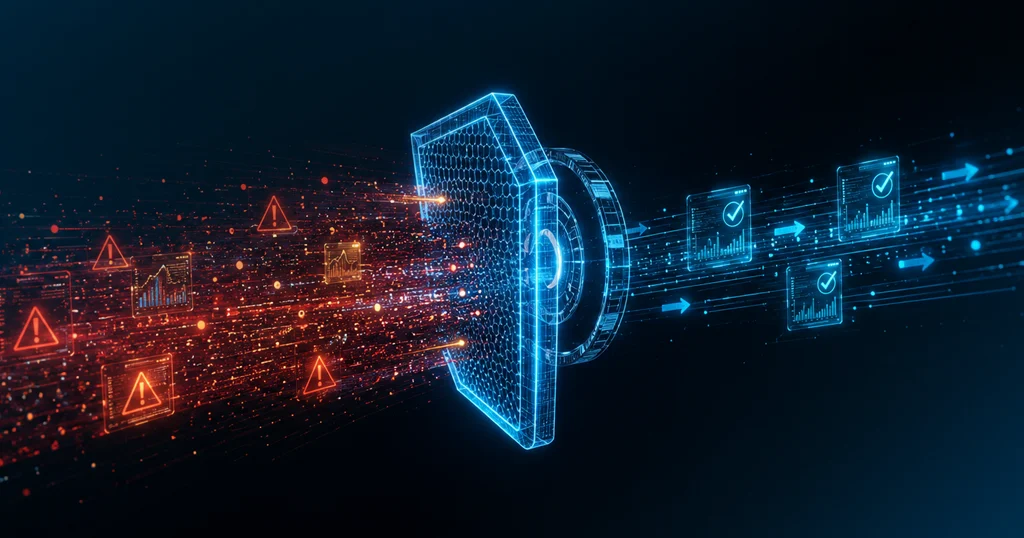
The investigation layer is what sits between those two things. It’s the automated step that transforms a raw policy-match event into something a human analyst can actually work with.
Here’s what a proper investigation layer does at ingestion:
Enriches automatically.
The moment a DLP alert hits the queue, it pulls in the user’s behavioral history, the asset’s sensitivity classification, the policy context behind the rule that fired, and any related events from connected tools. The analyst doesn’t have to go find these things — they arrive with the alert.
Correlates across signals.
Did anything else fire near this event? Did the same user trigger an EDR alert earlier that day? Is there an identity anomaly, an unusual login time, a new device, or an off-hours access pattern? Correlation turns an isolated DLP event into a story.
Scores by real risk.
Not all policy matches carry the same weight. An investigation layer factors in data sensitivity, user risk history, and destination type to produce a risk score that tells the analyst: this is worth thirty minutes of your time, or this can be closed in thirty seconds.
Routes by tier.
Low-risk, explainable events can be auto-closed with a documented reason. Medium-risk events can be fast-tracked with pre-populated context. High-risk events get escalated with a full investigation package ready to go.
Without this layer, the only tool an analyst has is manual judgment, applied to raw alert data, under time pressure. That’s the environment in which 40% of alerts go unresolved.
What a Resolved DLP Alert Looks Like vs. a Closed One
This distinction matters more than most SOC metrics capture.
A closed DLP alert means the ticket status was changed. Someone clicked resolve. The SLA was met. It goes into the reporting dashboard as handled.
A resolved DLP alert means the threat was actually eliminated. The analyst confirmed the true or false positive status. If it was real, the user was notified, the manager was looped in, access was adjusted, and an evidence log was created for audit purposes.
Take the same alert through two paths:
Path A (closed without investigation)
File copied to USB. Alert fires. Analyst is on alert 47 of 300 for the day. No obvious red flags in the one-line description. Ticket closed. SLA met.
Path B (investigation layer)
File copied to USB. Alert fires. The investigation layer pulls in context: same user copied files to USB three times in the past two weeks, the files contain PCI-regulated data, the destination is unencrypted. Alert arrives in the queue pre-scored as high risk with all context attached. Analyst confirms the issue in under ten minutes. User is notified, manager is informed, USB access is restricted pending review, and the evidence is logged automatically.
Closed is not the same as Resolved.
- Alert fires. Analyst overloaded with queue.
- No contextual enrichment available.
- No validation of user or data sensitivity.
- Ticket closed to meet SLA.
- Threat status remains unknown.
- Alert enriched instantly with user history.
- 3rd USB copy flagged + sensitive data detected.
- High-risk score auto-assigned.
- Analyst confirms in minutes.
- Containment + audit log completed.
Same alert. Two completely different outcomes. The difference was whether an investigation layer existed between detection and human review.
The SANS 2025 SOC Survey found that 66% of SOC teams can’t keep pace with the volume of alerts they receive. The investigation layer doesn’t reduce alert volume. It reduces the cognitive load and manual work required to act on each alert meaningfully.
Building the Investigation Layer: A Repeatable Workflow
Getting from raw DLP detection to actual resolution follows five steps:
Step 1:
Enrich every alert before it hits the queue. User context, asset sensitivity, policy history, and behavioral patterns should be attached automatically at ingestion — not hunted down by the analyst afterward.
Step 2:
Correlate with adjacent events. Pull in signals from your SIEM, EDR, and identity tools. A DLP alert sitting alone in a queue tells a fraction of the story. The same alert next to an unusual login from a new device tells a much more complete one.
Step 3:
Score by real risk. Use a formula that combines data sensitivity, user risk history, and destination type. The score tells the analyst how much time this event actually deserves.
Step 4:
Route by risk tier. Auto-close well-understood, low-risk events with a documented reason. Accelerate medium-risk events with pre-built context. Escalate high-risk events with the full investigation package attached.
Step 5:
Log resolution actions, not just ticket status. The audit trail should capture what was done — containment action taken, user notified, access adjusted — not just that a ticket was closed. This distinction matters enormously during compliance reviews.
The machine does the work.
Humans make the call.
How Secure.com Fits Into This
Secure.com’s Digital Security Teammates provide an investigation layer that enriches DLP alerts with context and correlation.
When a DLP alert comes in, Secure.com’s SOC Teammate auto-enriches it with user behavioral history, asset sensitivity classification, and policy context — at ingestion, before it ever reaches an analyst’s queue. It correlates that event against signals from SIEM, EDR, and identity tools automatically, surfacing the cross-tool picture that usually takes an analyst 20 minutes to manually assemble.
Analysts see a risk-ranked case view instead of a raw alert queue. Every case arrives pre-populated with the five questions that need answers: who, what, where, pattern, blast radius. The cognitive work is done. The human job is to make the call.
FAQs
What’s the difference between a DLP alert and a DLP incident?
Why do DLP tools generate so many false positives?
How long should a DLP alert investigation take?
Can DLP investigation be fully automated?
Conclusion
The 40% of DLP alerts that never get a human look aren’t a reflection of lazy teams. They’re a reflection of a workflow that asks analysts to do investigation work that should have been automated before the alert arrived.
DLP tools will keep detecting. That’s what they’re built for. But detection without investigation isn’t data loss prevention — it’s data loss documentation after the fact.
The fix is straightforward in concept: build the layer between detection and human review that enriches, correlates, scores, and routes every alert before it hits the queue. Do that, and the 40% number shrinks fast — not because you hired more analysts, but because you gave the analysts you have something they can actually work with.