TL;DR
A bigger security stack doesn’t mean better security. When your team spends more time managing tools than stopping threats, the stack itself becomes the problem. This post breaks down why that happens and what a leaner, smarter setup actually looks like.
Introduction
A SOC analyst once said, “I spend all day checking alerts that never go anywhere, then come back to hundreds more. It never ends.” That wasn’t a one-off complaint. That’s what daily life looks like in most security teams right now. The tools are there. The budget got spent. But the work still falls on the same exhausted people.
The problem isn’t a lack of tools. It’s that the tools don’t work together, and your analysts end up being the glue.
The Security Stack Was Supposed to Solve Problems. So Why Does It Feel Like One?
Every new threat over the past decade came with a new product to buy.
Ransomware? New tool.
Cloud misconfigurations? Another tool.
Identity risks? Add one more.
Over time, the stack grew into something nobody fully understands anymore.
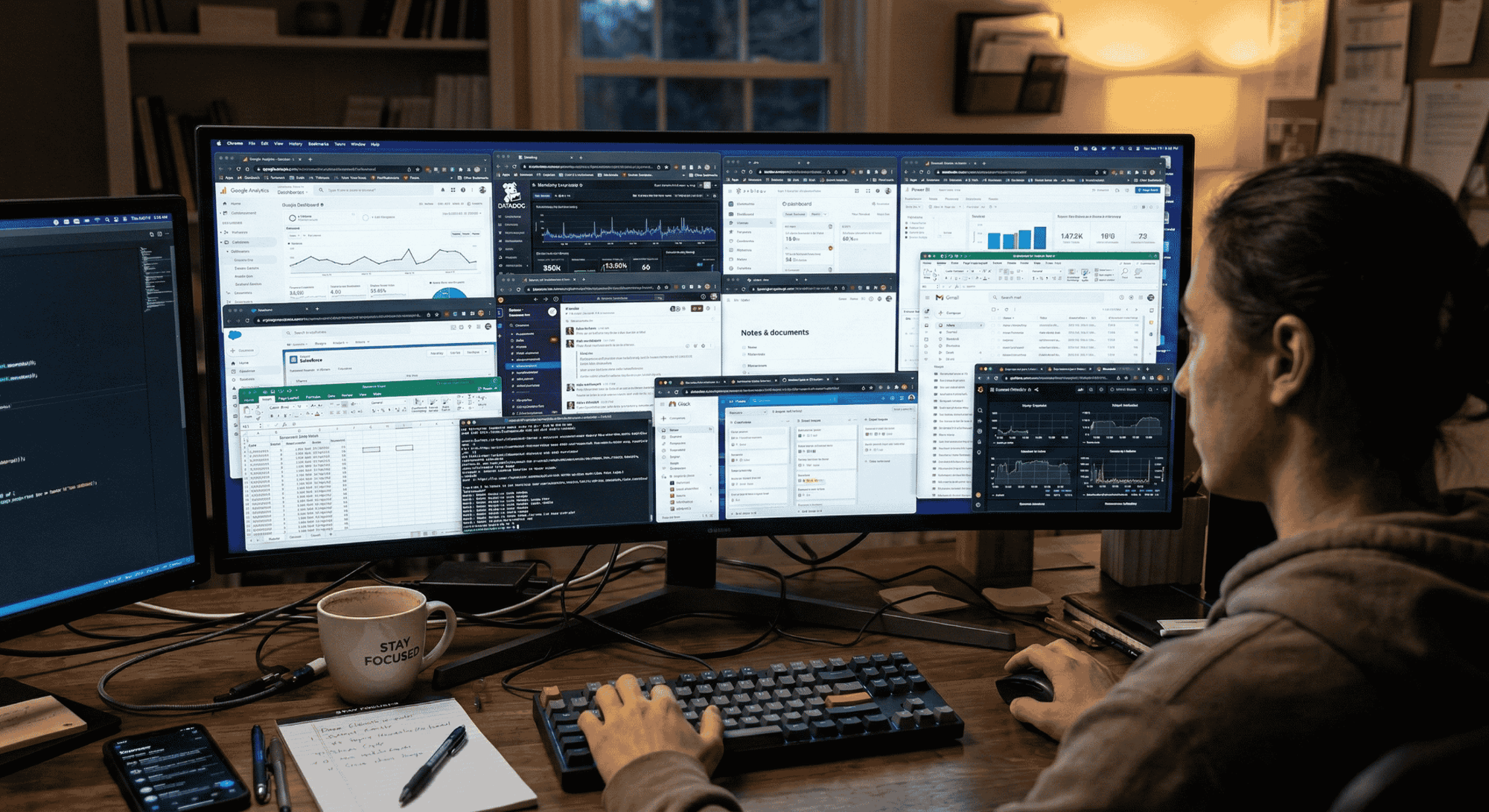
When “more tools” became the default answer
The logic made sense at the time: cover every threat category with a dedicated solution. But nobody planned for what happens when 15 tools all fire alerts at the same time with no shared context.
Security teams now spend more time switching between platforms than actually investigating threats. According to IBM’s Cost of a Data Breach Report, organizations with high tool complexity had breach costs nearly 20% higher than those with more streamlined operations. Additionally, industry research shows that 95% of security leaders report running overlapping tools, with most organizations using less than half of the features they pay for.
The hidden cost nobody puts in the budget
Licensing fees are easy to see on a spreadsheet. Analyst hours spent copy-pasting data between tools are not.
When your team becomes the integration layer (manually pulling logs from one system, correlating them in another, then writing up findings in a third) that’s not a workflow. That’s a daily tax on your most important resource: human attention.
95% of security leaders report running overlapping tools, and most organizations use less than half of the features they actually pay for. You’re not getting more coverage. You’re getting more noise.
Most of Your Stack Is Invisible to the Problem It’s Supposed to Solve
Your tools generate signals. But signals aren’t investigations. Somebody still has to figure out what happened, who owns the asset, how bad it is, and what to do next. That part doesn’t happen automatically and that’s where most of the time goes.
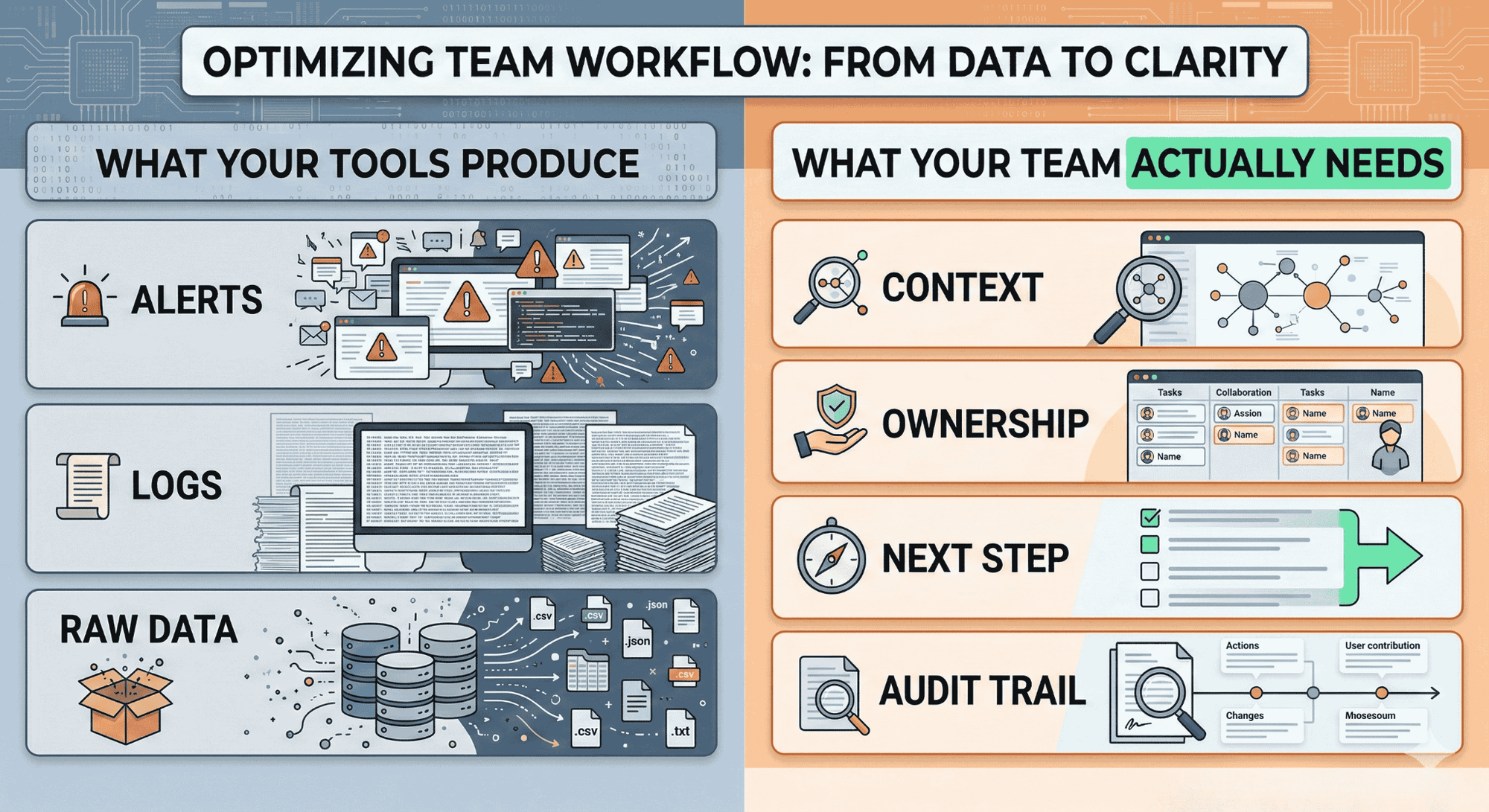
Tools generate signals. Somebody still has to build the story.
A SIEM fires an alert. An EDR flags a process. A cloud scanner finds a misconfiguration. None of those tools tell you if the three things are connected, which asset is at risk, or who needs to act.
That gap (between a signal and a decision-ready investigation) is where analyst hours disappear. Studies show that about 67% of daily alerts go uninvestigated because teams simply can’t keep up with the volume.
In fact, typical SOC environments see 11,000+ alerts per day, with 70% of alerts being ignored due to overwhelming volume and lack of context.
Fragmentation is the vulnerability no scanner will catch
Siloed tools don’t just slow teams down. They create blind spots. When your SIEM doesn’t talk to your identity platform and neither connects to your cloud posture tool, attackers move through the seams between them.
Fragmentation doesn’t just hurt efficiency. It creates the exact visibility gaps that breaches live in. Attackers exploit the seams between siloed tools – when your SIEM doesn’t correlate with your identity platform and neither connects to your cloud security posture, lateral movement and privilege escalation go undetected. This is why attack path analysis across your entire environment is critical, not just point-in-time vulnerability scanning.
The best-of-breed trap
Picking the “best” tool in every category sounds smart. But best-of-breed only works if everything integrates cleanly, which it rarely does. You end up with a stack that’s excellent in theory and exhausting in practice.
The result is longer detection times, harder-to-trace incidents, and SOC analysts who feel like they’re fighting their own tooling instead of the threat.
What a Stack That Actually Works Looks Like
A well-functioning security stack isn’t the biggest one. It’s the one where work actually gets finished (investigated, responded to, documented, and closed) without the team burning out to make it happen.
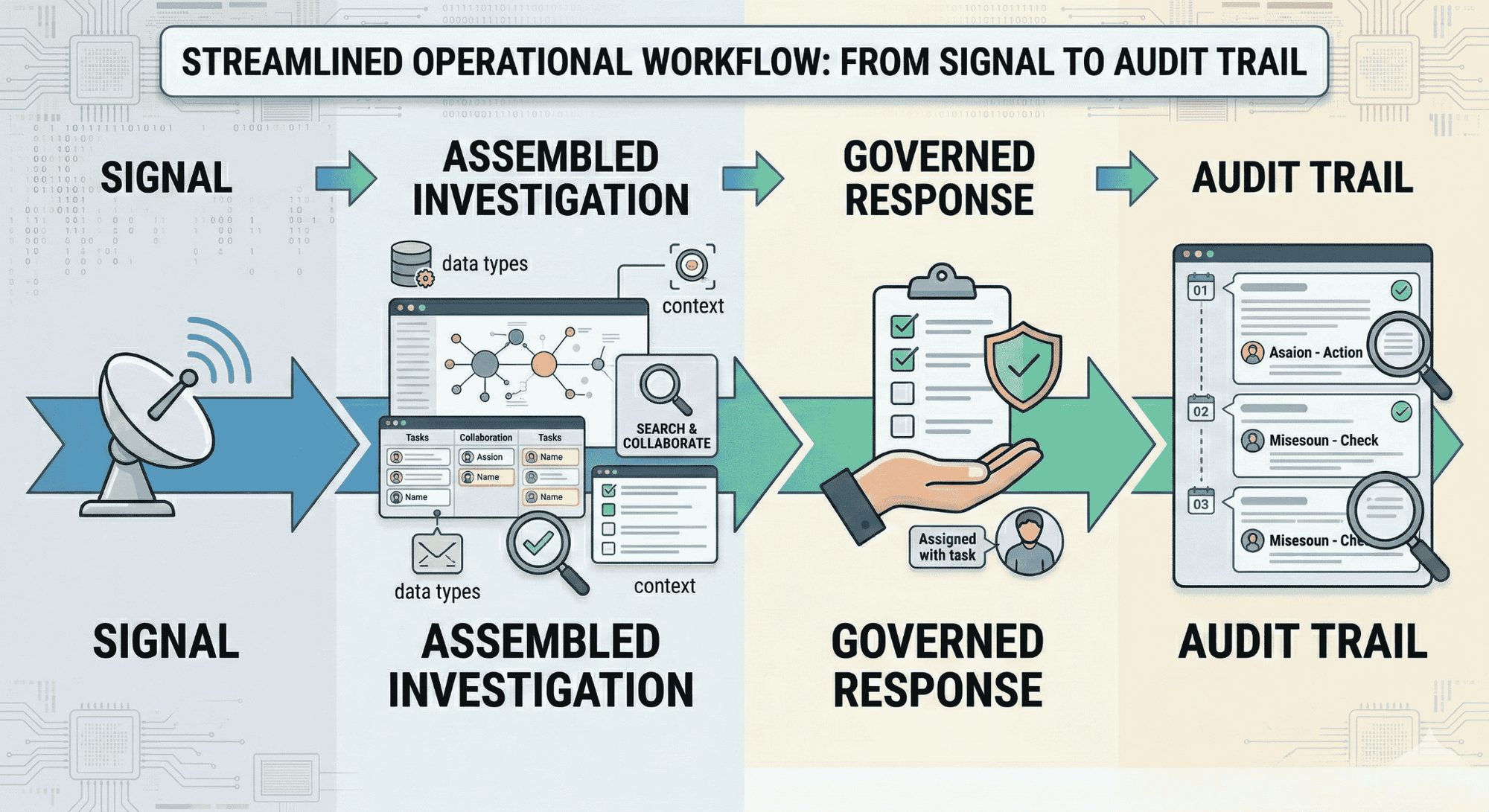
The shift from tool coverage to operational throughput
Coverage means you own a tool that watches a threat category. Throughput means the threat was actually handled; context gathered, decision made, action taken, evidence logged.
Those are two very different things. Most stacks are optimized for coverage. The ones that actually protect organizations are optimized for throughput.
Governance isn’t a feature; it’s the missing layer
Speed without controls creates its own risk. When response actions run without approvals, without reversibility, and without documentation, you trade one problem for another.
A stack that works doesn’t just detect and respond. It does it with policy-bound workflows that create a defensible record of every action taken. That matters for regulators, for post-incident reviews, and for understanding what actually happened.
When your stack works with your team, not against it
Analysts should be making decisions, not chasing context across 12 platforms.
The difference between an analyst who’s burned out and one who’s effective isn’t talent; it’s what the system asks them to do manually. When investigations assemble themselves, when ownership routes automatically, and when response runs through governed workflows, the human’s job becomes judgment. That’s where they should be spending their time.
Before You Buy the Next Tool, Ask These Four Questions
The security industry is very good at selling urgency. Every product promises coverage you don’t have. Before the next renewal or new purchase, slow down and pressure-test what’s already there.
Does this tool reduce human coordination or add to it?
If your team needs to manually pull data from this tool and combine it with three others to get one answer, it’s adding work, not removing it. A useful tool produces output your team can act on directly.
Can you prove what it did, when, and by whose approval?
Any tool that takes action in your environment needs to leave a clean record. If you can’t answer “what ran, who approved it, and what changed,” you can’t defend it to a regulator or an exec team after an incident.
Does it make your existing stack smarter or just louder?
Adding a new alert source without adding context is just adding noise. A tool that integrates with what you already have (and makes existing signals more useful) is worth far more than one that runs in isolation.
What does “done” look like when this tool runs end-to-end?
Map the full workflow before you buy. If the tool detects something but remediation still requires three human handoffs, two other platforms, and a spreadsheet, you’re not buying resolution. You’re buying another starting point.
This Is Exactly the Problem Secure.com’s Digital Security Teammates Were Built to Fix
Most security platforms give you more tools to manage. Secure.com’s Digital Security Teammates take the opposite approach. Instead of adding to the pile, they work alongside your existing stack and turns fragmented signals into investigation-ready cases with context, recommended actions, and complete audit trails, while keeping humans in control of final decisions.
It’s Not Another Tool. It’s the Layer That Makes Your Tools Actually Work
Secure.com connects to your existing SIEM, EDR, identity platforms, and cloud tools through 200+ out-of-the-box integrations. It pulls signals from all of them, builds the investigation narrative automatically, and routes the right decision to the right person with full context already assembled. Your analysts stop chasing logs across platforms. They start making decisions on work that’s already ready for them.
Every Workflow Runs With Governance Built In
Speed without control creates new risk. Secure.com doesn’t just automate; it automates within policy-bound workflows that include approvals, reversibility, and a complete action trail for everything that runs.
That means every response action is documented, every change is traceable, and your team can defend exactly what happened and why… to regulators, to leadership, or in a post-incident review.
One Teammate for Every Part of Your Security Program
Secure.com offers role-specific Digital Teammates built for different parts of the security operation:
- SOC Teammate: Assembles investigation-ready cases from alert volume, so analysts respond instead of triage.
- Compliance Teammate: Generates audit-ready evidence as a by-product of daily operations, not a scramble before audit season.
- Infrastructure Security Teammate: Detects configuration drift and drives governed remediation across cloud and hybrid environments.
- AppSec Teammate: Connects code-to-runtime risk and routes remediation to the right engineering owner, without becoming a blocker.
- Risk & Governance Teammate: Turns security activity into a defensible risk story tied to business impact, built for leadership and board reporting.
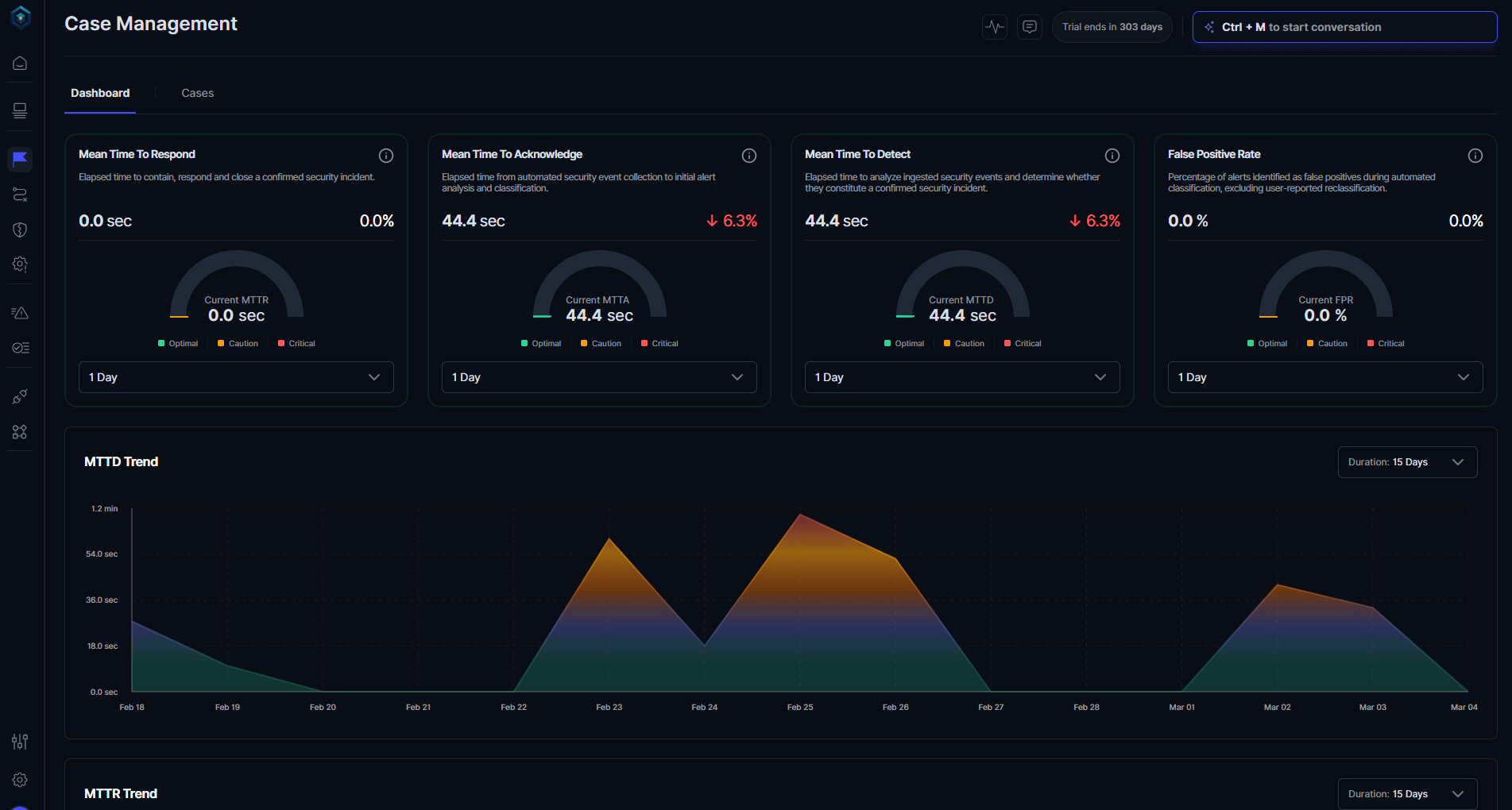
Each teammate handles the work in its domain, not by replacing your team, but by making every analyst more effective than they could be alone.
The Result Isn’t Just Less Noise. It’s Actual Throughput
Teams using Secure.com’s Digital Security Teammates shift from reactive alert-chasing to proactive, outcome-driven security operations.
The difference shows up in measurable outcomes: 30-40% faster detection (MTTD), 45-55% faster response (MTTR), and 70% reduction in manual triage workload.
If your current stack is good at detecting but slow at resolving, Secure.com is the execution layer that closes that gap.
Conclusion
The goal was never to own every tool in the category. The goal was to stop threats. If your stack is growing but your team is still drowning, the stack isn’t doing its job.
The strongest security teams aren’t the ones with the most tools. They’re the ones who know exactly what each piece does, where it connects, and what happens when it runs.
If you can’t answer about half your stack right now, that’s not a procurement problem. That’s an operations problem and fixing it is worth more than the next product renewal.
FAQs
How do I know if my security stack is too bloated?
A good rule of thumb is to look at your analysts’ workflow. If a single investigation requires jumping between more than three or four tools that don’t automatically share data, you have a fragmentation problem. Additionally, check your alert-to-investigation ratios; if the vast majority of alerts are never reviewed, you have more “coverage” than your team can actually operationalize.
Is it worth consolidating tools even if I lose some specialized features?
In most cases, yes. A tool that integrates seamlessly and produces investigation-ready output is far more valuable than a “best-of-breed” specialized tool that creates a manual handoff. Features that aren’t connected to your broader workflow aren’t truly features—they are just expensive line items on your budget.
What’s the difference between tool coverage and operational throughput?
Think of it this way:
- Coverage: A tool is “watching” a specific threat category.
- Throughput: Threats in that category are actually being investigated, responded to, and resolved.
Most security stacks have plenty of coverage but suffer from poor throughput because the tools don’t talk to each other, leaving the heavy lifting to human analysts.
How do I make the case to leadership that we need fewer tools, not more?
The most effective way to frame this is by tying it to time and cost. Instead of talking about “cutting features,” talk about “buying back analyst capacity.”
- Highlight how many manual hours are wasted coordinating between disconnected tools.
- Show the “alert-to-close” rate.
- Demonstrate the overlap between what you are paying for and what is actually being used.
When you frame consolidation as a way to make the existing team more efficient and responsive, the business case often writes itself.