Key Takeaways
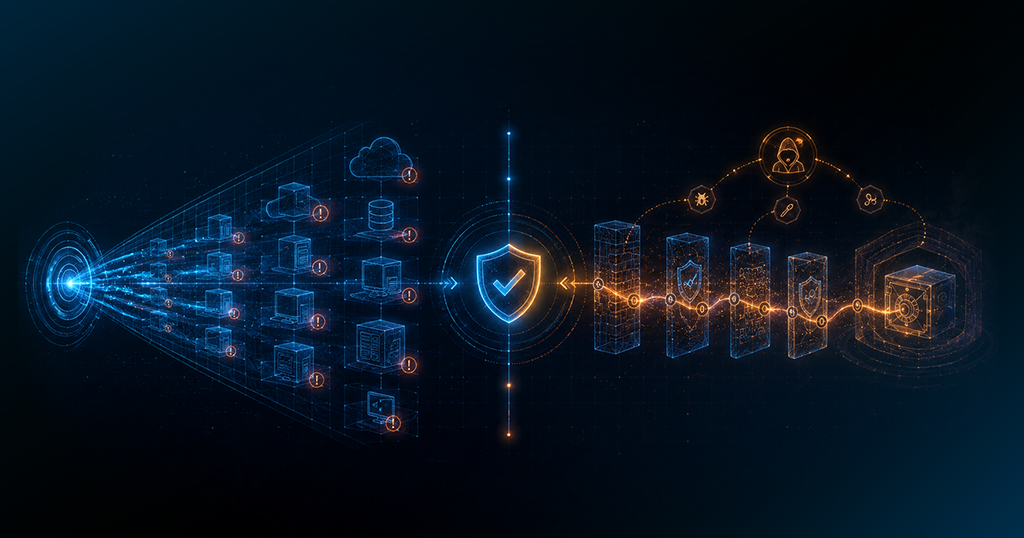
- Vulnerability scanning is automated. Pentesting is done by real security professionals.
- Scans find known weaknesses. Pentests prove those weaknesses can actually be exploited.
- Most businesses need both, not one or the other.
- Scans should run on a regular schedule. Pentests typically happen once or twice a year.
- Skipping either one leaves gaps that attackers will find before your team does.
Introduction
The global average cost of a data breach hit $4.88 million in 2024, a 10% jump from the year before. [IBM Cost of a Data Breach Report, 2024] Most of those breaches started with a known vulnerability that was never properly tested.
Pentesting and vulnerability scanning are two of the most commonly mixed up tools in security. They sound similar. They are not. Here is a plain breakdown of what each one does, how they compare, and when your team should actually be using them.
What Is Vulnerability Scanning?
A vulnerability scan is an automated check of your systems, network, or applications. It runs through a database of known weaknesses and flags what it finds.
Think of it like a smoke detector. It tells you something is wrong. It does not tell you where the fire started, how fast it is spreading, or how much damage is already done.
What Vulnerability Scans Check For
- Outdated software and missing security patches
- Weak or default passwords that were never changed
- Open ports that should not be accessible
- Misconfigured servers or cloud environments
- Known CVEs listed in public vulnerability databases
Scans run fast. A basic network scan can finish in under an hour. Most teams run them weekly or monthly to keep a current picture of what is exposed across their environment.
One thing worth knowing: scans produce false positives. They flag things that look like vulnerabilities but are not always real threats in your specific environment. Someone on your team still needs to review results and decide what to prioritize.
That said, scanning is one of the most practical habits a security team can build. It catches the basics that attackers actively scan for too: unpatched software, open ports, and stale configurations.
Types of Vulnerability Scans
- Network scans: check for exposed devices, open ports, and network level weaknesses
- Web application scans: look for common flaws like SQL injection and broken authentication
- Host scans: check individual machines for local misconfigurations and outdated software
- Authenticated scans: run with login credentials for a deeper look at what an insider or compromised account could access
What Is a Penetration Test?
A pentest is a manual security test carried out by a trained professional. The goal is to think and act the way a real attacker would.
Where a scan says “this port is open,” a pentester asks “what can I actually do with that open port?” That shift in thinking is the whole point.
Pentesting is not about building a list of possible issues. It is about proving which ones are real and demonstrating exactly how bad the damage could get.
What a Pentest Includes
- Reconnaissance: mapping out what an attacker can see about your systems before they strike
- Exploitation: actively attempting to break in through known weaknesses
- Privilege escalation: testing how far an attacker could move once they are inside
- Post exploitation analysis: understanding what data and systems would be at risk
- A detailed report with findings, risk ratings, and specific steps to fix what was found
Pentests take time. A thorough test can run anywhere from a few days to a few weeks, depending on scope. Most organizations schedule them once or twice a year, or after major changes to their infrastructure.
Types of Pentests
Pentest vs. Vulnerability Scanning: A Side by Side Look
Here is a direct comparison so you can see exactly where they differ.
A scan tells you what might be vulnerable. A pentest tells you what is vulnerable and what could happen if someone took advantage of it.
They are not substitutes for each other. They are built to work together.
One stat worth noting: the National Vulnerability Database had over 206,000 vulnerability entries as of 2022 (and continues to grow—over 29,000 new CVEs were added in 2023 alone), and about 80% of exploits are published before the corresponding CVEs are officially released—a phenomenon known as ‘zero-day’ or ‘n-day’ exploitation, where attackers weaponize vulnerabilities faster than vendors can patch them. That means automated scans are constantly playing catch up. Pentests help close the gap by testing what the database has not caught yet.
When Should You Use Each One?
Most security teams use both. Here is how to think through when each one fits your situation best.
- You need regular, scheduled monitoring across your full environment
- You need evidence of ongoing checks for PCI DSS, HIPAA, or SOC 2
- You just pushed a new deployment or changed a system configuration
- You want to watch for new CVEs in third party tools you depend on
- You are preparing for a major product launch or infrastructure overhaul
- A compliance framework specifically requires manual security testing
- You are investigating after a suspected breach or security incident
- You need to prove security maturity to clients, auditors, or investors
If your team is just getting started, scanning is the right first step. It’s lower cost, faster to configure, and gives you a working baseline. You cannot fix what you do not know about.
Once you’re patching consistently and have good visibility into your environment, adding a pentest once a year gives you a deeper picture of what automated tools won’t catch on their own.
How Secure.com Helps You Build a Stronger Security Routine
Running regular scans and staying on top of vulnerabilities is manageable when the right tools are doing the heavy lifting.
Whether you’re running a lean security team or scaling a mature program, Secure.com’s Digital Security Teammates augment your vulnerability management workflow—automating the repetitive work while keeping humans in control of critical decisions.
FAQs
Is a pentest better than a vulnerability scan?
How often should I run a vulnerability scan?
How long does a penetration test take?
Do I need a pentest for compliance?
Conclusion
Vulnerability scanning and pentesting both belong in a working security program. Scans keep your team aware of what is exposed on a regular basis. Pentests show you what the real damage could look like if someone decided to act on those exposures.
Running one without the other gives you a partial answer. Most organizations start with consistent scanning and build pentesting into their program as they grow.
The goal is the same either way: find your weaknesses before someone else does.