CVE-2026-111585: When the Supported Machine Becomes the Attacker
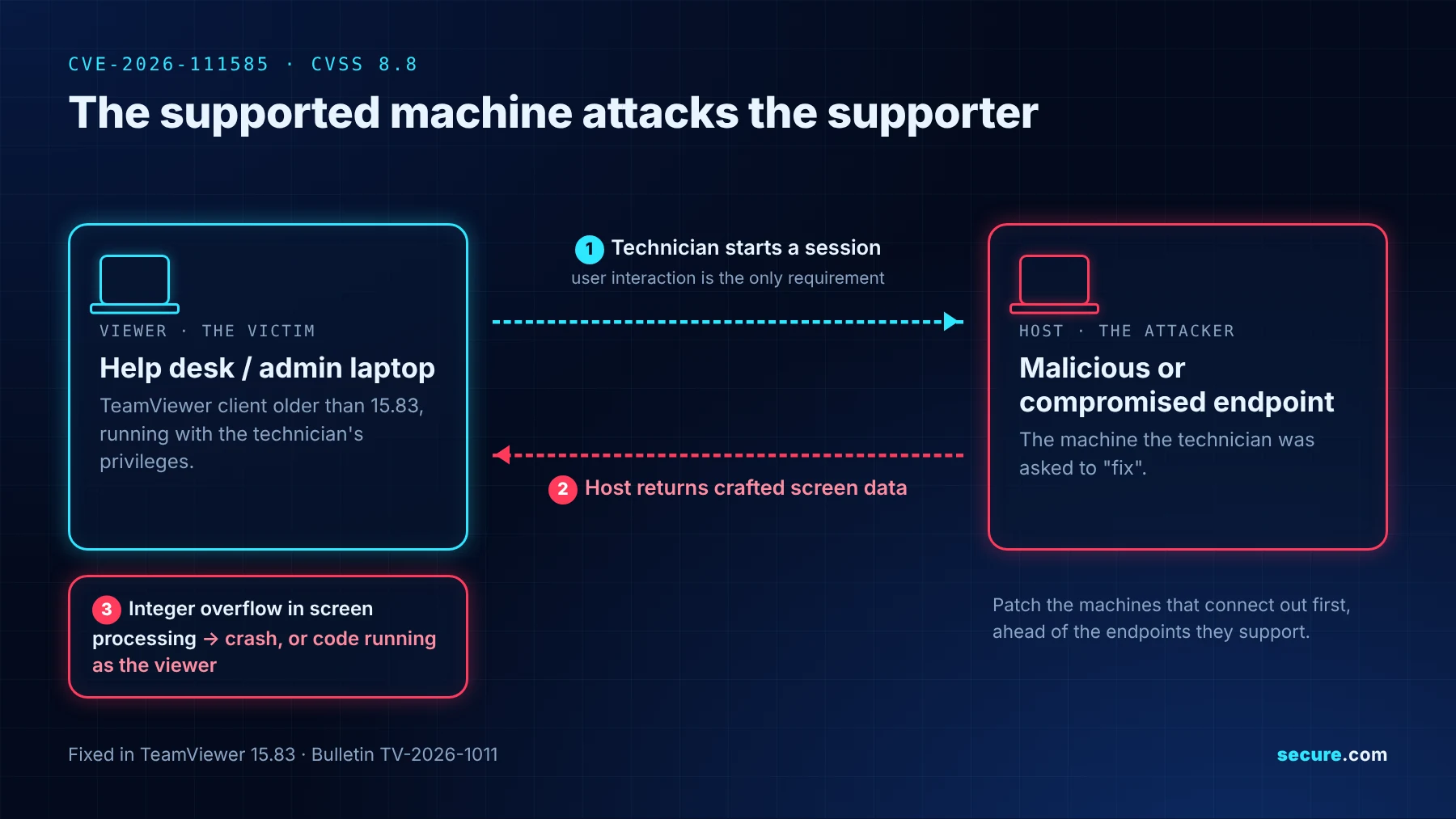
Remote support runs on a simple assumption: the technician is safe and the broken machine is the risk. A flaw patched in TeamViewer 15.83 reverses that. The host attacks the viewer, so help desk machines need the fix first.
What Happened?
On Tuesday 27 October, TeamViewer published bulletin TV-2026-1011 and shipped version 15.83. The headline bug, CVE-2026-111585, is an integer overflow in remote control screen processing. The CVE record says a malicious host may cause a denial of service or, depending on the platform, potentially run arbitrary code with the privileges of the viewer process. It scores 8.8 on CVSS v3.1 and needs a user to start a session to an attacker controlled or compromised host. The researcher who reported it in August published a lab demo of code execution on a Windows viewer two days later.
Three Flaws, One Update
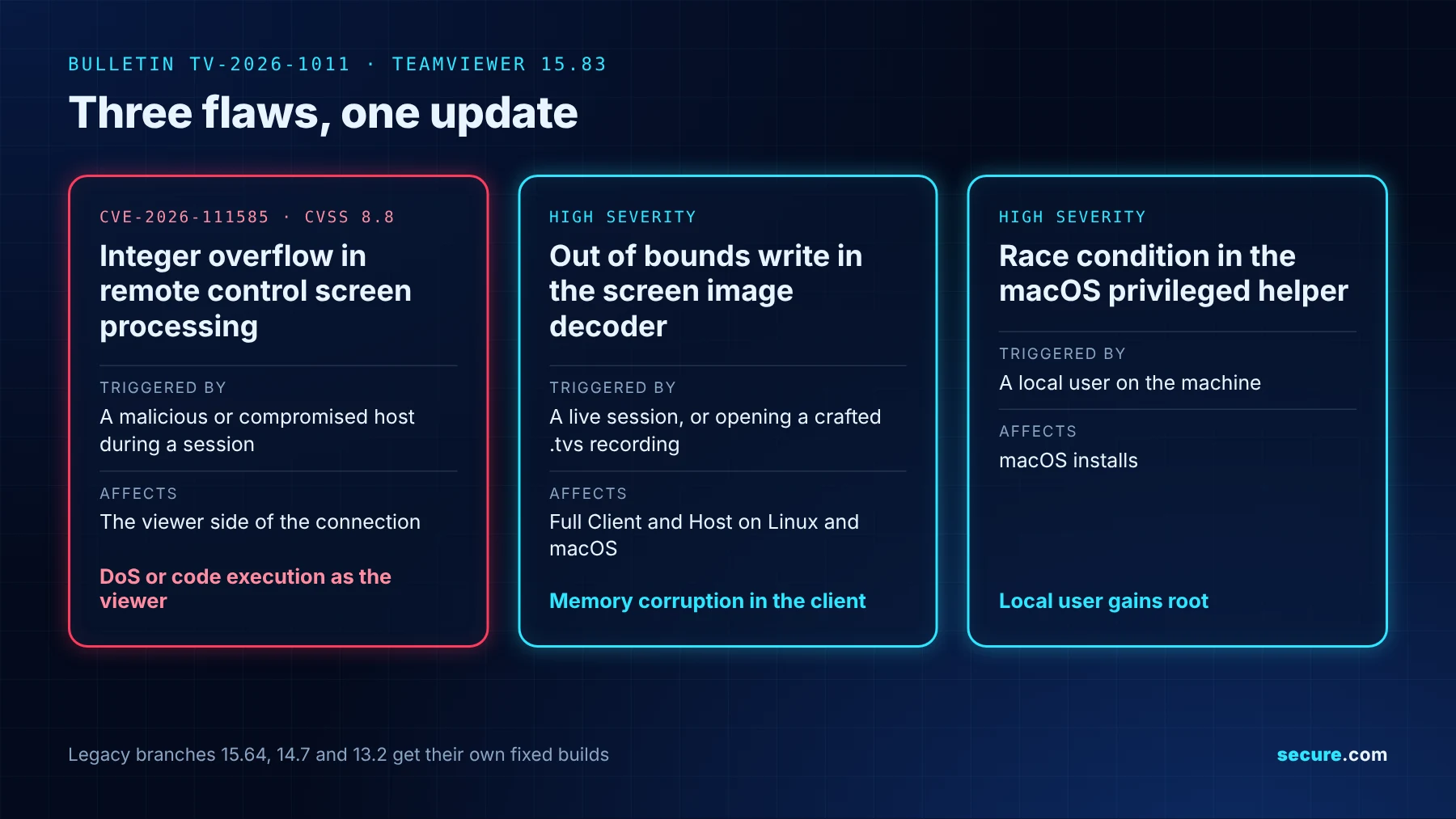
Two more high severity bugs shipped in the same bulletin. One is an out of bounds write in the screen image decoder affecting Full Client and Host on Linux and macOS, triggerable during a session or by opening a crafted .tvs session recording. The other is a race condition in the macOS privileged helper that hands a local user root. The bulletin header covers TeamViewer Remote, Tensor and ONE, while the CVE record names Full Client, Portable and the Android Remote Control app. Legacy 15.64, 14.7 and 13.2 branches get their own fixed builds.
What Is the Impact?
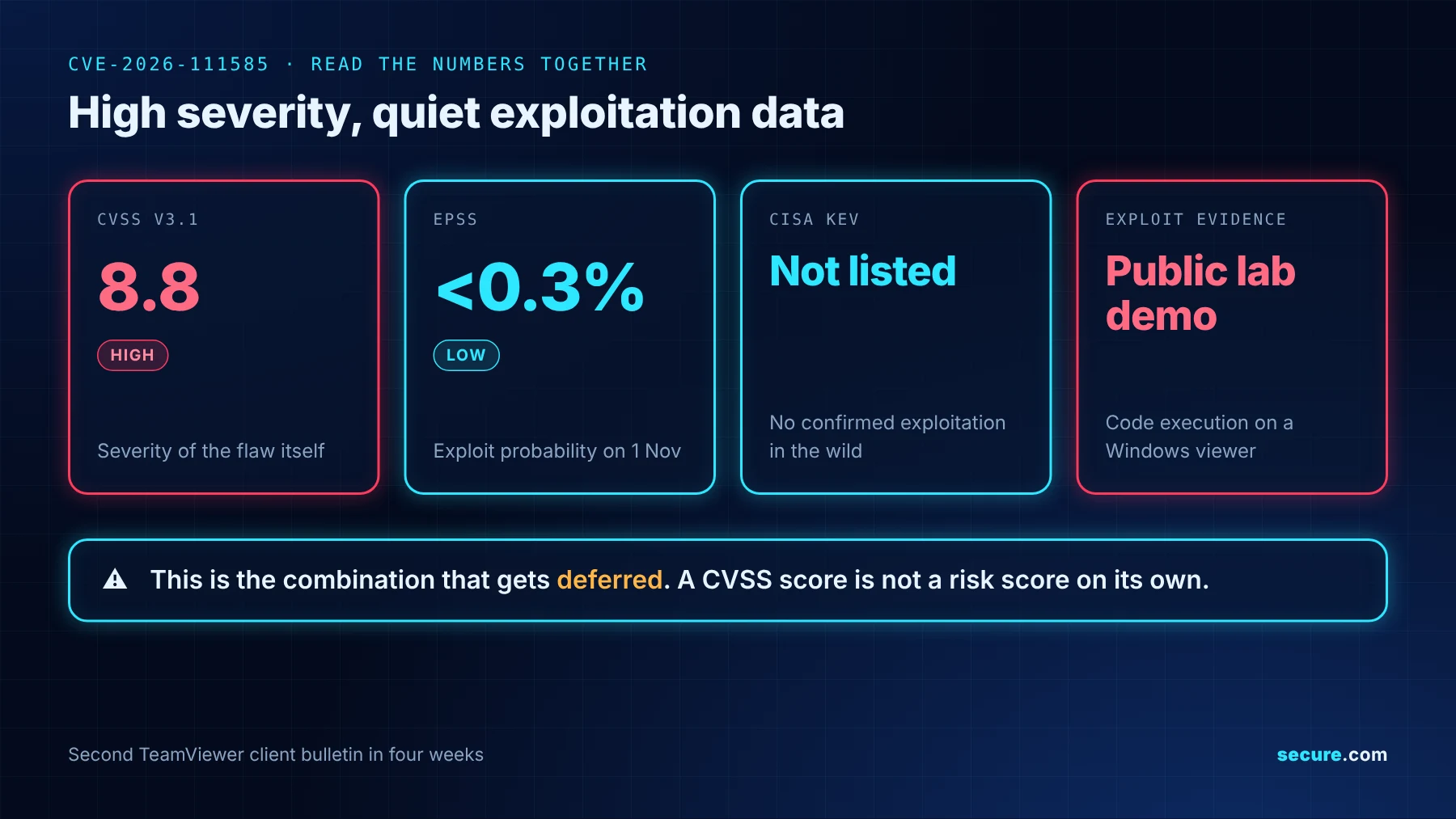
The patch priority inverts. Machines that connect out, meaning help desk and admin laptops, belong at the top of the fix first list, ahead of the endpoints they support. Severity reads 8.8, but exploitation evidence is a lab demo only, EPSS sat under 0.3% on Sunday 1 November, and the flaw is not in CISA KEV.
Read Those Numbers Together
A high score sitting next to quiet exploitation data is the combination that gets deferred, and it is the plainest reminder that CVSS scores are not risk scores on their own. This is also the second TeamViewer client bulletin in four weeks. Dates vary depending on where you look: the CVE record shows publication on Tuesday 27 October, while the researcher dates it to 22 October, when TeamViewer accepted the finding. The vendor says it was not aware of active exploitation at the time of publication. Treat that as a reason to run this through your normal vulnerability remediation SLAs, not to skip it. One wrinkle before you raise the ticket: the bulletin and the CVE record both state 15.83, while the build shipping on the download page is numbered 15.83.3.
Indicators of Compromise: There Is Nothing To Hunt For
No indicators of compromise have been published, and none should be expected. This is memory corruption inside the client on the machine doing the viewing, not malware carrying a file hash or a command and control address. Detection has to be behavioral instead: a client process crashing repeatedly during or just after a session, a viewer spawning a child process it has no business spawning, or outbound connections from a help desk laptop that begin the moment a session ends. Knowing which machines run which build does more here than any indicator list, which makes this an asset visibility problem before it is a hunting one.
How to Avoid This
- Update viewers first
- Catch portable installs
- Patch legacy branches
- Refuse untrusted recordings
- Verify versions afterwards
Your Patch List Is Only As Honest As Your Scanners
Secure.com relies on your scanners to see the TeamViewer version on each machine. A machine that no connected scanner checks for this CVE will not show it, and as of Monday 2 November we found no released scanner check for CVE-2026-111585.
When your vulnerability scanner reports CVE-2026-111585 on a host or a container image, Secure.com shows it on that asset with its KEV status, EPSS score and exploit evidence.