TL;DR
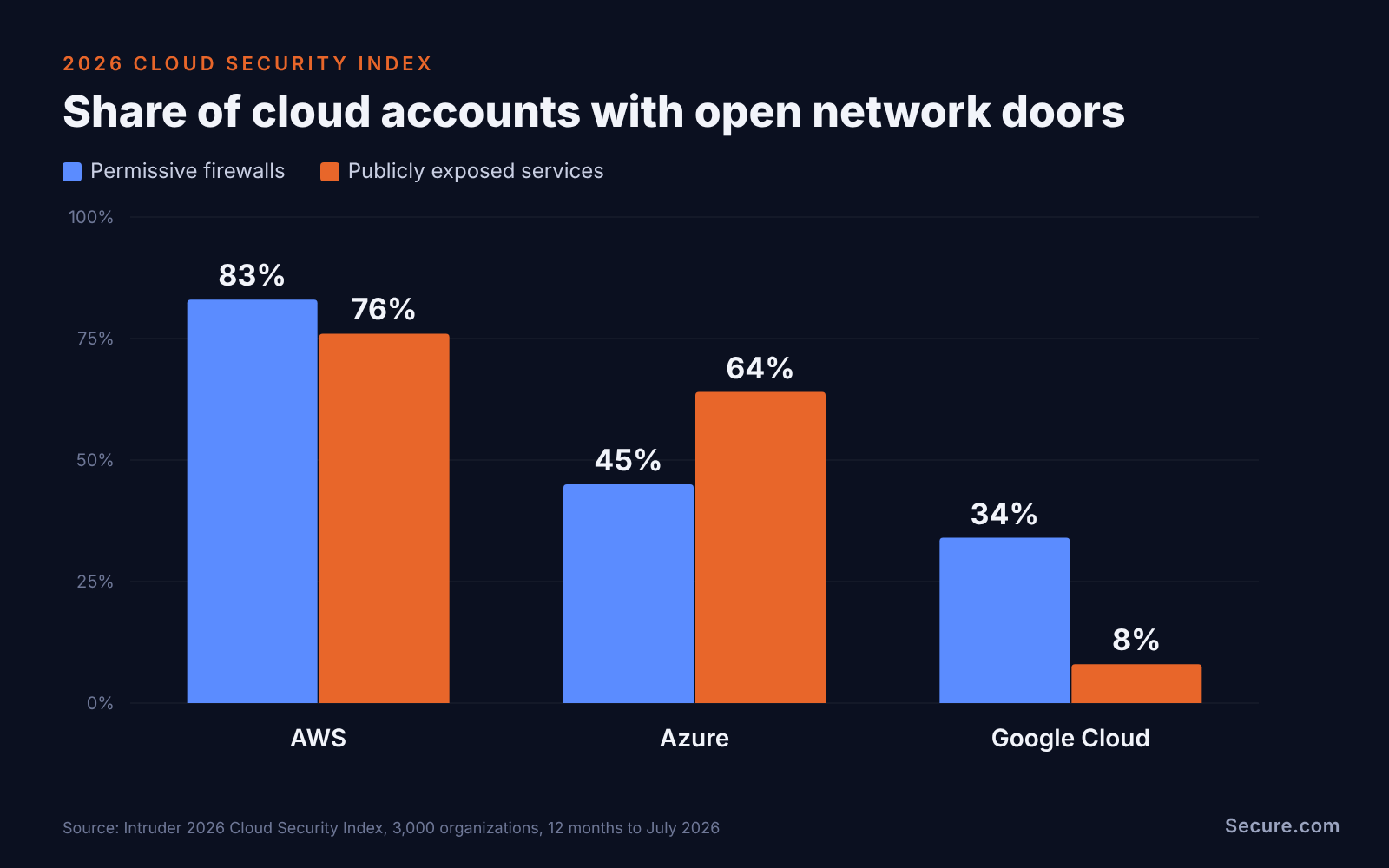
When it comes to cloud network security, your VPC probably has an open door right now. Intruder’s 2026 Cloud Security Index looked at 3,000 organizations and found permissive firewalls in 83% of AWS accounts, 45% of Azure accounts, and 34% of Google Cloud accounts.
That is not the provider’s fault. The provider secures the cables and the data centers. Who can talk to what is your call, and that call changes every time someone ships a feature, opens a port to debug, or spins up a test environment.
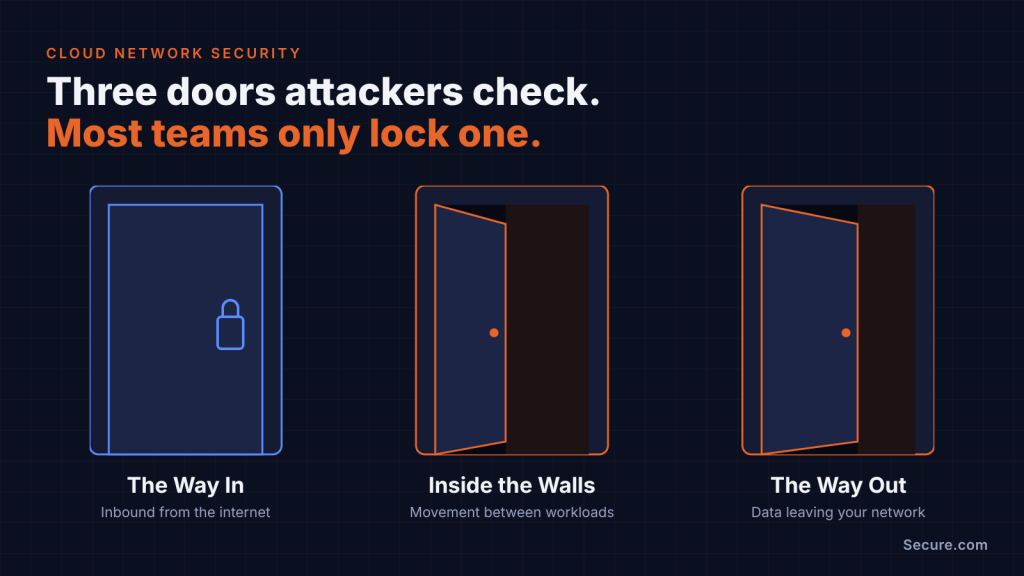
Cloud network security comes down to three questions.
- What can reach you from the internet?
- What can move around once it is inside?
- What can leave?
Most teams answer the first one, tick a box, and move on. Attackers ask all three, and they ask them fast: CrowdStrike’s 2026 Global Threat Report puts the average eCrime breakout time at 29 minutes, with the fastest at 27 seconds.
Here is what each question looks like from the attacker’s side, and how to close the gaps so they stay closed.
The way in: what attackers see from the internet
Attackers do not start with your architecture diagram. They start with a scanner, and the scanner sees what your security groups, network ACLs, and firewall rules actually allow.
The most common finds are boring, and that is the problem:
- Management ports open to the world. SSH on 22 or RDP on 3389 with a source of 0.0.0.0/0. Intruder found permissive ingress to sensitive ports through network ACLs in 84% of AWS accounts.
- Databases and search clusters on public IPs. MongoDB, Elasticsearch, and Redis sitting behind a rule someone meant to tighten later.
- Kubernetes control planes on the internet. Datadog’s State of Cloud Security report found internet-exposed API servers on 54% of GKE clusters, 39% of EKS clusters, and 34% of AKS clusters.
- Forgotten test and demo environments. They often have the weakest rules and the same cloud credentials as production.
Most of these rules were not mistakes when they were written. As Datadog Security Labs points out, teams often add rules for troubleshooting, never audit them, and then forget them. The rule outlives the reason, and nobody owns it anymore.
The fix starts with knowing what is really exposed, not what the diagram says is exposed. That is where continuous attack surface management earns its keep.
Inside the walls: flat networks and lateral movement
Once an attacker lands on one workload, the next question is simple: what else can this box talk to? In a lot of cloud estates, the honest answer is “almost everything.”
Flat networks happen for understandable reasons. One big VPC is easier to build. Security groups that allow the whole internal range save a ticket. VPC peering and transit gateways get added for one project and never trimmed. Each choice is small. Together they turn a single compromised web server into a path to your databases.
The network is only half of the story. In one AWS intrusion that Sysdig’s Threat Research Team documented in February 2026, the attacker moved across 19 AWS principals after escalating through an overly permissive Lambda role. Network paths and identity paths stack on top of each other, and attackers use both.
What good segmentation looks like in practice:
- Separate public and private subnets, with databases and internal services never on a public subnet.
- Security groups that reference other security groups, not wide CIDR ranges.
- Peering and transit routes scoped to the workloads that need them, reviewed when projects end.
- Kubernetes network policies that deny pod-to-pod traffic by default, since Kubernetes allows it all out of the box.
This is the network side of zero trust architecture: no workload trusts another just because they share a VPC.
The catch is that segmentation on paper and segmentation in reality drift apart. The only way to know which one you have is to try to get through it.
The way out: egress nobody watches
Inbound rules get reviews. Outbound rules usually get “allow all.” That default is convenient for developers and even more convenient for attackers, because every breach ends with something leaving.
Open egress lets a compromised workload:
- Call home to a command and control server over plain HTTPS.
- Pull down tooling, crypto miners, or a second-stage payload.
- Ship your data out through a NAT gateway, often to a cloud storage bucket that looks like normal traffic.
- Smuggle data out inside DNS queries, which many teams never inspect.
Tightening egress does not mean breaking production. Start with the workloads that should never talk to the internet at all, like databases and internal APIs. Route the rest through a managed firewall or proxy with an allow list of the destinations they actually need. Use private endpoints for cloud services so traffic to storage and queues never touches the public internet.
Then log it. VPC flow logs, Azure NSG flow logs, and GCP VPC flow logs show you what is actually leaving. They only help if someone, or something, reads them.
Why manual rule reviews keep losing
Most teams know all of the above about cloud network security. The gap is not knowledge. It is hours.
A mid-sized estate can carry thousands of security group rules across dozens of accounts and three providers. Each provider names and enforces things differently, which is why Intruder found the top misconfigurations on AWS, Azure, and Google Cloud barely overlap. A quarterly review means someone exports rules to a spreadsheet, chases owners on Slack, and asks “does anyone still need this?” a few hundred times.
By the time the review ends, new rules have been added. The spreadsheet is already stale. The analyst doing it is already tired. This is the exact kind of grunt work that burns out good security people, and it still leaves you guessing, because a rule that looks safe on paper can be part of a path an attacker can actually walk.
The stakes are real. IBM’s Cost of a Data Breach Report 2026 puts the average breach involving public cloud data at $5.38 million, against a $4.99 million global average.
Attack. Harden. Prove. Repeat.
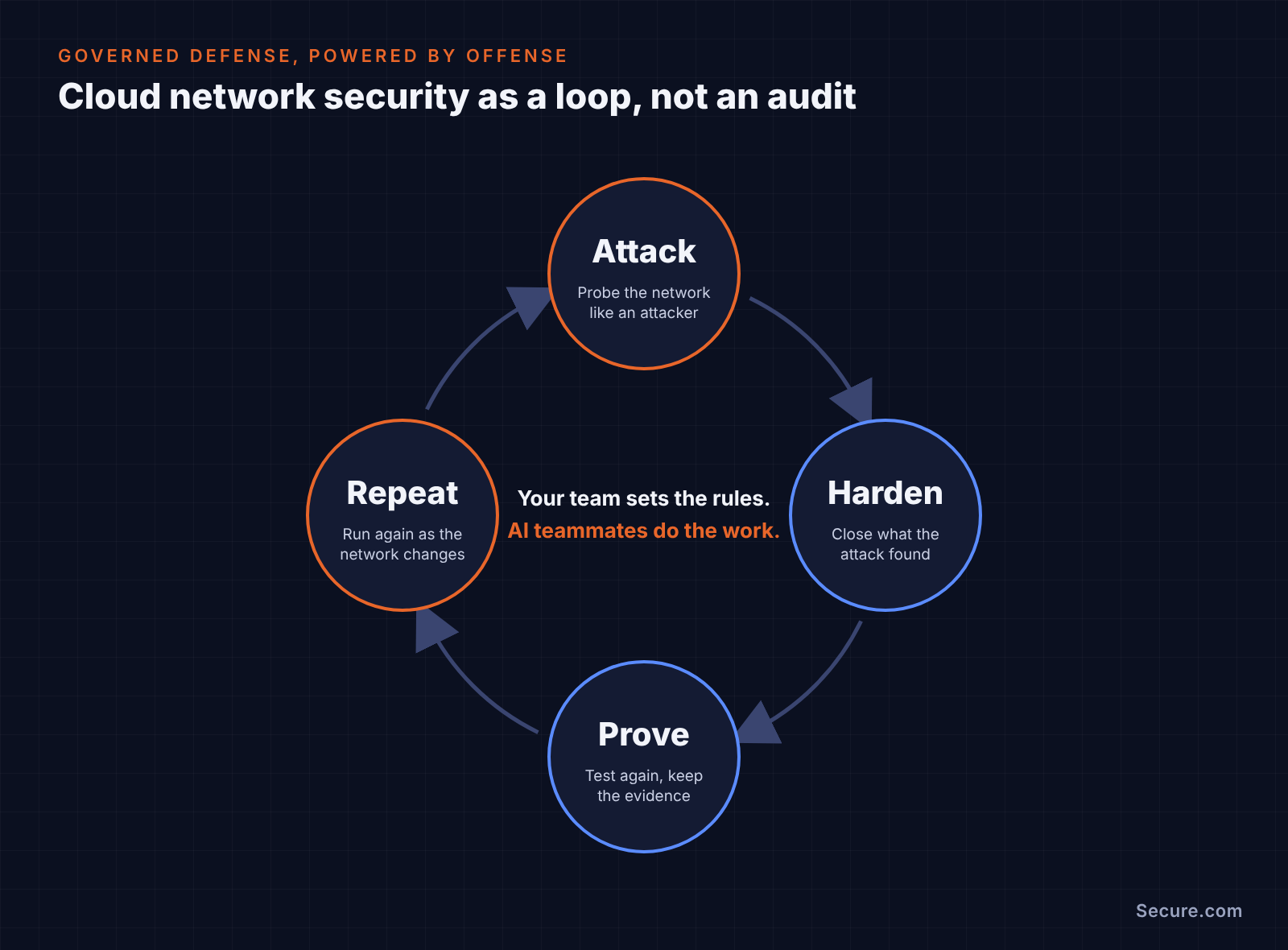
The way out of the review treadmill is to stop treating cloud network security as a once-a-quarter audit and start treating it as a loop. That is the idea behind Secure.com: Governed Defense, Powered by Offense.
- Attack. AI teammates probe your cloud networks the way an attacker would. They look for what is reachable from the internet, which internal paths lead somewhere valuable, and what can get out.
- Harden. They tighten what they find: scoping a wide-open rule, closing an unused port, flagging a peering route with no owner.
- Prove. They test again to confirm the path is actually closed, and keep the evidence, so you can show auditors and leadership a fix instead of a ticket.
- Repeat. Your network changes every day, so the loop runs continuously, not once a quarter.
Through it all, your team sets the rules. You decide which environments can be touched, which changes need a human sign-off, and what is off limits. AI teammates do the work inside those guardrails.
The result: your network gets checked more often than any human team could manage, and your people get back hundreds of hours a month. No More Grunt Work. No More Burnout.
Cloud network security checklist
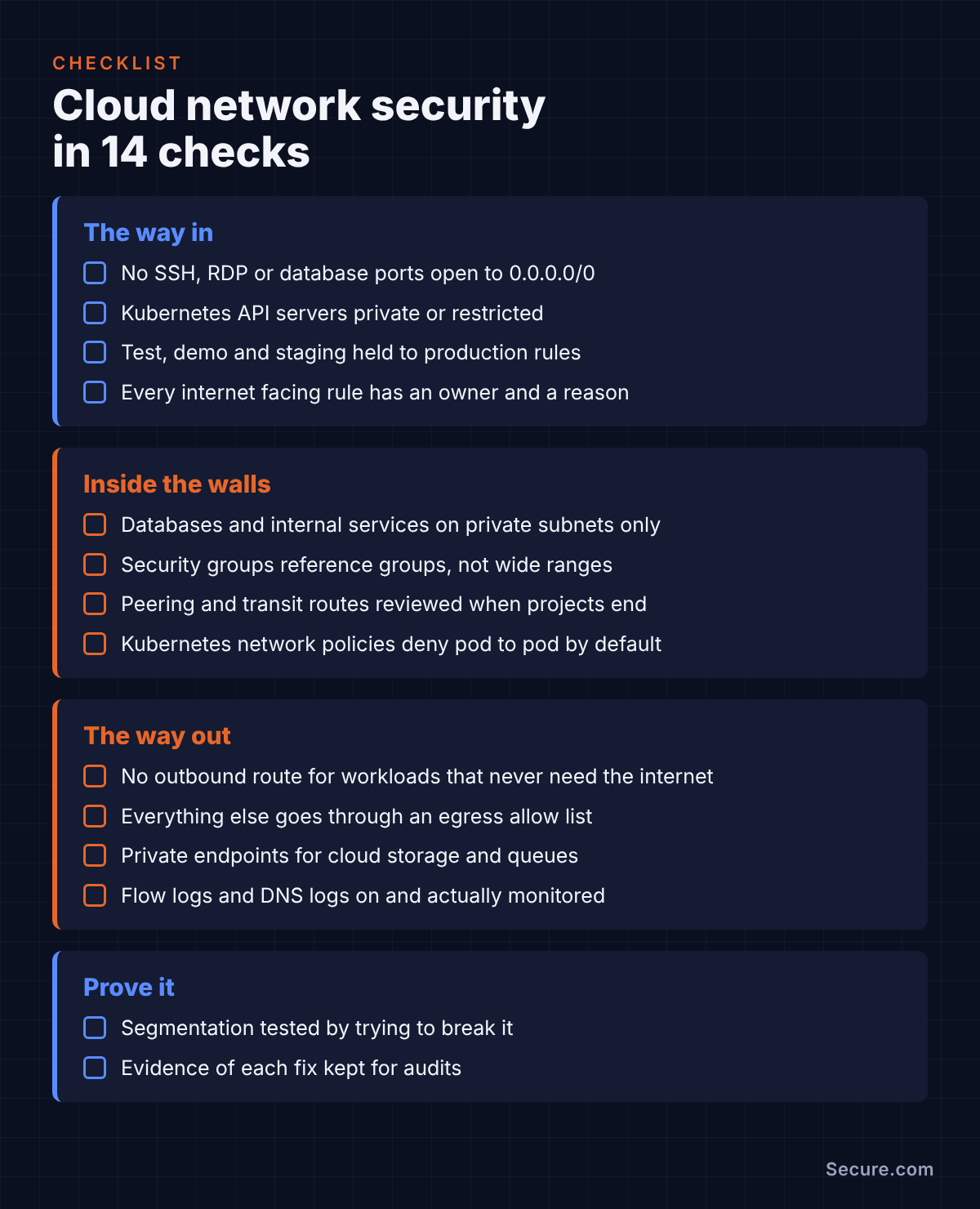
Use this as a starting point for your next review.
The way in
- No SSH, RDP or database ports open to 0.0.0.0/0
- Kubernetes API servers private or restricted to known IP ranges
- Test, demo and staging environments held to the same rules as production
- Every internet-facing rule has a named owner and a reason
Inside the walls
- Databases and internal services only on private subnets
- Security groups reference other groups, not wide internal ranges
- Peering and transit routes reviewed when projects end
- Kubernetes network policies deny pod-to-pod traffic by default
The way out
- Workloads that never need the internet have no outbound route
- Everything else goes through an egress allow list
- Private endpoints used for cloud storage and queues
- Flow logs and DNS logs turned on and actually monitored
Prove it
- Segmentation tested by trying to break it, not by reading the diagram
- Evidence of each fix kept for audits