Key Takeaways
- A good evidence collection automation RFP asks about integrations, control mapping, and audit trail history, not just price.
- Compliance still gets treated like a cost center in a lot of companies, and that mindset shapes weak RFPs.
- Ask every vendor how their tool connects to your cloud cost and asset inventory systems. That answer tells you a lot.
- Secure.com’s Compliance Teammate generates compliance evidence automatically from daily security operations, which changes what you should be scoring vendors on.
A compliance manager at a mid-size fintech company once told us she spent three weeks every quarter just chasing screenshots. Three weeks, four times a year, for evidence that already existed somewhere in her company’s own systems. That’s the problem an evidence collection automation RFP is supposed to solve. Most of them don’t, because most of them are written like a checklist instead of a real evaluation.
Why Compliance Still Gets Treated Like a Cost Center
Here’s the uncomfortable part. A lot of leadership teams still see compliance as overhead. Something you fund because you have to, not because it helps the business. That thinking shows up directly in how RFPs get written.
Research from the Ponemon Institute found that non compliance costs run 2.65 times higher than the cost of compliance itself, and that gap has only widened over time. Yet budget conversations still treat compliance software as an expense to minimize rather than a risk reducer to invest in.
That mindset produces RFPs that ask “how much does it cost” before they ask “how much manual work does it remove.” Flip that order and the whole evaluation changes.
A few reasons compliance keeps losing this argument internally:
- Audit prep feels invisible until something goes wrong.
- The value of automation is hard to see until you compare it against the alternative: a spreadsheet, a Slack channel full of screenshots, and a compliance lead pulling all nighters before an audit.
- Finance teams measure software cost easily. They measure avoided risk much less easily.
If you’re writing the RFP, this is your opening argument. Frame evidence collection automation as risk reduction with a side benefit of time savings, not the other way around.
What Should an Evidence Collection Automation RFP Include
This is the core of the document, so don’t rush it. A weak RFP asks vague questions like “does your tool automate evidence collection.” Every vendor will say yes. A strong RFP forces specifics.
Here’s what belongs in yours.
Framework and Control Coverage
List every framework you’re pursuing now and in the next two years. SOC 2, ISO 27001, HIPAA, PCI DSS, GDPR, whatever applies to your business. Ask the vendor to show, not tell, how their control library maps to each one. Ask specifically about framework to control mapping with structured workflows across the standards you care about.
Integration Depth
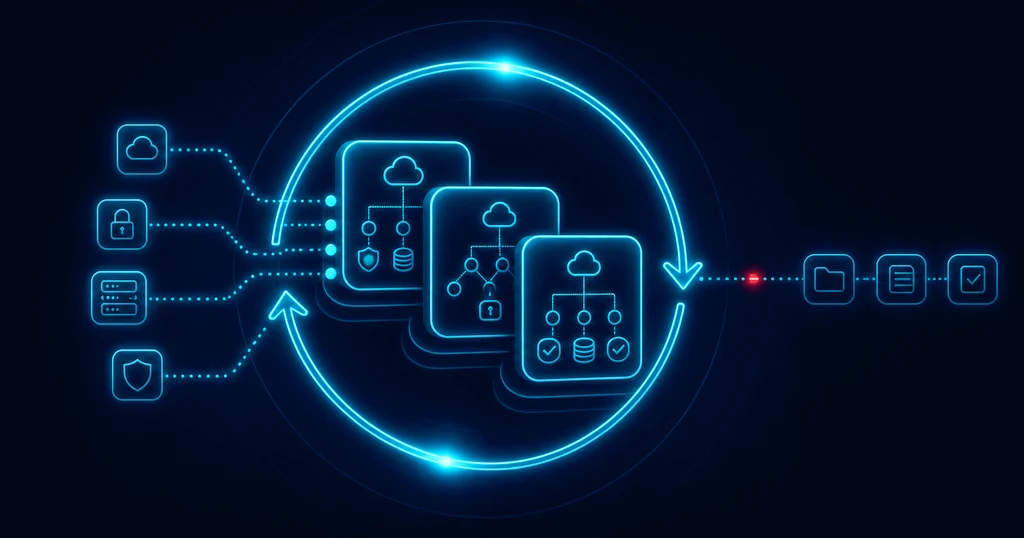
This is where most RFPs fall short. It’s easy to ask, “Do you integrate with AWS?” It’s harder, and more useful, to ask how deep that integration goes. Automated evidence collection uses integrations, APIs, and rule-based checks (sometimes AI-supported) to continuously gather and store compliance documentation. A surface-level integration might just confirm a connection exists. A real one pulls specific configuration data, access logs, and change history on a schedule you control.
Include these in your RFP:
- Which identity providers, cloud platforms, and ticketing tools does the vendor support out of the box?
- What happens when an integration breaks or a token expires? Who gets notified, and how fast?
- Can evidence be pulled on demand, not just on a fixed schedule?
Evidence Freshness and Audit Trail
Old evidence is close to useless in front of an auditor. Ask how the tool timestamps evidence, how long it retains history, and whether you can prove a control was operating correctly on a specific date, not just today. A strong platform builds this into a comprehensive evidence repository with role-based access controls (RBAC) governing who can upload, modify, approve, delete, and review evidence. Look for capabilities including versioning, retention policies, automated staleness detection, and audit-compliant metadata (naming conventions, tagging, timestamps).
Control Testing, Not Just Collection
Collecting evidence is only step one. Ask whether the tool actually tests controls against requirements, flags failures, and shows you a pass or fail status you can act on before an auditor sees it. That distinction, collection versus testing, separates a real compliance platform from a glorified file storage tool.
Reporting and Exportability
You need to hand evidence to an auditor in a format they can actually use. Ask for sample exports. Ask whether reports map directly to framework requirements or whether your team will spend hours reformatting everything by hand.
Support During Actual Audits
Some vendors disappear the moment the contract is signed. Ask what support looks like during your first audit specifically. Is there a dedicated contact? Do they help with auditor questions, or is your team on its own?
Security and Access Controls for the Platform Itself
A little irony here. The tool managing your compliance evidence needs to be compliant itself. Ask about their own SOC 2 report, their data retention policy, and who inside your organization can see what.
Questions to Ask Vendors That Most RFPs Skip
Beyond the standard checklist, a few questions separate a good conversation from a great one.
Does the platform connect to your cloud cost and asset inventory tools?
This one gets missed constantly, and it shouldn’t. Compliance doesn’t live in a silo. If a platform can’t see your full asset inventory, including infrastructure spun up outside your main cloud account, it’s working with an incomplete picture. Automated evidence workflows work best when they pull from direct system sources: identity providers (IdPs), endpoint management platforms, vulnerability scanners, cloud control planes, asset inventories, and configuration management databases (CMDBs). Asset inventory and cost tools often reveal shadow IT and unmanaged resources that never show up anywhere else. If your evidence collection tool can’t touch that data, you have a blind spot baked into your compliance program from day one.
How much of this can run without a person clicking a button?
Ask for a real number. Not marketing language, an actual percentage or task count. Vendors that can answer this with specifics usually have a more mature product.
What breaks first when your tech stack changes?
Every company adds and removes tools constantly. Ask how the platform handles a new SaaS tool being added mid quarter, or an old one being deprecated. This tells you how brittle or flexible the automation really is.
How Secure.com’s Compliance Teammate Fits Into This
Most of the RFP questions above exist because traditional compliance tools treat evidence collection as a separate task bolted onto your real work. You do security operations, and then separately, you go prove you did it.
Secure.com’s Compliance Teammate generates compliance evidence automatically from daily security operations—proof becomes a byproduct of work your team is already doing, not an extra project. This approach eliminates the traditional ‘compliance tax’ where security teams duplicate effort to satisfy auditors. It continuously monitors ownership and scope, benchmark drift, access reviews, MFA status, and vulnerability signals—then automatically converts these operations into audit artifacts, with real-time compliance dashboards, control-level evidence tracking that shows what was collected, when, from where, and who owns it, and exports aligned to your frameworks.
That last part matters most for your RFP. Instead of a static screenshot, you get a defensible, timestamped record tied directly to the control it supports. When an auditor asks a question, your team isn’t digging through folders. The answer is already there.
If you’re evaluating vendors right now, use the questions above as your baseline, then ask each one to show, live, how they would answer a governance question like “who has access to this dataset” or “which systems are in scope for this framework.” The strongest platforms turn that into a direct query, not a meeting.
FAQs
What should an evidence collection automation RFP include?
Why is compliance seen as a cost center in many organizations?
Does compliance automation connect to cloud cost and asset inventory tools?
How long should it take to get value from an evidence collection automation platform?
The Bottom Line
An evidence collection automation RFP is really a risk document wearing a procurement hat. Write it that way. Ask about integration depth, evidence freshness, control testing, and how the platform handles the parts of your stack that don’t show up on the first slide of a sales deck.
The teams that get burned aren’t the ones who asked too many questions. They’re the ones who asked too few, then found out during their first real audit.